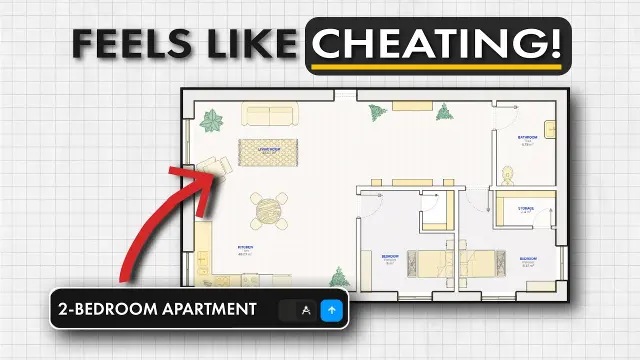
Create Floor Plans Instantly Using AI Architecture Tools
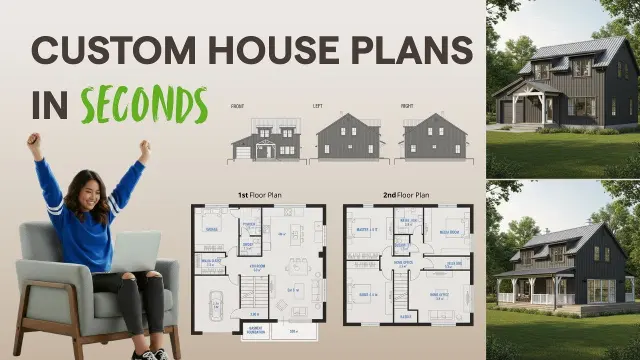
A quick walkthrough demonstrating an AI-powered workflow to draft architectural floor plans efficiently.
YouTube · The Architecture Grind · 1 December 2025 Watch on YouTube
Tried this idea? Show how yours turned out.
I made thisHow to do it
What you need
- AI architecture / floor plan tool (e.g. Synaps)
- Written prompt describing the layout
- Room count and type brief (e.g. 2-bedroom apartment)
- Prompt cheat sheet for the tool
Step by step
- Open the AI architecture tool and start a new floor plan.
- Type a short brief into the prompt field, such as "2-bedroom apartment".
- Generate the plan and review how the rooms are laid out and labelled.
- Adjust the prompt and regenerate until the layout fits what you need.
- Export the finished plan for drafting or presentation.
Tips
- Keep the prompt focused on room count and type first, then refine details.
- Reuse and adapt prompts from a cheat sheet so you aren't starting from a blank field each time.
- Compare results across a couple of AI tools before committing to one plan.
Written by Tagrazzi from the original's description and photo.
The title and summary are written by Tagrazzi; the video belongs to its creator and plays from YouTube.






Comments (0)
No comments yet. Be the first to comment.
Sign in to write a comment.