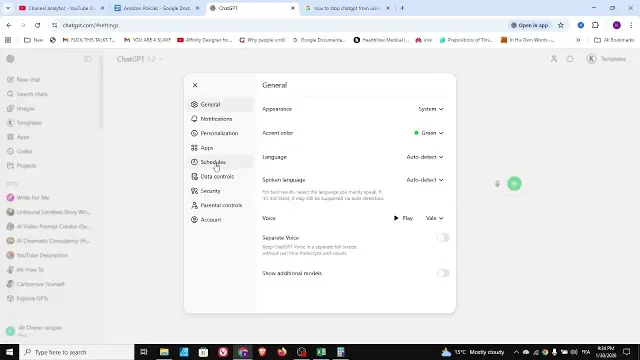
Step-by-Step Guide On How To Turn Off Data Sharing In ChatGPT
A straightforward guide demonstrating how to locate and disable data sharing settings within ChatGPT.
YouTube · MrHowTo · 31 January 2026 Watch on YouTube
Tried this idea? Show how yours turned out.
I made thisHow to do it
What you need
- ChatGPT
- Settings
- Data controls
Step by step
- Open ChatGPT settings.
- Select Data controls from the left menu.
- Find the data sharing option.
- Turn data sharing off.
Tips
- Look in the settings sidebar for Data controls.
- If you do not see the switch, scroll within the settings panel.
Written by Tagrazzi from the original's description and photo.
The title and summary are written by Tagrazzi; the video belongs to its creator and plays from YouTube.







Comments (0)
No comments yet. Be the first to comment.
Sign in to write a comment.