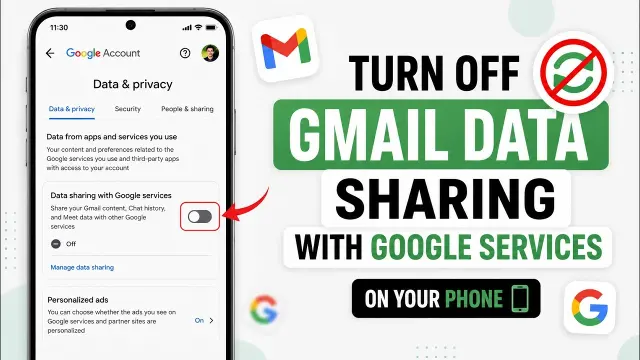
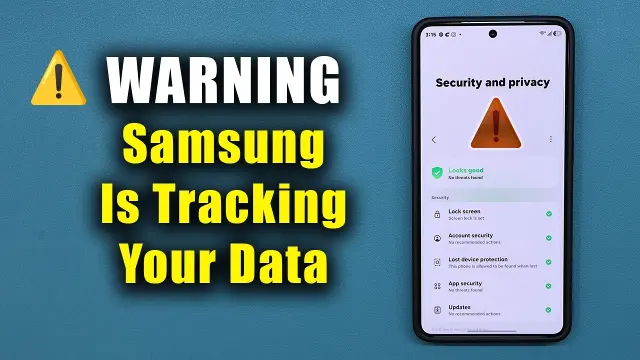
How to Turn Off Gmail Data Sharing With Google Services
Learn how to manage your Google Account privacy controls to stop Gmail from sharing data and personalizing content across other Google services.
YouTube · GeekYorker · 24 July 2026 Watch on YouTube
Tried this idea? Show how yours turned out.
I made this#Gmail #Google #Privacy #GoogleAccount #DataSharing #Email #HowTo #TechTutorial #OnlinePrivacy #GoogleSettings
How to do it
What you need
- Phone with the Gmail app
- Your Google Account signed in
- Google Account settings (Data & privacy)
Step by step
- Open the Google Account settings on your phone.
- Go to the Data & privacy section.
- Find the option labeled Data sharing with Google services.
- Switch the toggle off so it reads Off.
- Tap Manage data sharing to review related settings.
- Check the Personalized ads section and change it if you want.
Tips
- The toggle shows Off when sharing with other Google services is disabled.
- Use Manage data sharing to review what is still connected, since one switch doesn't cover every setting.
- Personalized ads is listed separately, so check it after turning off data sharing.
Written by Tagrazzi from the original's description and photo.
The title and summary are written by Tagrazzi; the video belongs to its creator and plays from YouTube.




Comments (0)
No comments yet. Be the first to comment.
Sign in to write a comment.