 Four Free Courses for Learning Claude AI from the Basics
#AI Assistants
2 ideas
Four Free Courses for Learning Claude AI from the Basics
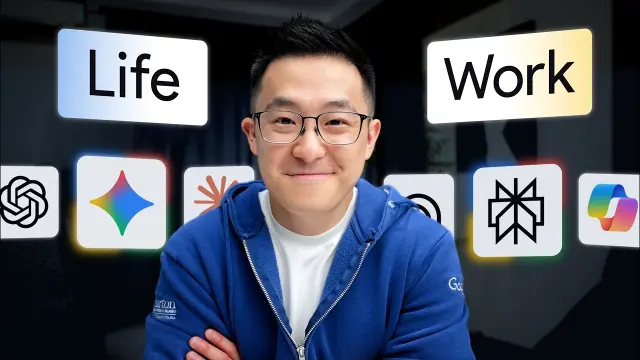 Which AI Tool to Use for Each Task: A Short Practical Guide
Get new #AI Assistants ideas by email
Every Thursday: the week's best ideas, with the newest from #AI Assistants.
Related tags
A Beginner's Guide to AI Assistants
An AI assistant is software you talk to — by typing or by speaking — that answers questions, drafts text, explains ideas, or helps you work through a task. Underneath, it is a program trained on very large amounts of written material to recognise patterns in language and continue them in a useful way. It does not fetch a fixed answer from a list the way an old FAQ page does; it composes a response piece by piece. That is what makes it flexible, and also what makes it capable of sounding completely confident while being wrong.
Where the idea comes from
The wish for a conversational helper is old: early computing pioneers already imagined typing a question into a machine and getting a sensible answer back. The first practical versions were rule-based — a script matched keywords and returned a prepared reply, and it broke down the moment you phrased things differently. Real progress came from natural language processing, the field concerned with getting computers to handle human language, and later from machine learning, where systems improve by learning from examples rather than following hand-written rules. Modern assistants extend this to images, audio and longer conversations, but the core idea is unchanged: match the shape of what you asked for.
What people use them for
Read more
- Drafting and editing emails, messages, notes and applications
- Explaining a subject in simpler words, or at a different level of detail
- Summarising a long text you already have
- Brainstorming names, ideas, outlines and options
- Translating and polishing writing in another language
- Planning trips, meals, schedules and projects
- Getting unstuck on small technical or everyday problems
The main kinds
Chat-based assistants are the most familiar: a text box, a conversation, follow-up questions. Voice assistants live in phones and speakers and are built for quick, hands-free requests. Embedded assistants sit inside other software — writing tools, design programs, customer support windows — and are tuned to that one job. Specialist assistants focus on a single domain such as code, images or spreadsheets. Task-oriented assistants go further and attempt multi-step actions, which makes checking their work more important, not less.
What beginners should know
Be specific. Say who the answer is for, what it is for, how long it should be and in what tone. If the first reply misses, correct it rather than starting over — context carries.
Assume it can be wrong. Assistants can invent facts, sources, quotations and numbers without any sign of doubt. Treat anything you would repeat to someone else as something to verify, especially figures, legal or medical matters, and anything about a real person.
Mind what you share. Do not paste passwords, identity documents, other people's private information or confidential work material into a tool you do not control.
Remember it does not know you. It only knows what is in the conversation and what it learned in training, so it has no memory of your circumstances unless you explain them.
Practical habits
Use it as a first draft and a thinking partner, not a final authority. Ask for two or three alternatives and pick the one that fits. Ask it to explain its reasoning and to flag what it is unsure about. Keep your own judgement, especially on health, money and anything personal — for those, general information is all an assistant should give, and a qualified professional is the right next step.
#AI Assistants: frequently asked questions
How do I get started with an AI assistant if I've never used one?
Begin with a single everyday task you already understand well — drafting a message, explaining a term, or outlining a plan — so you can judge the answer against what you know. Type your request the way you would explain it to a helpful person, then refine it based on what comes back. There is nothing to install or configure for most chat-based tools; the skill you are building is in how you ask.
Do I need any special equipment or technical knowledge to use one?
No — a chat-style assistant needs only a device with a browser or an app and an internet connection, and voice assistants are built into ordinary phones and speakers. What matters far more than hardware is being able to describe clearly what you want and to read the reply critically. If you can write a short, specific request, you have everything the tool needs from you.
Which kind of AI assistant should I choose for my situation?
Match the tool to the shape of the job: a chat assistant suits open-ended writing and thinking, a voice assistant suits quick hands-free requests, and an assistant built into the software you already use suits work confined to that program. Specialist tools are worth seeking out when one task dominates, such as code, images or spreadsheets. If you are unsure, start with the general chat kind and move on only when you hit a limit.
How do I get better answers out of an assistant I already use?
Give context: who the answer is for, what it will be used for, how long it should be and in what tone. When a reply misses, correct it in the same conversation instead of starting fresh, because the earlier exchange shapes what comes next. Asking for a few alternatives, or for the reasoning behind an answer, usually improves the result more than adding more instructions.
What mistakes do people make most often with AI assistants?
The common ones are asking something too vague and then blaming the tool, and trusting a confident-sounding reply without checking it. Assistants can invent facts, quotations and figures with no hint of doubt, so anything you would pass on to someone else is worth verifying. Another frequent slip is pasting private or confidential material into a tool you do not control.
Can I use an AI assistant for personal matters like health, money or family decisions?
It can help you understand general information, organise your thoughts, or prepare questions to ask — that is a reasonable use. It should not be treated as an authority on your own circumstances, because it knows only what you type in the conversation and cannot examine you or your situation. For anything consequential, take the general understanding it gives you to a qualified professional.
Videos come from YouTube and posts from Instagram; titles and summaries are our own. All rights belong to their creators.