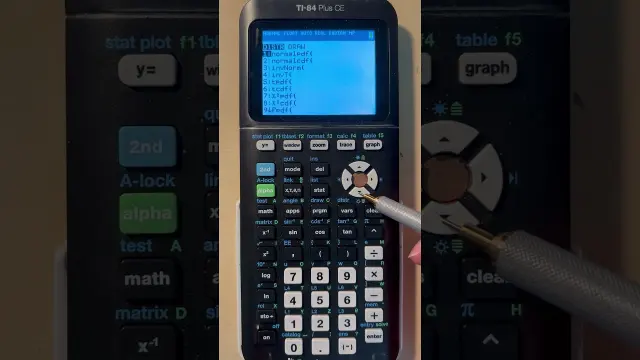
 Finding Z-Scores Given Area or Probability Using the TI-84 Calculator
#Calculator Tutorial
1 ideas
Finding Z-Scores Given Area or Probability Using the TI-84 Calculator
Get new #Calculator Tutorial ideas by email
Every Thursday: the week's best ideas, with the newest from #Calculator Tutorial.
Related tags
Calculator Tutorial Basics and Tips
What a calculator is
A calculator is a tool for carrying out arithmetic and more advanced mathematical operations quickly and accurately. People use calculators for everyday sums, schoolwork, finance, science, engineering, and checking work by hand. There are many kinds, from simple pocket calculators to scientific and graphing calculators, but they all help you work with numbers more efficiently.
Calculators became common as a practical replacement for repeated manual calculation. Today, they are used both for quick answers and for exploring math in a more visual or structured way. Some calculators handle only basic operations, while others can work with fractions, powers, roots, trigonometric functions, logarithms, statistics, and graphs.
Main types of calculators
Read more
- Basic calculators: Good for addition, subtraction, multiplication, division, percentages, and simple memory functions.
- Scientific calculators: Useful for algebra, geometry, trigonometry, fractions, exponents, roots, and many school-level problems.
- Graphing calculators: Designed for plotting functions, working with tables, and handling more advanced coursework.
- Online and app calculators: Convenient for quick use, though their layouts and features vary.
If you are just starting out, it helps to learn the type you use most often instead of trying to master every feature at once.
How to use one well
A calculator only gives good results if you enter the problem correctly. Always pay attention to order of operations, especially with mixed expressions involving parentheses, powers, and division. Parentheses are especially important when you want the calculator to treat part of a calculation as one unit.
For example, if you are working with fractions, it is usually safer to enter the entire numerator and denominator with brackets rather than typing separate steps. The same goes for negative numbers, especially when they are raised to powers. Small input mistakes can lead to very different answers.
Useful features to learn
- Memory keys: Helpful for storing intermediate values.
- Parentheses: Essential for keeping expressions clear.
- Fraction and decimal conversion: Useful for checking answers in different forms.
- Square root and power keys: Common in geometry and algebra.
- Trigonometric keys: Important in science and advanced math.
- Statistical functions: Helpful for averages, standard deviation, and related calculations.
If your calculator has a display of previous entries, use it to review your steps. That makes it easier to spot input errors.
Tips for beginners
Start with simple problems and build confidence before moving to more complex ones. Read the button labels carefully, because some keys have a second function printed above them. If the answer looks odd, check whether you forgot brackets, entered the wrong mode, or used decimal degrees when radians were needed.
It also helps to keep your calculator in a known setting before each session. Many mistakes happen because of an unexpected mode change. If you use your calculator for school, practice with the kinds of problems you see most often so the steps become familiar.
A final practical habit
A calculator is a tool for checking, learning, and speeding up work, not just for getting an answer. When you use it regularly and carefully, you become better at spotting patterns, estimating results, and understanding where numbers come from.
Videos come from YouTube and posts from Instagram; titles and summaries are our own. All rights belong to their creators.