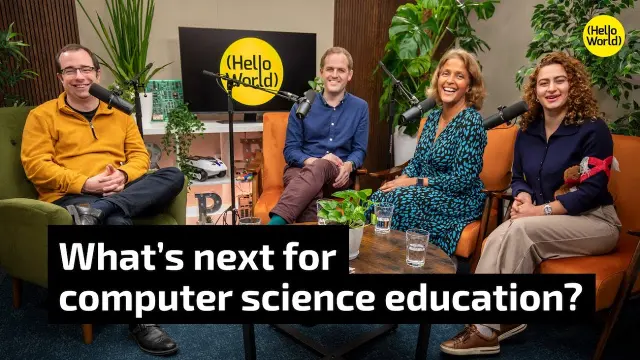
 Computing Education in 2026: A Hello World Podcast Year-End Special
#Computer Science Education
1 ideas
Computing Education in 2026: A Hello World Podcast Year-End Special
Get new #Computer Science Education ideas by email
Every Thursday: the week's best ideas, with the newest from #Computer Science Education.
Related tags
What Computer Science Education Really Involves
Computer science education is the study of how computing works and how people learn to work with it. It is broader than learning to write code. Programming is one tool inside it, alongside the ideas that explain why a program is fast or slow, how data is organised, how machines communicate, and how software is designed so that other people can maintain it.
Where it comes from
The field grew out of mathematics and logic, and its questions were being asked long before the first electronic computers existed: whether a problem can be solved by a step-by-step procedure at all, and what such a procedure costs in time and memory. As computers spread into offices, science and daily life, teaching the subject became a concern of its own, and educators began asking what every student should understand about the machines shaping their world, not only those who would build them.
What the subject contains
Read more
Most curricula, whether at school or university, move through a recognisable set of areas:
- Programming fundamentals: variables, control flow, functions, and the habit of testing your own work.
- Algorithms and data structures: sorting, searching, lists, trees, and reasoning about efficiency.
- Discrete mathematics and logic: the formal grounding beneath the code.
- Computer systems: how hardware, operating systems and networks actually behave.
- Software engineering: version control, design, collaboration and maintenance.
- Databases, security, artificial intelligence and human-computer interaction, each a field in itself.
Theory and practice are meant to support each other. A student who only memorises syntax learns a language that will age; a student who only studies abstraction never sees it work.
Ways of teaching it
Approaches vary widely. Young children often begin with visual, block-based environments where dragging a puzzle piece replaces typing, so the ideas of sequence, repetition and conditionals arrive before the syntax. Older beginners frequently start with a general-purpose language and small projects. University courses add lectures, laboratories, problem sets and group work. Outside formal study there are books, free courses, coding clubs and communities, all of which can carry a learner a long way.
A recurring finding in the field is that misconceptions are stubborn: beginners often believe the computer understands more than it does, or that a program should work the first time. Good teaching surfaces those beliefs and corrects them directly rather than piling on new material.
If you are starting out
Pick one language and stay with it for a few months. Type the examples yourself instead of copying them, and change something in each one to see what breaks. Expect errors; debugging is the skill you are actually practising. Build small things you would enjoy using, however modest. Read other people's code when you can. And take breaks: the ideas tend to settle when you stop staring at them.
You do not need talent for mathematics to begin, and you do not need to know where it will lead. Curiosity and patience will carry you further than either.
#Computer Science Education: frequently asked questions
How do I start learning computer science if I have never written a program before?
Settle on a beginner-friendly general-purpose language and stay with it long enough to stop fighting the syntax. Work through small examples by typing them yourself rather than copying, and change something in each one so you can watch what breaks. Blocks-based environments are a perfectly good first step if typing feels like a barrier; the ideas of sequence, repetition and conditionals matter more than the language.
Do I need to be good at mathematics to study computing?
Not to begin. Comfort with formal reasoning helps later, especially once you reach algorithms, logic and efficiency, but curiosity and patience carry a beginner much further than prior maths grades. Plenty of people build a solid foundation first and pick up the mathematical grounding as the questions demand it.
Should I choose a coding bootcamp, a university degree, or self-study?
It depends on what you want the study to give you: structured theory and breadth, a fast route into practical building, or the freedom to follow your own curiosity. Formal courses tend to cover systems, theory and collaboration alongside programming, while self-study and communities are excellent for projects and momentum. Many learners mix them, and none of the routes is wasted if you keep building things.
What kinds of small projects are good practice for a beginner?
Choose things you would actually enjoy using, however modest: a tool that sorts your notes, a simple game, a page that tracks something you care about. The point is to finish something end to end, because finishing teaches you testing, debugging and design in a way exercises rarely do. Read other people's code as well; seeing how someone else structured a problem is one of the fastest ways to improve.
What mistakes do beginners make most often?
Expecting a program to work the first time is the big one, followed by assuming the computer somehow understands more than you actually told it. Copying examples without altering them also hides whether you have understood anything. Treat errors as the normal texture of the work rather than as evidence you are unsuited to it, and debug deliberately instead of guessing.
How do I keep my skills current once the basics are behind me?
Keep building and keep reading code, because languages and tools age while the underlying ideas about data, efficiency and design do not. Revisit your own older projects and improve them; noticing what you would now do differently is a reliable sign of progress. Taking real breaks matters too, since understanding often settles once you stop staring at the screen.
Videos come from YouTube and posts from Instagram; titles and summaries are our own. All rights belong to their creators.