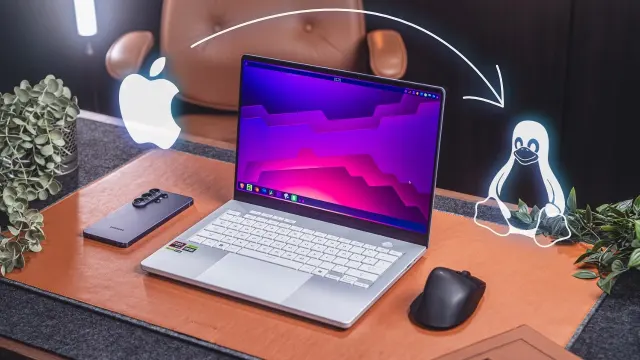
 Mac to Linux: Testing Linux for a Full Creative Workflow
#Creative Tools
1 ideas
Mac to Linux: Testing Linux for a Full Creative Workflow
Get new #Creative Tools ideas by email
Every Thursday: the week's best ideas, with the newest from #Creative Tools.
Related tags
Creative Tools: A Beginner's Guide to Making Things
Creative tools are the instruments people use to turn an idea into something they can show, hear, read or hold. The category is deliberately broad: a pencil and a notebook qualify, and so does a full studio setup. What ties them together is purpose rather than price or complexity. A tool becomes a creative tool the moment someone uses it to shape something that did not exist before.
Where the idea comes from
Making things is older than writing, but the notion of separating "creative" tools from ordinary ones is relatively modern. It grew alongside professionalisation: as design, photography and music became distinct trades, the equipment attached to them developed its own identity. Digital technology broadened the field again, moving whole disciplines onto screens and blending tools that were once separate, so that a single device can now be a darkroom, a mixing desk and a printing press.
The main kinds
Read more
It helps to sort tools by what they act on rather than by what they cost.
- Mark-making tools: pencils, pens, brushes, markers, ink, paper and the surfaces that receive them.
- Digital drawing and design software: programs for sketching, vector work, layout, photo editing and 3D modelling.
- Cameras and lighting: still and video equipment, from phone sensors to dedicated bodies and continuous lights.
- Audio tools: microphones, interfaces, speakers, headphones and recording software.
- Fabrication and craft tools: sewing machines, cutting tools, clay, woodworking equipment, printers.
- Organisation tools: notebooks, sketchbooks, moodboards and the software that stands in for them.
What beginners should know
Start with the smallest set of tools that lets you finish something. A person who has never drawn will learn more from one cheap sketchbook used daily than from an expensive tablet used occasionally. Skill accumulates through repetition, and tools reward the person who has already built habits.
Learn the fundamentals of the medium before its shortcuts. Composition, colour, rhythm, structure and light behave the same whether you work in graphite or pixels; software changes the mechanics, not the principles.
Separate production tools from consumption ones. The device you use to browse is easy to confuse with the device you use to make things, and the confusion quietly eats working time.
Practical tips
- Borrow before buying. Test a tool in a workshop, a friend's studio or a trial version before committing.
- Prefer tools that are repairable, well documented and supported by a community, since help is a feature.
- Keep one notebook, digital or paper, for everything; fragmented notes rarely become work.
- Learn the file formats and export settings of your software early. Losing work to an export mistake is a common and preventable frustration.
- Revisit your setup once a year. Tools you never reach for are occupying space and attention.
- Take care of your body: sensible lighting, a comfortable chair and regular breaks matter more than most upgrades.
Creative tools are means, never the point. The most useful ones fade into the background, and the work becomes the thing you notice.
#Creative Tools: frequently asked questions
How do I get started with creative tools if I have never made anything before?
Pick the smallest set of tools that lets you actually finish a piece of work, and start there. One basic sketchbook used regularly teaches more than elaborate equipment used once in a while, because skill grows through repetition rather than through gear.
What do I really need to buy, and what can wait?
You need only what is required to complete something in your chosen medium, plus one place to keep your notes and ideas together. Try a tool in a workshop, at a friend's studio or through a trial version before committing to it. Anything you have not reached for over a long stretch is probably not part of your working setup yet.
Which kind of creative tool should I choose when the options overlap so much?
Sort the options by what they act on rather than by what they cost: marks on a surface, images on a screen, sound, light, fabric or structure. Knowing which material you want to shape makes the choice narrow quickly. It also helps to set the device you make things with apart from the one you browse on, so the two do not blur together.
Should I learn the software first or the fundamentals of the craft?
Learn the fundamentals of the medium first — composition, colour, rhythm, structure and light behave the same whether you work in graphite or in pixels. Software changes the mechanics of making, not the principles behind it. Getting the basics in place makes every tool afterwards easier to pick up.
How do I look after my tools so they last?
Favour equipment that can be repaired, that comes with decent documentation, and that has a community around it, since being able to find help is genuinely part of a tool's value. Set up your workspace sensibly and revisit it periodically, clearing out what you never use. Also learn your file formats and export settings early, because losing work to an export mistake is a common and avoidable frustration.
What mistakes do beginners make most often with creative tools?
The usual one is buying a large, expensive setup before any habits exist, then mistaking browsing equipment for making equipment and losing working time to it. Another is scattering ideas across many notebooks and apps instead of keeping one place for everything, which rarely turns into finished work. Remember that tools are a means rather than the point — the best ones fade into the background.
Videos come from YouTube and posts from Instagram; titles and summaries are our own. All rights belong to their creators.