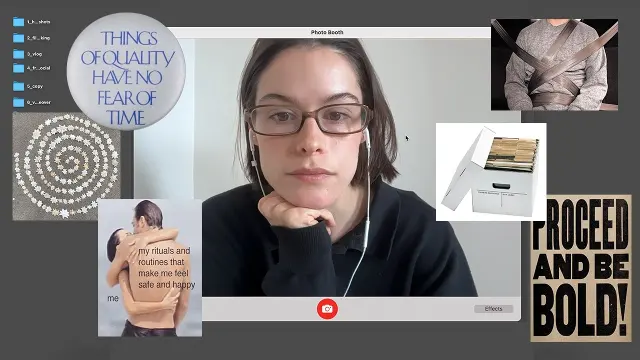
 Creative Intentions and Systems: A Designer's Working Process
#Personal Workflow
1 ideas
Creative Intentions and Systems: A Designer's Working Process
Get new #Personal Workflow ideas by email
Every Thursday: the week's best ideas, with the newest from #Personal Workflow.
Related tags
Personal Workflow: Building a System That Fits You
A personal workflow is the set of habits, tools and small decisions you use to move from an idea to a finished thing. It covers how you capture thoughts, what you do first in the morning, where your notes live, how you decide what to work on next, and how you close a task so the next one starts cleanly. It is less a piece of software than a shape you give your own attention.
The idea borrows from manufacturing and office management, where "workflow" once described the sequence of steps a job passed through. Designers, writers and makers later picked up the word because their work is harder to sequence: it loops, stalls and returns. What they kept was the useful part — the habit of looking at your own process from outside and adjusting it.
What distinguishes it from productivity advice
Productivity advice usually arrives as someone else's finished system. A personal workflow starts from observation. Before changing anything, notice what you actually do: where you take notes, when you lose track of a task, which step you skip when you are tired. The gaps you find are more reliable than any template.
Read more
Common shapes
- A capture-first system: one inbox for every idea, sorted later rather than during.
- A time-blocked day: fixed periods assigned to types of work, protected from interruption.
- A stage-based flow: clear stages such as collect, explore, refine, deliver, each with a defined exit.
- A project-and-someday split: active work separated from material you are not ready to use.
Most people end up mixing two or three of these, and the mix changes as their work does.
If you are starting out
Choose one place for incoming notes and commit to it for a while. A workflow that scatters information across five apps rarely survives. Keep the number of steps small — if a system requires more maintenance than the work itself, you will abandon it. Write your process down in plain language, a few lines at most, so you can see it and change it.
Practical tips that hold over time:
- Separate capture from decision. Collecting and choosing are different moods and different moments.
- Leave a note for your future self when you stop mid-task.
- Review your system occasionally, not constantly. Weekly is plenty for most people.
- Keep a short list of what "finished" means for each kind of work you do.
- Expect the workflow to fail during busy or difficult periods. That is information, not a verdict.
A word on tools
Tools matter less than the clarity of the steps they support. A notebook and a plain text file can carry a very good workflow; an elaborate setup can carry a bad one just as expensively. Choose what you will actually open, and let it change when your work changes.
#Personal Workflow: frequently asked questions
How do I start building a personal workflow?
Start by watching what you already do before you change anything — notice where ideas get written down, where tasks slip, and which steps you tend to skip when you are tired. Then pick a single place to collect incoming notes and stay with it long enough to see whether it fits. Write the process down in a few plain lines so it stays visible and easy to adjust.
What do I actually need to set one up?
Less than most people expect: one reliable place to capture thoughts, a short definition of what finished means for each kind of work, and a moment set aside to look over the system now and then. A notebook and a plain text file can support a very good workflow, while an elaborate setup can just as expensively support a bad one. Choose what you will genuinely open, not what looks impressive.
Which kind of workflow should I choose?
It depends on where your work tends to break down, so it helps to look at a few common shapes first: capture-first inboxes, time-blocked days, stage-based flows with defined exits, and a split between active projects and someday material. Most people find that mixing two or three of these works better than adopting one pure system. Whatever you pick should change as your work changes.
How do I keep a workflow going instead of abandoning it?
Keep the number of steps small, because a system that needs more maintenance than the work itself will not survive busy periods. Separate collecting from deciding, and leave a short note for your future self whenever you stop mid-task. Expect the whole thing to fall apart during difficult stretches — treat that as useful information about your process rather than a verdict on it.
What are the most common mistakes people make?
The usual ones are scattering notes across several apps, borrowing someone else's finished system without checking whether it matches how you really work, and tinkering with the setup constantly instead of doing the work. Another is reviewing and reorganizing so often that maintenance quietly becomes the task. A slow, occasional review tells you more than constant rebuilding.
Is a personal workflow the same as productivity advice?
Not quite — productivity advice usually arrives as someone else's completed system, while a personal workflow begins with observation of your own habits and gaps. The useful habit borrowed from design and office practice is stepping back to look at your process from outside and adjusting it. That means your version should look different from anyone else's, and that is the point.
Videos come from YouTube and posts from Instagram; titles and summaries are our own. All rights belong to their creators.