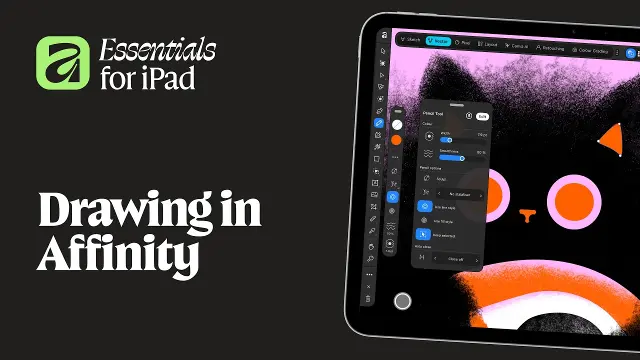
 How to Draw in Affinity for iPad: Sketch to Illustration
#Procreate Tips
1 ideas
How to Draw in Affinity for iPad: Sketch to Illustration
Get new #Procreate Tips ideas by email
Every Thursday: the week's best ideas, with the newest from #Procreate Tips.
Related tags
Procreate Tips for Better Digital Drawing
Getting started with Procreate
Procreate is a digital drawing app made for sketching, painting, lettering, and finished illustrations on a tablet. It gives you the feel of traditional art tools, but with the flexibility of layers, undo options, and custom brushes. Many people use it for quick sketches, polished artwork, social media graphics, planning, and even note-taking.
If you are new to Procreate, the best way to learn is by keeping things simple at first. Start with a basic canvas, one or two brushes, and a limited color palette. This helps you focus on drawing rather than getting lost in settings.
Helpful habits for a smoother workflow
Read more
One of the most useful Procreate tips is to work in layers. Separate your sketch, line art, flat colors, shadows, and highlights so you can edit each part without disturbing the rest. Name your layers when a project becomes more complex, because it is easy to lose track otherwise.
Use the undo and redo gestures freely while you practice. They are part of the digital process and help you try ideas without fear. It also helps to save versions of a drawing as you go, especially if you want to compare different color choices or compositions.
Another good habit is to keep your canvas size appropriate for the final use. A drawing meant for sharing online does not need the same setup as one intended for printing. If you are unsure, choose a size that gives you enough room to draw clearly without making the file too heavy to handle.
Brushes, tools, and style
Procreate offers many brush types, and each one can create a different feeling. Some brushes are best for crisp lines, while others work well for texture, watercolor effects, or soft shading. Try a few brushes and learn how they respond to pressure, tilt, and speed. You do not need a large brush collection to make strong artwork.
It can also help to understand a few common digital techniques:
- Sketching lightly on a separate layer before refining the drawing
- Filling large areas with color using selection tools or a solid brush
- Using clipping masks for shading, texture, or highlights
- Adjusting opacity instead of changing colors every time
- Rotating the canvas often so your hand can move more naturally
Tips for beginners
If you are just starting out, focus first on control rather than perfection. Practice simple shapes, clean lines, and basic shading before moving to complex subjects. Drawing the same object several times is often more helpful than trying to finish one perfect piece.
A few more practical tips:
- Keep your brush size and opacity easy to reach
- Work zoomed out sometimes to check the overall balance
- Use reference images when needed, but simplify what you see
- Rest your hand and eyes regularly during longer sessions
Making progress over time
The best Procreate tips are the ones that help you build a steady process. Learn a little at a time, test new brushes or tools in small practice files, and notice which methods feel natural to you. Over time, you will develop a workflow that suits your style, whether you prefer clean illustrations, painterly work, or loose sketches.
#Procreate Tips: frequently asked questions
What do I need to start drawing in Procreate?
You need a compatible tablet and a stylus that the app responds to, plus the app itself installed. After that, the setup is mostly about comfort: a simple canvas, a couple of brushes and a small color palette are enough to begin. There is no need to buy extra brushes or tools before you have tried the basics.
How should a true beginner begin a drawing in Procreate?
Start with a plain canvas, a single brush and only a few colors so the drawing stays the focus instead of the settings. Sketch lightly on one layer, then refine on another once the shape feels right. Practicing simple shapes and clean lines repeatedly teaches you more than attempting a finished piece straight away.
How do I choose the right brush in Procreate?
Think about the result you want before the brush name: crisp edges, soft shading, texture or a watercolor feel each come from a different kind of brush. Try a few and watch how they respond to pressure, tilt and speed, since that is what gives a stroke its character. A small collection you know well usually beats a huge one you have never used.
What are the most common mistakes beginners make in Procreate?
The usual one is trying to do everything on a single layer, which makes fixing anything later painful. Another is choosing a canvas size that doesn't match the final use, so a piece meant for sharing is needlessly heavy or one meant for printing is too small. Chasing perfect brushes and settings instead of practicing also slows progress.
How do I keep a Procreate project organized as it grows?
Separate your sketch, line art, flat color, shadows and highlights onto different layers, and name them once the file gets busy. Save versions of the drawing as you go so you can compare color choices or compositions without losing an earlier attempt. Working zoomed out now and then also helps you check the overall balance.
What kinds of things can I make with Procreate?
People use it for quick sketches, finished illustrations, lettering, social media graphics, planning pages and casual note-taking. Because layers and undo let you experiment without ruining anything, it suits both loose practice and polished work. Your own workflow will shape what you end up making with it.
Videos come from YouTube and posts from Instagram; titles and summaries are our own. All rights belong to their creators.