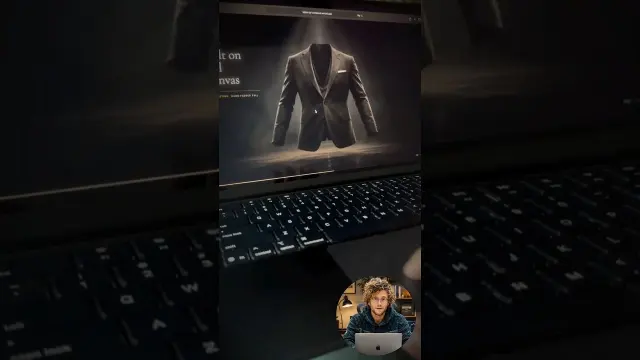
Building 3D Websites With AI Tools and No Code
A walkthrough on creating interactive 3D luxury websites with scroll animations using modern AI design and coding assistants.
YouTube · BuildWithAI · 11 August 2026 Watch on YouTube
Tried this idea? Show how yours turned out.
I made this#coding #vibecoding #3danimation #AIWebDesign #GoogleFlow #ClaudeCode #WebDevelopment #3DWebDesign #NoCode #FrontendDev #tailwindcss
How to do it
What you need
- MotionSites AI
- Google Flow
- Claude Code AI Assistant
- laptop
Step by step
- Create a luxury 3D website concept in MotionSites AI.
- Generate the 3D animation in Google Flow.
- Use Claude Code to turn the design into code.
- Add smooth scroll animations and interactive elements.
- Preview the final 3D website result.
Tips
- Keep the design minimal and high-end for a luxury look.
- Use the AI tools together for design, animation, and code.
- Check the final scroll motion so the site feels smooth.
Written by Tagrazzi from the original's description and photo.
The title and summary are written by Tagrazzi; the video belongs to its creator and plays from YouTube.







Comments (0)
No comments yet. Be the first to comment.
Sign in to write a comment.