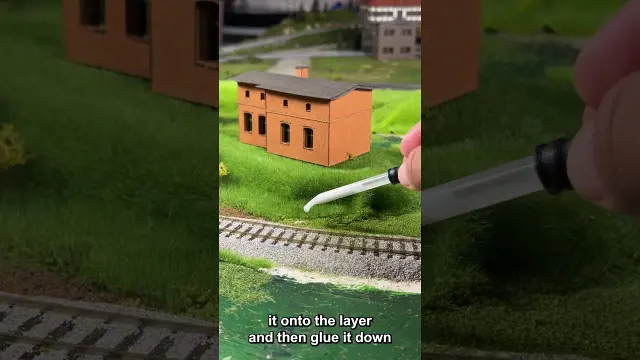
Tutorial On How To Add Realistic Grass To A Model Railroad
A step-by-step demonstration using products from Woodland Scenics and NOCH to add realistic grass scenery to a layout.
YouTube · idktrains · 12 June 2026 Watch on YouTube
Tried this idea? Show how yours turned out.
I made thisHow to do it
What you need
- Woodland Scenics grass products
- NOCH grass products
- Scenery glue
- Tweezers
- Base ground cover layer
- Model buildings
- Track and ballast
Step by step
- Start with a base ground cover layer on the layout surface.
- Apply glue onto that layer where the grass will go.
- Pick up a grass tuft with tweezers and press it onto the glued area.
- Work in small sections, adding tufts until the patch is filled.
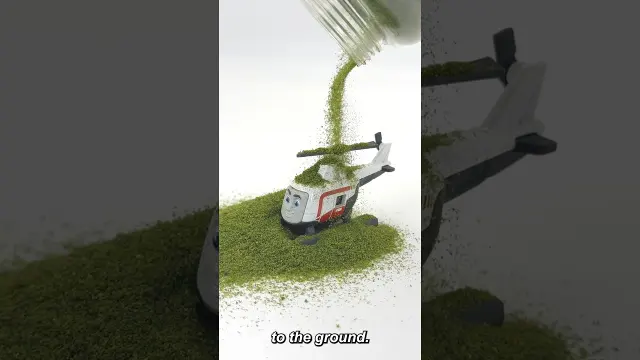
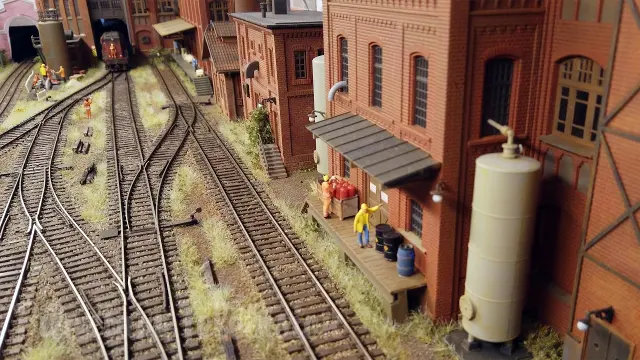
- Blend in different grass products and methods for a varied, realistic look.
Tips
- Mix several grass products rather than using one, so the texture and colour vary naturally.
- Glue in small patches at a time so nothing dries before you place the grass.
- You do not need to be a professional to get a good result — the fun is in experimenting.
Written by Tagrazzi from the original's description and photo.
The title and summary are written by Tagrazzi; the video belongs to its creator and plays from YouTube.

Comments (0)
No comments yet. Be the first to comment.
Sign in to write a comment.