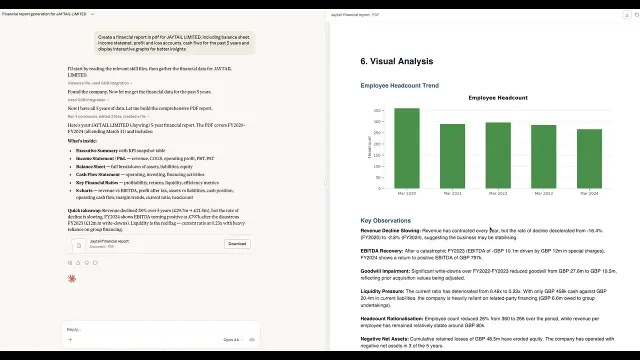
Pulling Company Financial Data Directly Inside Claude AI
Discover how to access real financial statements and KPIs for public and private companies directly within Claude AI using database integrations.
YouTube · Global Database · 25 February 2026 Watch on YouTube
Tried this idea? Show how yours turned out.
I made this#ClaudeAI #FinancialData #CompanyResearch #BalanceSheet #GlobalDatabase #MCP #BusinessIntelligence #FinancialAnalysis #DueDiligence #KYB
How to do it
What you need
- Claude AI
- Global Database MCP integration
- company name
- financial statements or KPIs request
Step by step
- Connect Global Database to Claude.
- Ask for a public or private company by name.
- Request financial statements, ownership, or KPIs.
- Generate the report with charts or graphs.
- Review the data returned inside Claude.
Tips
- Use a clear company name in your prompt.
- Ask for specific metrics like EBITDA margin or debt ratio.
- You can request both public and private company data.
Written by Tagrazzi from the original's description and photo.
The title and summary are written by Tagrazzi; the video belongs to its creator and plays from YouTube.











Comments (0)
No comments yet. Be the first to comment.
Sign in to write a comment.