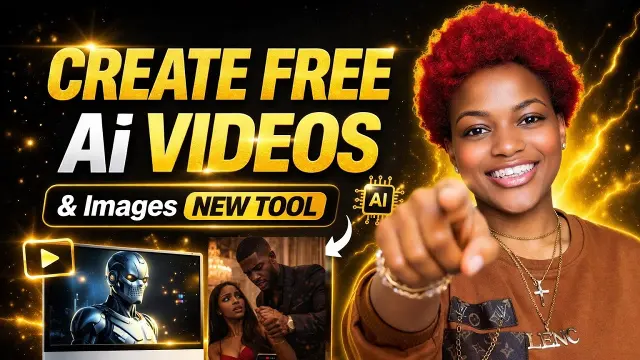
 Beginner Tutorial: Making Videos and Images With Free AI Tools
#AI Image Generation
1 ideas
Beginner Tutorial: Making Videos and Images With Free AI Tools
Get new #AI Image Generation ideas by email
Every Thursday: the week's best ideas, with the newest from #AI Image Generation.
Related tags
AI Image Generation: A Beginner's Guide to Making Pictures With Words
AI image generation is the practice of producing pictures with the help of a machine learning model, usually by describing what you want in ordinary language. You type a prompt — "a stone cottage at dusk, warm windows, light rain" — and the model returns images that attempt to match it. The picture is not assembled from photographs the way a collage would be; the model has learned statistical patterns from enormous collections of images and their descriptions, and it builds each result from scratch, pixel by pixel.
How it works, in plain terms
Most current systems are trained on pairs of images and captions, learning which visual features tend to accompany which words. When you prompt one, it starts from random noise and gradually refines that noise into a coherent image guided by your text. This is why small wording changes can shift a result dramatically, and why the same prompt rarely gives the identical picture twice: most tools use an element of randomness, often controlled by a "seed" value you can keep fixed if you want repeatable output.
The main kinds of work
Read more
Text to image is the basic case. Image to image takes an existing picture and reworks it according to a prompt, keeping its overall composition. Inpainting lets you select part of an image and regenerate only that area — useful for removing an object or extending a background. Outpainting does the reverse, adding new space around the edges of a picture. Upscaling enlarges a small image while inventing plausible detail. Many tools also offer style references, which nudge results toward a particular look without long descriptions.
Prompting well
Describe subjects, setting, lighting, colour and mood rather than piling on adjectives. Concrete nouns beat vague praise: "overcast morning light" does more than "beautiful". Mention the framing you want — close-up, wide shot, top-down — and the medium, such as oil painting, pencil sketch or photograph. If a result is close but not right, adjust one element at a time so you learn what caused the change. Negative prompts, where available, tell the model what to avoid: blur, extra fingers, text.
Things worth knowing before you start
Hands, text and precise spatial arrangements remain difficult, so expect to generate several attempts and pick the best. Models reflect the material they were trained on, which can carry biases in how people, places and professions are depicted; look critically at what you get. If real people, logos or copyrighted characters are involved, check what the tool permits and be honest about how an image was made. Keep your own notes on prompts and settings that worked — a small personal library of recipes is more useful than any list of tricks.
Start simple, iterate patiently, and treat the model as a fast sketching partner rather than an oracle.
#AI Image Generation: frequently asked questions
How do I start with AI image generation if I've never tried it before?
Pick one simple tool and begin with a plain-language description of a single subject, then look at what comes back. Keep your first prompts short and concrete rather than long and layered, and add detail only once you see how the model responds. Treat the early sessions as practice sketching, not as a test you can fail.
Do I need drawing skills or special equipment to make AI images?
No drawing ability is required, because the model builds the picture from your written description and its own learned patterns. What helps far more is a clear eye for composition, lighting and mood, plus the patience to reword and retry. A basic computer or phone and access to a generation tool is really all the setup involved.
Which type of AI image generation should I choose for my project?
Start with text to image when you have nothing yet and want to explore ideas freely. Move to image to image when you already like a picture's layout but want a different treatment, and use inpainting or outpainting when only one area needs fixing or extending. Upscaling is the finishing step, best saved until you're happy with the image itself.
Why does the same prompt give me a different picture each time?
Most tools introduce an element of randomness, so each run refines a fresh starting point rather than reproducing the last result exactly. That variability is useful for exploring options, but it also means you should generate a few versions and choose the strongest. If you need consistency, look for a seed setting you can lock in place.
What mistakes should I avoid when writing prompts?
The most common slip is stuffing in vague praise like "stunning" instead of describing actual things — subject, setting, light, colour, framing and medium. Another is changing many elements at once, which leaves you unable to tell what caused the improvement or the damage. It also pays to name what you don't want, such as blur or garbled lettering, when the tool accepts a negative prompt.
Will AI images come out perfect on the first try?
Rarely. Hands, written text and precise arrangements of objects are still weak spots, so expect to make repeated attempts and select the best one. Check results critically as well, since the model's training material can carry biases in how people and places are shown. Keeping your own notes on prompts and settings that worked will save you far more time than hunting for shortcuts.
Videos come from YouTube and posts from Instagram; titles and summaries are our own. All rights belong to their creators.