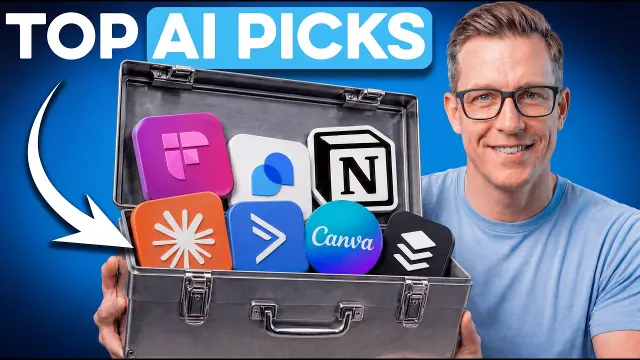
 Seven AI Tools Every Small Business Should Try in 2026
#AI Productivity
2 ideas
Seven AI Tools Every Small Business Should Try in 2026
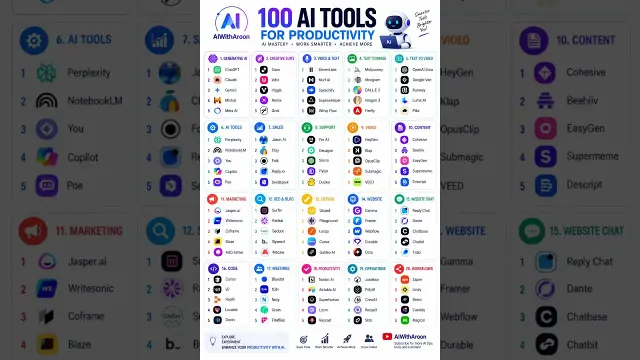 A Tour of 100 AI Tools for Productivity, Split by Category
Get new #AI Productivity ideas by email
Every Thursday: the week's best ideas, with the newest from #AI Productivity.
Related tags
AI Productivity: A Beginner's Guide to Working Smarter
"AI productivity" is the shorthand people use for getting everyday work done with the help of artificial intelligence: the writing, sorting, summarising, planning and searching that used to eat hours of the week. It is less a single tool than a way of working, in which software takes on the first rough pass and you keep the judgement.
Where it comes from
The idea is older than the phrase. For decades, offices have leaned on automation: spellcheckers, spreadsheet formulas, filters that sort a full inbox. What changed is that software can now work with language and images rather than only with fixed rules, so it can draft, rephrase, classify and summarise material that would never have fitted neatly into a formula. That shift moved AI out of engineering departments and into ordinary desk work.
What people actually use it for
Read more
The common uses are modest and practical: turning messy notes into a clear summary, drafting an email you then rewrite in your own voice, generating a first list of ideas to react to, tidying up a long document, translating something roughly before a proper check, or asking questions about a file you would rather not read in full. Behind each is the same trade: you give up a little control at the start in exchange for a faster first draft.
The main kinds of tools
Broadly, you will meet conversational assistants that answer and write on request, tools built into software you already use, such as word processors and mail clients, and specialised tools trained for one job, like transcribing audio or cleaning up images. There are also systems that automate a chain of steps between other apps. Beginners rarely need the last category.
What beginners should know
Treat output as a draft, not an answer. Language-based tools can be fluent and still wrong, inventing a source or a figure with complete confidence, so anything factual, legal, medical or financial needs checking against a reliable source before it goes anywhere.
Be careful with what you paste in. Assume that text you share may be stored or reviewed, and keep confidential material, personal details about other people, and anything you would not put on a postcard out of the box.
Keep the task narrow. "Write something about our project" gives you mush; "summarise these notes in five bullets for a colleague who missed the meeting" gives you something usable. Tell it the audience, the length and the tone.
Then edit. Your own voice and your own knowledge of context are the part no tool supplies, and a sentence in your own words is usually worth ten generated ones. Used this way, AI is not a replacement for thinking but a way to reach the thinking sooner.
#AI Productivity: frequently asked questions
How do I actually start using AI for everyday work?
Begin with a single chore you already repeat and dislike — turning scattered notes into something readable, or producing a first version of a routine message. Try the assistant already built into the software you open every day before signing up for anything new, so the habit forms inside your existing routine. Keep the experiment small enough that a poor result costs you nothing.
Do I need special equipment or skills before I begin?
No. The main requirement is knowing what you want out the other end: who will read it, how long it should be, and what tone fits. The other requirement is judgement about what you feed in, since anything you paste may be kept or reviewed, so leave out confidential material and other people's personal details.
Which type of tool should a beginner pick?
Start with a conversational assistant, or with the writing and mail features already sitting inside the programs you use, because both let you work without learning a new system. Tools built for a single job, such as turning speech into text or cleaning up a photo, are worth adding once a specific need appears. Setups that chain several apps together are better left until you know exactly which steps you want joined up.
How do I word a request so the result is usable?
Be specific about the job rather than the subject: say what the output is for, who reads it, how long it should run and how it should sound. Handing over the raw material — your own notes, an example of your usual style — narrows the result far more than a longer description does. Then rewrite what comes back in your own words, because the context you hold is the part no tool can supply.
What mistakes do people make most often?
The common ones are treating confident, fluent output as verified fact, and asking so vaguely that the reply is bland mush. Two quieter mistakes: pasting in details that should never leave your desk, and publishing the first draft untouched so it no longer sounds like you. Anything touching facts, health, money or the law should go past a reliable source before it goes anywhere else.
Can I trust what it tells me?
Treat everything it produces as a draft rather than an answer. Language-based tools can invent a source or a figure smoothly and without hesitation, so check claims against something you trust before acting on them. The time saved on a first pass is real; the checking is the part that stays yours.
Videos come from YouTube and posts from Instagram; titles and summaries are our own. All rights belong to their creators.