 Cloud Certifications Ranked by Return on Investment
#Azure
2 ideas
Cloud Certifications Ranked by Return on Investment
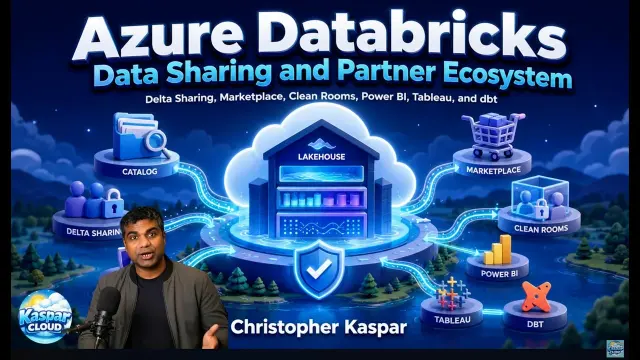 Azure Databricks Data Sharing Ecosystem and Delta Sharing
Get new #Azure ideas by email
Every Thursday: the week's best ideas, with the newest from #Azure.
Related tags
Azure: A Beginner's Guide to Microsoft's Cloud Platform
Azure is Microsoft's cloud computing platform. In everyday terms, it is a way of renting computing power over the internet instead of buying and maintaining your own servers. You sign in, choose what you need — a machine to run an application, somewhere to store files, a database, a network — and Microsoft runs the underlying hardware in data centres around the world. You pay for what you use, and you can scale up or down as your needs change.
Why people use it
The appeal is mostly practical. There is no hardware to buy, no server room to cool, and no waiting weeks for a new machine. Capacity can grow for a busy period and shrink again afterwards. Services are managed, so patching and physical maintenance become someone else's job, and you can reach the same environment from anywhere with an internet connection.
The three ways of consuming cloud
Read more
It helps to know the three broad models, because they explain most of the choices you will face:
- Infrastructure as a service: you rent virtual machines and networks and manage the operating system and everything above it.
- Platform as a service: you hand over the servers entirely and deploy only your application or database.
- Software as a service: you simply use a finished application that someone else operates.
Azure offers all three, and most real projects mix them.
How the platform is organised
Azure groups everything into a hierarchy. A subscription is the billing and access boundary — the container that everything you create lives in. Inside it, resource groups collect related pieces so they can be managed, updated or deleted together. Every resource is created in a region, a geographic area containing data centres, and that choice affects latency, available services and where your data is stored. On top of this sits identity: accounts, roles and permissions that decide who can do what.
The main building blocks
Most Azure work touches a handful of areas:
- Compute: virtual machines, container services and serverless functions for running code.
- Storage: object, file and disk storage for data of every shape.
- Networking: virtual networks, load balancing and connectivity back to your own systems.
- Data: managed databases, analytics and messaging services.
- Identity and security: authentication, access control, monitoring and policy.
What beginners should know
Start small. Create one resource group, deploy one simple service, and learn how it connects to the rest before expanding. Get comfortable with the pricing calculator and set spending budgets early — cloud costs creep when forgotten resources keep running. Delete what you are not using, and give resources clear, consistent names.
Learn at least one way of working beyond the web portal: command-line tools or template files that describe your infrastructure let you repeat a setup reliably instead of clicking through it again. Finally, apply the principle of least privilege from the beginning — give people and services only the access they genuinely need.
#Azure: frequently asked questions
How do I get started with Azure without feeling overwhelmed?
Begin with one small, self-contained piece of work rather than trying to map the whole platform at once. Create a single resource group, deploy one simple service inside it, and watch how identity, region and permissions wrap around it. Once that feels familiar, add another piece and notice how the two connect.
What do I actually need before I can use Azure?
You need an account with the right permissions and a clear idea of what you are building, since access and billing are both tied to the subscription you work inside. Beyond that, nothing physical is required — no servers, no server room, no hardware to maintain. Knowing which region your data should live in is worth deciding early, because it shapes latency, available services and where information is stored.
Should I choose infrastructure, platform or software as a service?
It depends on how much control you want versus how much you want to hand over. Renting virtual machines keeps the operating system and everything above it in your hands, while a platform service lets you deploy only your application and leave the servers to someone else. Finished software asks nothing of you but use, and real projects usually blend all three approaches.
How do I keep cloud spending from creeping up?
Costs grow quietly when forgotten resources keep running, so set budgets and spending alerts before you build anything substantial. Estimate a setup with the cost calculator first, then compare that estimate against what you actually use. Get into the habit of deleting what you no longer need and giving everything clear, consistent names so you can spot stray resources.
What are the most common beginner mistakes with Azure?
Clicking everything into place through the web portal is the usual trap — it works once but is painful to repeat. Learn a command-line tool or infrastructure template early so a setup can be recreated reliably instead of rebuilt by hand. The other frequent slip is over-granting access; give people and services only the permissions they genuinely need, from the very beginning.
Videos come from YouTube and posts from Instagram; titles and summaries are our own. All rights belong to their creators.