 Building ETL Pipelines in Databricks
#Databricks
5 ideas
Building ETL Pipelines in Databricks
 Learn ETL Pipelines in Databricks
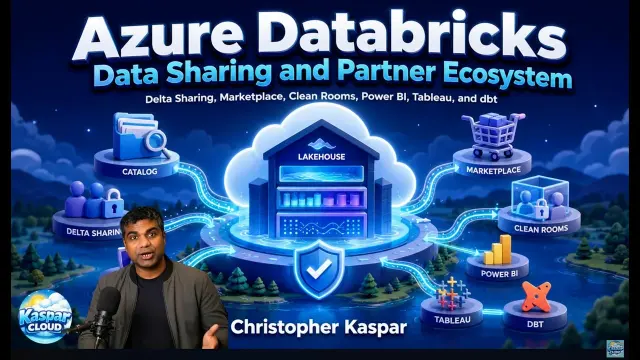 Azure Databricks Data Sharing Ecosystem and Delta Sharing
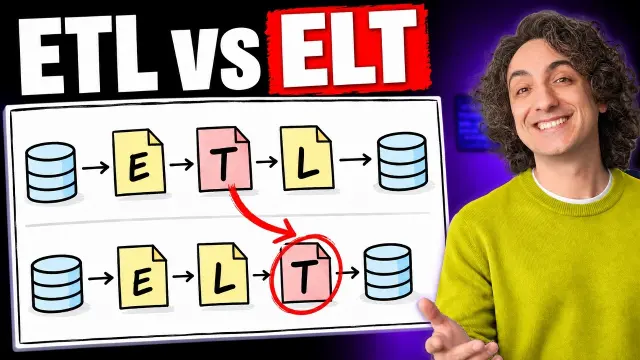 Understanding ETL and ELT in Real Data Projects
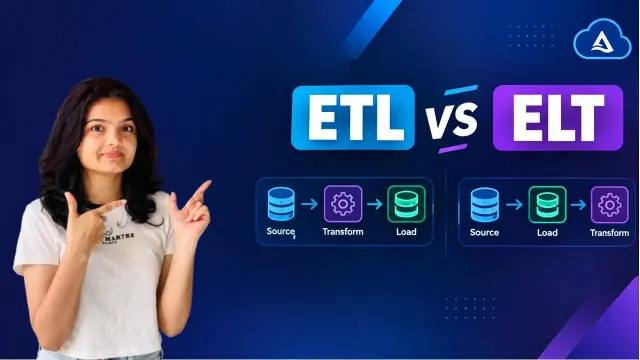 ETL vs ELT Explained with Databricks Examples
Get new #Databricks ideas by email
Every Thursday: the week's best ideas, with the newest from #Databricks.
Related tags
Databricks: A Beginner's Guide to the Data Lakehouse
Databricks is a cloud-based platform for working with large amounts of data. It brings data engineering, analytics and machine learning into one environment, so that the people who prepare data and the people who analyse it can work on the same copy of it instead of passing files back and forth. The company behind it was founded by the original creators of Apache Spark, the open-source engine that made distributed data processing accessible well beyond specialist teams, and Spark remains at the centre of how the platform runs computations.
The lakehouse idea
For years, organisations chose between two designs. A data warehouse stored clean, structured tables and answered business questions quickly, but it was expensive to hold raw or unstructured data in. A data lake stored everything cheaply in files, but without the reliability of a database: no transactions, no schema enforcement, and a real risk of corrupt or half-written data.
Databricks popularised a third approach, often called the lakehouse. Data sits in inexpensive cloud storage in an open file format, and a table layer on top adds the guarantees of a warehouse: transactions, versioning, and the ability to query the data with ordinary SQL. Delta Lake is the technology most associated with this layer. Because the files stay open and readable by other tools, the data is not locked into a single vendor.
Read more
What you actually work with
Notebooks are the most visible part. They combine code, text, charts and output in a single document, and support several languages, including Python, SQL, Scala and R. Behind a notebook sits a compute cluster: a group of machines that run your work and shut down when you stop using them.
Around that core sit several related tools: a SQL editor and dashboards for analysts who prefer not to write code; workflow scheduling for pipelines that must run on a regular basis; experiment tracking and model management for machine learning; and a governance layer that controls who may read which table and column across the whole account.
Where beginners should start
Pick one path rather than trying to learn everything at once. If you come from a data engineering background, start with reading and writing tables, then build a simple pipeline that moves raw data through a few cleaning steps. If you come from analysis, start with SQL against existing tables. If you come from data science, start with a notebook that loads a table and trains a small model.
A few habits pay off early. Keep raw data untouched and build cleaned tables on top of it, so mistakes are always recoverable. Separate storage from compute in your thinking: compute is rented by the hour and is where costs accumulate, so stop clusters you are not using. Learn the difference between a table and the files underneath it. And write down what each table means as you create it; documentation written months later is always worse.
The learning curve is real but mostly familiar: SQL, Python and an understanding of how tables are organised carry you a long way.
#Databricks: frequently asked questions
How do I get started with Databricks as a beginner?
Start with one clear use case instead of trying to learn every feature at once. If you work with data engineering, begin by reading and writing tables and then build a simple cleaning pipeline; if you prefer analysis, start with SQL on existing tables; if you do data science, start in a notebook and load a table for a small model.
What do I need before using Databricks?
It helps to be comfortable with SQL, and Python is useful for notebook-based work. You should also understand the basics of tables, how data is organized, and the difference between storage and compute in a cloud environment.
Which Databricks workflow should I choose for my project?
Choose the path that matches your goal: notebooks are best for interactive exploration, SQL tools are a good fit for reporting and analysis, and scheduled workflows are better for pipelines that need to run repeatedly. If your work involves machine learning, use the notebook and experiment tools to train, track, and manage models.
What is the best way to organize data in Databricks?
A good practice is to keep raw data untouched and build cleaned tables on top of it. This makes it easier to recover from mistakes and keeps your pipeline more reliable over time.
What are the most common mistakes people make with Databricks?
A frequent mistake is treating the files and the table layer as the same thing, when they serve different purposes. Another common issue is leaving compute running longer than needed or jumping into too many tools before learning the basics of tables and workflows.
What kinds of projects are Databricks good for?
Databricks works well for projects that combine data preparation, analytics, and machine learning in one place. It is especially useful when teams want to build ETL or ELT pipelines, share trusted tables, and keep data usable across different tools.
Videos come from YouTube and posts from Instagram; titles and summaries are our own. All rights belong to their creators.