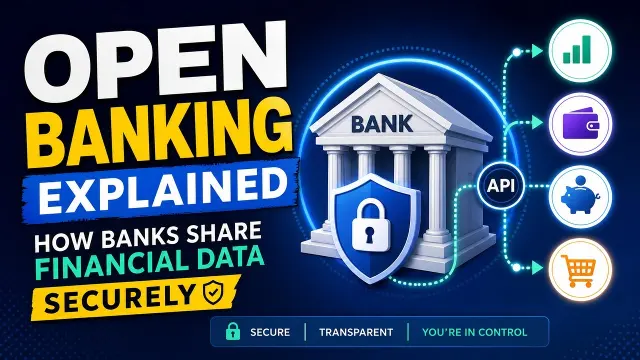
 How Open Banking Enables Secure Financial Data Sharing
#Banking Security
1 ideas
How Open Banking Enables Secure Financial Data Sharing
Get new #Banking Security ideas by email
Every Thursday: the week's best ideas, with the newest from #Banking Security.
Related tags
Banking Security: Protecting Your Money and Data
What banking security means
Banking security is the set of practices, tools, and safeguards used to protect financial accounts, payment cards, personal data, and transactions. It covers both the systems used by banks and the habits you use as a customer. The goal is to reduce the risk of fraud, identity theft, account takeover, and unauthorized payments.
As banking has moved from branch counters to apps and online platforms, security has become part of everyday money management. Good banking security depends on layers: secure logins, careful transaction checks, protected devices, and a healthy level of caution when sharing information.
Common risks to watch for
Read more
The most common threats are often simple but effective. Phishing messages try to trick you into revealing passwords, card details, or verification codes. Fake websites and cloned apps can look convincing. Weak passwords, reused login details, and unsecured public Wi-Fi can also make accounts easier to access.
Other risks include lost or stolen cards, someone seeing your PIN, and social engineering, where a fraudster pretends to be a bank employee or trusted company. In some cases, criminals may try to open accounts or make payments using stolen personal information.
Main protections used by banks
Banks usually rely on several layers of protection. These may include:
- Passwords or passcodes
- Two-step or multi-factor verification
- Alerts for logins or transactions
- Card controls such as freezing or unfreezing a card
- Encryption to protect data in transit and storage
- Security checks for unusual activity
These measures work best when you use them consistently and keep your contact details up to date so the bank can reach you quickly if something looks suspicious.
What you can do to stay safer
Start with your login habits. Use a strong, unique password for each financial account, and avoid sharing it with anyone. If your bank offers two-step verification, turn it on. Keep your phone, computer, and banking app updated so security fixes can be applied.
Be careful with messages asking you to act quickly. Banks rarely ask for passwords, one-time codes, or full card details by email or text. If something seems odd, contact your bank using a trusted number or the official app, not the contact details in the message.
It also helps to review account activity regularly. Small unknown charges can be a warning sign. Set up notifications if you can, so you notice payments, logins, or profile changes sooner. When shopping online, use secure websites and avoid saving card details on unfamiliar devices.
Good habits for everyday banking
A few simple habits make a big difference:
- Check account statements often
- Keep your card and PIN separate
- Log out after using online banking
- Avoid banking on public computers
- Cover the keypad when entering a PIN
- Report a lost card or suspicious activity quickly
Banking security is not about being fearful. It is about being attentive and consistent. When you understand the risks and use the protections available to you, you make it much harder for fraudsters to succeed and much easier to keep control of your money.
#Banking Security: frequently asked questions
How do I get started with better banking security?
Begin with the login itself: set a strong, unique password for each financial account and stop reusing the same one elsewhere. Then switch on whatever extra verification your bank offers, and keep your banking app and device updated so security fixes actually reach you. Small habits built early are far easier to keep than a rushed overhaul after something goes wrong.
What do I actually need in place to protect an account properly?
You need a few layers working together rather than one clever trick: a solid password, an additional verification step at login, and up-to-date contact details so your bank can reach you fast. On top of that, keep your device protected and your card controls familiar, so you can freeze a card the moment it goes missing. Security holds up when the layers back each other up.
Which type of protection matters most — passwords, verification codes, or alerts?
They cover different gaps, so the honest answer is that they work as a set: a password guards the front door, verification codes stop someone who already has it, and alerts tell you when something happened without you. If you had to pick where to start, extra verification and transaction alerts tend to catch problems earliest. Choose the combination your bank supports and use it every time, not just on the occasions you remember.
How do I keep banking security in good shape over time?
Treat it as routine upkeep rather than a one-off setup: review your statements regularly, log out when you finish, and check that your contact details and notification settings are still correct. Watch for small unfamiliar charges, since they often show up before anything larger. Refreshing your passwords occasionally and removing card details saved on shared or unfamiliar devices keeps things from drifting.
What are the most common mistakes people make?
The frequent ones are reusing passwords across accounts, acting quickly on a message that pressures them, and banking over public Wi-Fi or on a shared computer. Another common slip is entering a PIN where someone can see it, or keeping the card and the PIN together. Nearly all of these come down to speed and convenience beating caution for a moment.
How can I tell whether a message supposedly from my bank is genuine?
Assume it is not genuine if it asks for your password, a one-time code, or full card details, or if it pushes you to act immediately through a link. Instead of replying, contact your bank using a number you know or open the official app yourself. If the request was real, you lose nothing by confirming it through a channel you chose.
Videos come from YouTube and posts from Instagram; titles and summaries are our own. All rights belong to their creators.