 Claude Privacy Settings Worth Changing to Protect Your Data
#Chatbots
2 ideas
Claude Privacy Settings Worth Changing to Protect Your Data
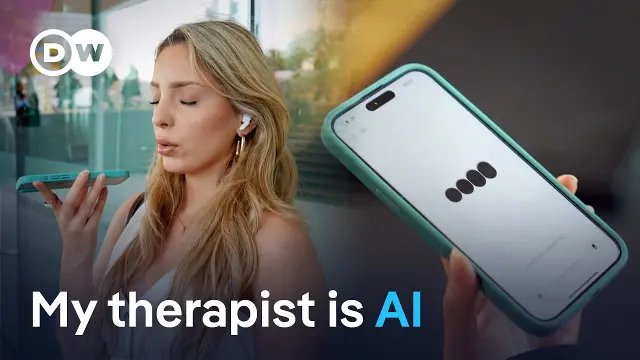 Artificial Intelligence and Psychotherapy
Get new #Chatbots ideas by email
Every Thursday: the week's best ideas, with the newest from #Chatbots.
Related tags
Chatbots: A Simple Guide to Conversational AI
Chatbots are computer programs designed to hold a conversation with you through text or voice. They can answer questions, guide you through a task, help you find information, or respond to simple requests. Some chatbots follow a fixed script, while others use more advanced language technology to understand a wider range of messages and reply in a more flexible way.
What a chatbot is
At its simplest, a chatbot is a tool that simulates human conversation. You type or speak a message, and the chatbot gives a response based on rules, keywords, or artificial intelligence. Basic chatbots are often used for straightforward tasks, such as answering common questions or directing you to the right place. More advanced chatbots can manage more open-ended conversations and adapt better to different wording.
Chatbots are used in many settings, including customer support, websites, shopping platforms, banking, education, health information, and personal productivity. Their main purpose is to make communication faster and easier by giving quick responses at any time.
Read more
Where chatbots come from
The idea of talking to a machine is not new. Early chatbots were built to imitate conversation using simple pattern matching and prewritten replies. Over time, improvements in computing and language processing made chatbots more useful and more natural to interact with. Today, many chatbots combine rules with machine learning or other artificial intelligence methods to understand language more effectively.
Common kinds of chatbots
- Rule-based chatbots: These follow set paths and respond to specific words or button choices.
- AI-powered chatbots: These use language models or similar systems to understand a broader range of questions.
- Task-based chatbots: These help with practical actions, such as booking, tracking, or form-filling.
- Support chatbots: These answer common customer service questions and reduce waiting time.
- Voice assistants: These chat through spoken language instead of text.
What to know as a beginner
If you are using a chatbot for the first time, it helps to be clear and specific. Short, direct questions usually work best. If the response is not quite right, try rephrasing your message or breaking your request into smaller steps. Chatbots are useful, but they are not perfect. They may misunderstand vague wording, give incomplete answers, or sound confident even when they are wrong.
It is also wise to think about privacy. Avoid sharing sensitive personal details unless you trust the service and understand how your information is handled. If a chatbot is helping with an important decision, treat its answer as a starting point rather than the final word.
Practical tips for using chatbots well
- Ask one question at a time when possible.
- Use simple language and clear instructions.
- Check important information against reliable sources.
- Be careful with personal, financial, or medical details.
- If the chatbot gets stuck, try changing your wording.
- For complex tasks, use it as an assistant rather than a replacement for human judgment.
Used thoughtfully, chatbots can save time, reduce repetitive work, and make digital services easier to navigate. The best results usually come when you know both their strengths and their limits.
#Chatbots: frequently asked questions
How do I start using a chatbot for the first time?
Open the chat window and type your message the way you would say it out loud — a clear, single question works better than a long paragraph containing several requests. If the reply misses the mark, reword it or split the request into smaller steps instead of repeating the same sentence. There is nothing to install or configure on your side; the conversation itself is the interface.
What do I need to know before relying on a chatbot's answer?
Treat the response as a starting point rather than a verdict, because chatbots can sound confident while being incomplete or simply wrong. For anything that matters, verify the details against a source you already trust. This is especially true when a vague question leaves room for interpretation, since the bot may quietly fill the gaps itself.
Which kind of chatbot should I choose for a given task?
Match the type to the job: scripted bots handle simple lookups and menu-style choices well, while ones built on language models cope better with open-ended questions and unusual phrasing. If you need an action completed rather than an answer given — a booking, a form, a status check — look for a task-focused bot. For hands-free use, a voice assistant is the natural pick.
Is it safe to share personal details with a chatbot?
Keep sensitive information to yourself unless you understand how that particular service stores and uses what you tell it. A bot that feels conversational is still a piece of software, and the chat may be logged. If you would not put the detail in an email to a stranger, leave it out of the chat as well.
What are the most common mistakes people make when chatting with a bot?
The usual ones are asking several things at once, using vague wording, and giving up after a single unhelpful reply. It also helps to avoid assuming the bot remembers context from much earlier in the conversation. When a chat stalls, changing your phrasing usually works better than repeating yourself louder.
Can a chatbot replace a person for important decisions?
No — it works best as an assistant that helps you gather options, draft something, or think a problem through, with a human making the final call. Chatbots are good at speed, availability and routine questions, and weaker at nuance and accountability. Where judgement and responsibility matter, keep a person in the loop.
Videos come from YouTube and posts from Instagram; titles and summaries are our own. All rights belong to their creators.