 Home Security Cameras and Your Data: Cloud vs Local Storage
#Privacy Settings
3 ideas
Home Security Cameras and Your Data: Cloud vs Local Storage
 Claude Privacy Settings Worth Changing to Protect Your Data
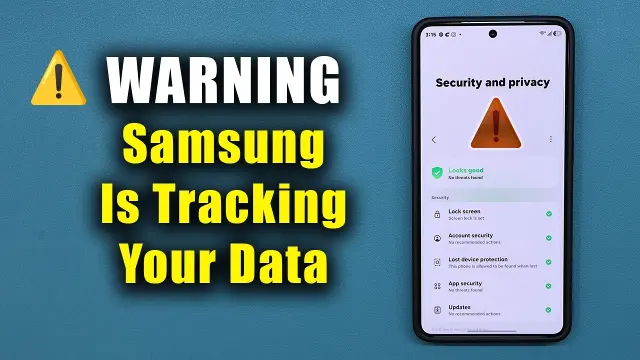 How to Stop Your Samsung Phone from Sharing Sensitive Data
Get new #Privacy Settings ideas by email
Every Thursday: the week's best ideas, with the newest from #Privacy Settings.
Related tags
Privacy Settings: A Simple Guide to Taking Control
Every app, browser and device you use collects some information about you, and privacy settings are the controls that decide how much of it leaves your hands. They are not a single switch hidden in one menu but a set of choices spread across your phone, your accounts, your browser and each individual app. Understanding what they do, and where they live, is the first step towards using technology on your own terms.
What privacy settings actually control
Broadly, these options govern four things: what data is collected about you, who it is shared with, how long it is kept, and how visible you are to other people. That covers everything from whether an app can see your location, to whether advertisers can follow you across sites, to whether strangers can find your profile by searching your phone number.
The main places to look
Read more
Most settings cluster in a few familiar spots. On a phone, there are permissions such as location, camera, microphone, contacts and photos, granted app by app. Account settings on email, social and shopping services hold controls for visibility, personalised advertising and connected apps. Browsers have their own layer: cookie controls, tracking protection and permission prompts for location and notifications. Individual apps often add a further layer of their own.
Start with the basics
A practical approach is to work from the outside in. Begin with app permissions and switch off access to anything an app does not genuinely need to function. A note-taking app rarely needs your location; a photo editor rarely needs your contacts. Then review your account visibility, deciding deliberately what is public and what is restricted to people you know. Advertising preferences are worth a visit too, even if only to reduce how much is inferred about you. Finally, look at older options: many services still hold access you granted to apps you no longer use.
Habits that make settings stick
Settings drift, and updates sometimes reset or add new options, so a single afternoon of tweaking is not a permanent fix. A light routine helps. When you install something new, read the permission requests at the moment they appear rather than tapping through. Check the privacy dashboard your device provides from time to time, since most modern systems summarise which apps have used sensitive permissions recently. Delete accounts and apps you have stopped using; a dormant app cannot leak what it no longer has. Where a service offers it, turn on two-factor authentication, which protects your account even if a password is exposed.
Keep a sense of proportion
Privacy is not about disappearing. Most people want their maps to work and their messages to arrive, and that requires sharing something. The goal is informed choice: knowing roughly what you give up, and deciding that the trade is worth it. Being thoughtful about the handful of settings that matter most to you is more useful than chasing every toggle.
#Privacy Settings: frequently asked questions
How do I start reviewing my privacy settings without getting overwhelmed?
Work from the outside in: begin with app permissions on your phone and switch off access to anything an app does not obviously need, such as location for a notes app or contacts for a photo editor. Then move on to your account visibility, advertising preferences and browser cookie controls. Doing it in layers keeps the task manageable and makes it easier to notice what you have already changed.
Which privacy settings actually matter the most?
The ones that matter are those tied to what you would least like exposed: location, microphone and camera access, who can see your profile, and who can find you by your phone number. There is no universal ranking, so think about what would genuinely bother you if it were shared and start there. Being thoughtful about a handful of key settings is more useful than trying to optimise every toggle.
Do I need to turn everything off to be private?
No, and doing so usually just breaks the things you rely on. Maps need location to give directions and messaging apps need some access to deliver your messages, so the aim is informed choice rather than total lockdown. Decide what you are comfortable trading and leave the rest alone.
What are the most common mistakes people make with privacy settings?
The usual ones are tapping through permission prompts without reading them, granting access the moment it is requested, and forgetting about older apps that still hold access you granted long ago. Another frequent slip is treating a single afternoon of tweaking as permanent, when updates can reset options or add new ones. Reviewing the privacy dashboard your device provides, and checking connected apps occasionally, catches most of this.
How often should I revisit my settings?
A light, regular routine works better than an annual deep clean. Check the permission requests when you install something new, glance at your device's privacy dashboard now and then, and clear out accounts and apps you have stopped using. Dormant services cannot leak data they no longer hold, so deleting them is one of the simplest ongoing habits.
Videos come from YouTube and posts from Instagram; titles and summaries are our own. All rights belong to their creators.