 Essential Adobe Illustrator Tips, Tricks, and Shortcuts
#Design Workflow
2 ideas
Essential Adobe Illustrator Tips, Tricks, and Shortcuts
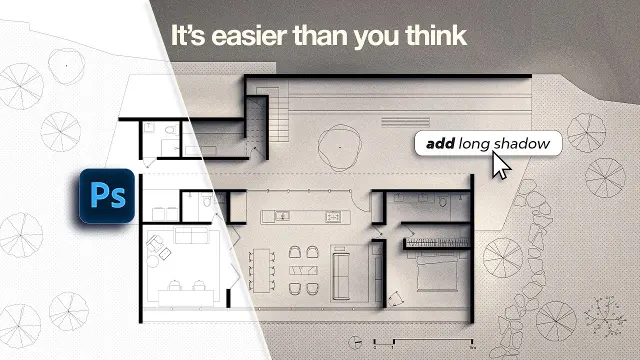 How to Turn Simple Floor Plans Into Beautiful Architectural Drawings
Get new #Design Workflow ideas by email
Every Thursday: the week's best ideas, with the newest from #Design Workflow.
Related tags
Design Workflow: A Practical Guide
What a design workflow is
A design workflow is the sequence of steps you follow to turn an idea into a finished visual result. It helps you move from a vague brief to a clear concept, then through sketching, refinement, production, and final delivery. Whether you are working on a logo, an illustration, a layout, or an interior concept drawing, a good workflow keeps the process organized and easier to manage.
The exact steps can vary depending on the project, but most design workflows share the same purpose: to help you make decisions in the right order. Instead of jumping straight into details, you first define the goal, gather references, explore ideas, and then build the final piece with confidence.
Common stages in the process
Read more
A simple design workflow often includes these stages:
- Brief and planning: understand the purpose, audience, format, and constraints of the project
- Research and inspiration: collect visual references, materials, and examples that help shape the direction
- Sketching and concept development: try out ideas quickly before committing to one solution
- Refinement: improve composition, proportion, color, typography, or structure
- Production: create the final artwork or design in the chosen medium or software
- Review and revision: check the result carefully and make changes where needed
- Delivery or presentation: prepare the work in the right format for sharing, printing, or publishing
Some projects move back and forth between these stages. That is normal. A workflow is not meant to be rigid; it is there to support clear thinking.
Why a workflow matters
A strong workflow saves time and reduces confusion. It helps you avoid spending too long on details before the overall idea is settled. It also makes it easier to spot problems early, such as weak composition, unclear hierarchy, or missing information.
For beginners, a workflow is especially useful because it breaks a big creative task into smaller steps. That can make design feel less overwhelming and more manageable. Over time, you may develop a personal process that suits the kind of work you do best.
Practical tips for beginners
Start with a clear brief, even if you write it yourself. Ask what the design needs to achieve, who it is for, and where it will be used. Keep your references focused so you are inspired without becoming distracted.
Work loosely at first. Early sketches do not need to be perfect; they just need to help you test ideas. Save fine details for later, once the main structure feels right.
Organize your files and versions as you go. Clear naming and tidy folders make it easier to find previous stages and return to them if needed. If you are working digitally, keep your layers and assets orderly from the start.
Take breaks before final review. Coming back with fresh eyes helps you notice spacing, alignment, balance, and readability more clearly. A good workflow is not only about speed; it is also about giving your design the attention it needs at each stage.
Different kinds of design workflows
Design workflows can be linear, with one stage following the next, or more flexible and iterative, with repeated refinement. Some projects are very structured, while others leave more room for experimentation. The best workflow is the one that matches the project and helps you work steadily from idea to completion.
Videos come from YouTube and posts from Instagram; titles and summaries are our own. All rights belong to their creators.