 How to Improve Illustration Skills Fast with Real Time Demo
#Photoshop
2 ideas
How to Improve Illustration Skills Fast with Real Time Demo
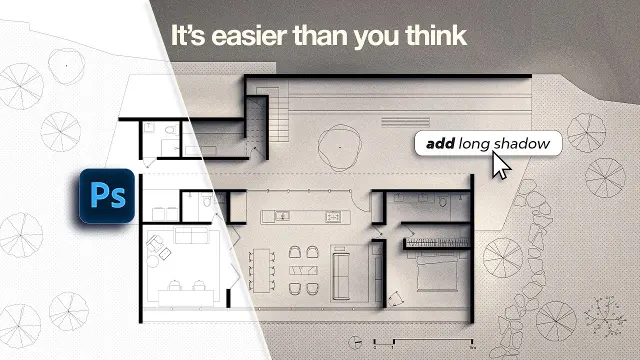 How to Turn Simple Floor Plans Into Beautiful Architectural Drawings
Get new #Photoshop ideas by email
Every Thursday: the week's best ideas, with the newest from #Photoshop.
Related tags
Photoshop Guide for Creative Image Editing
Photoshop is a digital image-editing and design program used to alter photographs, create graphics, retouch images, and build layered artwork. It is widely used in creative fields because it lets you combine photos, text, shapes, and painted elements in one flexible workspace. At its core, Photoshop is about controlled editing: you can make small corrections, build complex compositions, or create artwork from scratch.
What Photoshop is used for
People use Photoshop for many different tasks. It is commonly used to:
- adjust brightness, contrast, color, and tone in photographs
- remove small flaws or distracting objects
- combine multiple images into one composition
- create posters, social graphics, mockups, and digital artwork
- prepare images for print or online use
- make visual presentations, concept art, and illustrated layouts
Because it works with pixels, Photoshop is especially useful when detail matters. It can handle realistic photo editing, but it is also popular for graphic design and illustration.
Read more
Main tools and techniques
A few ideas appear again and again in Photoshop work. Layers are one of the most important. They let you separate parts of an image so you can edit them independently without destroying the original. Masks are equally useful because they let you hide or reveal parts of a layer gradually and reversibly. Adjustment layers help you change color and tone without permanently altering the image.
Other common tools include:
- selection tools, for isolating parts of an image
- brush tools, for painting, retouching, or adding texture
- clone and healing tools, for cleaning up blemishes or unwanted details
- transform tools, for resizing, rotating, and warping elements
- text and shape tools, for layouts and graphic design
If you are new to Photoshop, spend time learning how layers, masks, and selections work together. Once those feel familiar, many other tools become much easier to understand.
Styles of work you may see
Photoshop is used in several broad styles:
- photo editing and retouching
- compositing, where multiple images are blended together
- digital painting and illustration
- graphic design and typography-based layouts
- architectural and product presentation images
- simple image preparation for websites and social media
Each style uses the same basic tools in different ways. A photographer may focus on color correction and cleanup, while an illustrator may spend more time on brushes, layers, and hand-drawn details.
Practical tips for beginners
Start with small projects and learn one skill at a time. Try editing a single photo before moving on to complex compositions. Keep your layers named clearly so you do not lose track of them. Save often, and keep an untouched original copy in case you want to begin again. Use masks instead of deleting parts of an image when possible, because they give you more freedom to change your mind later.
It also helps to work zoomed out as well as close up. Some details matter at full size, but overall balance, contrast, and spacing are easier to judge when you step back. With steady practice, Photoshop becomes less about memorizing tools and more about making confident visual decisions.
Videos come from YouTube and posts from Instagram; titles and summaries are our own. All rights belong to their creators.