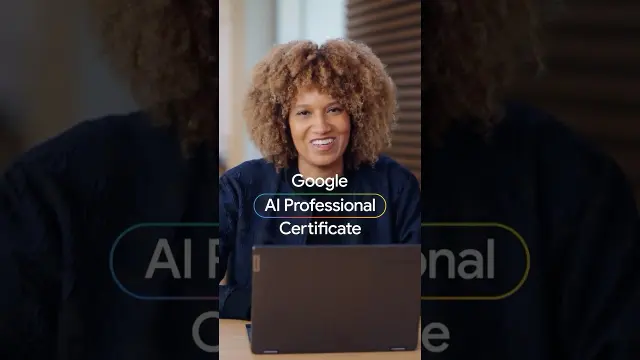
 Google AI Professional Certificate Overview on AI Fluency
#Google AI
1 ideas
Google AI Professional Certificate Overview on AI Fluency
Get new #Google AI ideas by email
Every Thursday: the week's best ideas, with the newest from #Google AI.
Related tags
Google AI: An Introduction to Google’s Artificial Intelligence
Google AI refers to the broad range of artificial intelligence research, tools, and features developed by Google. It includes the systems that help power search, translation, voice recognition, photo organization, writing assistance, and many other digital experiences. For many people, Google AI is not a single product but a collection of technologies that work behind the scenes or appear in everyday tools.
Artificial intelligence at Google has grown out of decades of work in computer science, machine learning, and language processing. In simple terms, AI systems are designed to recognize patterns in data and use those patterns to make predictions, generate responses, or automate tasks. At Google, these systems have been used to improve speed, relevance, accessibility, and personalization across many services.
What Google AI is used for
Google AI appears in a wide variety of tasks. It can help people find information more quickly, translate languages, transcribe speech, sort photos, filter spam, and suggest replies or edits. In creative and work settings, AI tools may help with brainstorming, summarizing, drafting, or organizing content. In everyday use, the goal is often to make technology feel more helpful, intuitive, and responsive.
Read more
Google also develops AI for specialized fields such as health, science, and accessibility. In these areas, AI may support research, pattern detection, or the handling of large amounts of information. These systems are tools for assistance, not replacements for expert judgment.
Main kinds of Google AI
Google AI can be understood in a few broad categories. One is machine learning, where systems learn from examples and improve their performance over time. Another is natural language processing, which helps computers understand and generate human language. Computer vision is another important area, allowing systems to interpret images and video. There are also recommendation systems, which help suggest content or organize information based on patterns of use.
You may also hear about generative AI, which creates new text, images, code, or other content from prompts. This is one of the most visible forms of modern AI, but it is still just one part of the wider field.
What beginners should know
If you are new to Google AI, it helps to remember that these tools are powerful but not perfect. They can make mistakes, misread context, or sound confident even when they are wrong. Treat AI output as a starting point, not an automatic final answer. Always review important information, especially anything related to health, money, legal matters, or safety.
It is also useful to give clear instructions when using AI tools. Specific prompts usually work better than vague ones. If you want a better result, include your goal, audience, tone, and format. For example, ask for a summary, a list, or a simpler explanation.
Practical tips for using it well
Use AI as an assistant for first drafts, idea generation, and repetitive tasks. Keep your own judgment in the loop. Check facts, compare sources, and edit the output so it matches your needs. Be careful with private or sensitive information, and read the settings and policies of any tool you use.
The best way to approach Google AI is with curiosity and caution. Learn what it can do, stay aware of its limits, and use it to support your work rather than replace your thinking.
Videos come from YouTube and posts from Instagram; titles and summaries are our own. All rights belong to their creators.