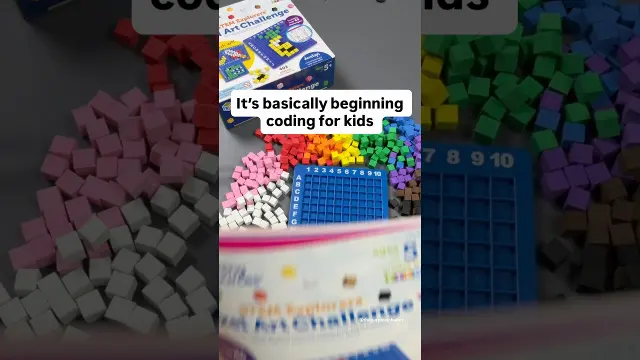
 Early Math and Coding Through STEM Pixel Art Activities
#Pixel Art
1 ideas
Early Math and Coding Through STEM Pixel Art Activities
Get new #Pixel Art ideas by email
Every Thursday: the week's best ideas, with the newest from #Pixel Art.
Related tags
Pixel Art: A Simple Guide to the Tiny-Pixel Style
Pixel art is a form of digital art made from visible square pixels, the tiny building blocks of a screen image. Instead of smoothing every line into a continuous shape, pixel art uses those small squares deliberately, so the image feels crisp, graphic, and often nostalgic. It grew out of early digital displays and video games, when artists had to work within tight limits. Over time, those limits became a style of their own.
You’ll see pixel art used in games, icons, animations, illustrations, stickers, and craft-inspired digital designs. Its charm comes from clear shapes, careful color choices, and the way a small image can still feel full of personality. Because the style is based on restriction, it rewards thoughtful planning.
Main features of pixel art
Pixel art usually relies on a few core ideas:
Read more
- A limited canvas size, so every pixel matters
- Clean outlines or intentionally blocky shapes
- A restrained color palette
- Careful shading to suggest depth
- Sharp edges rather than soft blending
Some pixel art looks very simple and playful, while other pieces are highly detailed and carefully shaded. Both can work well. What matters is that the pixel structure stays visible and intentional.
Common styles and uses
There are several familiar approaches to pixel art:
- Game sprites: small characters, objects, or enemies designed for animation
- Isometric art: a 3D-like view built from angled pixels
- Pixel illustrations: standalone scenes, objects, or portraits
- Pixel icons: tiny images used for UI, labels, or decorative purposes
- Animated pixel art: short looping motions such as walking, blinking, or flickering
Each style uses the same basic language of pixels, but the purpose changes the design. A game sprite needs readability at a small size, while a decorative illustration can focus more on mood and texture.
What beginners should know
If you’re new to pixel art, start small. A tiny canvas teaches you to make strong choices quickly. Choose a simple subject first, such as a fruit, a flower, or a small character. Focus on silhouette, because a clear outline makes the image easier to read.
A few practical tips help a lot:
- Work at a low resolution, then scale the image up without blurring it
- Use a limited palette instead of too many similar colors
- Keep edges clean and deliberate
- Save often, since small changes can affect the whole image
- Zoom out regularly to check how the piece reads at actual size
Color, shading, and detail
Shading in pixel art is often about contrast and placement rather than smooth transitions. You can suggest form with a highlight, a midtone, and a shadow, but avoid overdoing it. Too many colors or too much detail can make the image muddy. In pixel art, negative space is important too; empty areas help shapes breathe.
If you’re drawing by hand or digitally, patience matters more than speed. Good pixel art usually looks simple at first glance, but it depends on many small decisions. Once you start noticing how each square changes the image, the style becomes both precise and expressive.
Videos come from YouTube and posts from Instagram; titles and summaries are our own. All rights belong to their creators.