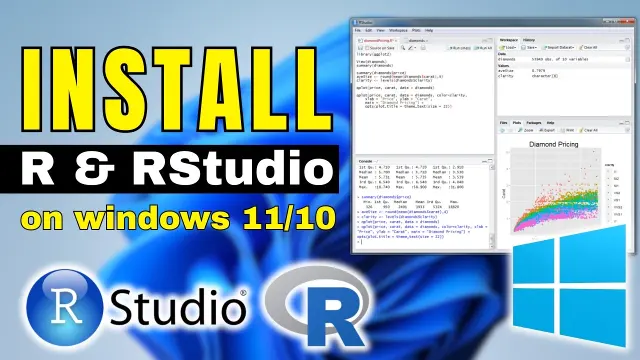
 Step-by-Step Guide to Installing R and RStudio on Windows
#RStudio
3 ideas
Step-by-Step Guide to Installing R and RStudio on Windows
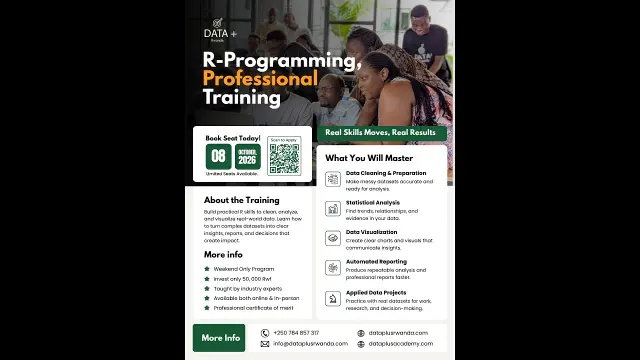 R Programming Professional Training Day One R and RStudio
 How to Use Snippets in RStudio to Save Coding Time
Get new #RStudio ideas by email
Every Thursday: the week's best ideas, with the newest from #RStudio.
Related tags
RStudio: A Friendly Guide to the R Programming Environment
RStudio is an integrated development environment, or IDE, for the R programming language. Rather than typing commands into a bare console, you work inside a single window that keeps your code, your results, your data and your files in view at once. It is free and open source in its desktop form, and it is also offered in commercial editions for teams and servers, which is why it has become one of the most common places people write R.
The project is maintained by the company behind it, which today is known as Posit. RStudio did not invent R — the language itself is a separate open-source project — but it has done a great deal to make R approachable for students, analysts, researchers and anyone working with data.
How the workspace is arranged
When you open RStudio you will usually see four areas, and learning what each one is for is the fastest way to feel at home.
Read more
- The source editor is where you write scripts and save them. This is the pane you should treat as your real workspace, rather than typing everything directly into the console.
- The console runs your commands and shows the output immediately. It is for quick experiments, not for keeping your work.
- The environment pane lists the objects currently in memory — datasets, variables, functions — so you can see what you have loaded.
- The files, plots, packages and help tabs share the remaining corner. This is where charts appear, where you install and load packages, and where documentation opens.
You can rearrange the panes, and many people eventually do. The default layout is a sensible starting point.
Projects keep you organised
An RStudio project ties a piece of work to its own folder. When you open a project, the working directory is set for you, so file paths behave predictably and nothing depends on where your computer happens to be pointing. Starting every analysis as a project, even a small one, avoids a great deal of quiet confusion later.
Writing and sharing work
Beyond plain scripts, RStudio supports notebooks that mix code, output and commentary in one document, and formats for producing reports, slides and dashboards from the same source. If you write analysis you need to explain or hand over, these are worth learning early. Many people also use the built-in tools for version control to track changes to their code over time.
Practical habits for beginners
Run your code line by line before running a whole script, so you notice where something breaks. Keep your console output visible while you test ideas. Use the help tab often — typing a question mark before a function name opens its documentation. Save your scripts with names that describe what they do, and comment on the parts you had to think twice about, because future you will have forgotten.
There is no single correct way to use RStudio, and the environment rewards slow familiarity. Start with the editor, the console and projects, and let the rest arrive as you need it.
#RStudio: frequently asked questions
What do I need before I start using RStudio?
You need the R language installed first, then RStudio as the workspace where you write and run code. It helps to have a folder ready for your project so your files, scripts, and data stay organized from the beginning.
How should a beginner start working in RStudio?
Begin with the script editor, the console, and a project instead of typing everything straight into the console. Write your code in the editor, run it in small pieces, and watch the output so you can catch mistakes early.
How do I choose the right RStudio setup for my needs?
For most individual work, the desktop version is the simplest place to begin because it gives you a full coding workspace on your own computer. If you are working with a team or need shared access, the managed editions are better suited to that kind of collaboration.
What is the best way to keep my RStudio work organized?
Use projects for each piece of work so files and paths stay predictable and you do not have to keep resetting your working directory. Clear script names, comments, and saved notebooks also make it easier to return to your work later.
What are common mistakes people make when using RStudio?
A common mistake is relying on the console for everything instead of saving code in scripts, which makes work harder to revisit. Another is ignoring the project structure or running large blocks of code without checking them step by step, which can hide where problems begin.
Videos come from YouTube and posts from Instagram; titles and summaries are our own. All rights belong to their creators.