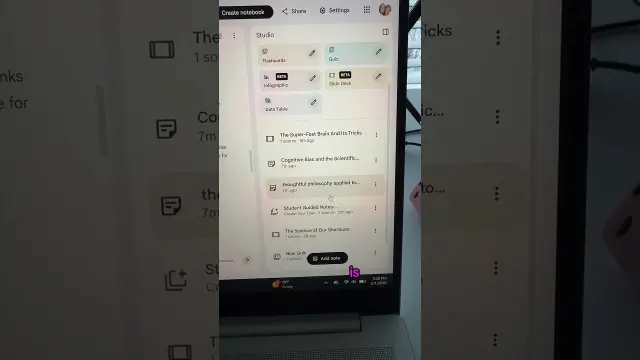
 Generating Guided Notes Quickly with NotebookLM
#Teacher Tools
1 ideas
Generating Guided Notes Quickly with NotebookLM
Get new #Teacher Tools ideas by email
Every Thursday: the week's best ideas, with the newest from #Teacher Tools.
Related tags
Teacher Tools: A Practical Guide to What Helps in the Classroom
Teaching is a job made of many small tasks layered on top of a large one. The large one is helping people learn; the small ones are planning, preparing, explaining, checking understanding, giving feedback, recording progress and keeping a room of very different people moving in the same direction. Teacher tools are simply whatever makes those small tasks easier to do well, whether that is a paper planner, a seating chart or a piece of software.
Planning and preparation
Planning tools help turn a curriculum into something teachable: a scheme of work for the term, a plan for the week, a single lesson laid out step by step. The most useful ones are templates, digital or printed, that ask the same questions every time. What should students know by the end? How will you know they know it? What will the first five minutes and the last five minutes look like? A repeated structure saves decision-making for the parts of the lesson that actually need thought.
Lesson-planning software often includes shared libraries of materials, editable slides, and ways to adapt a resource for different levels. Anything that reduces the amount of formatting work is worth more than it sounds, because formatting is where planning time quietly disappears.
Read more
The document cupboard
Most teachers accumulate a personal archive: worksheets, reading passages, quizzes, rubrics, visual aids, exemplar answers. Organising it by topic, level and task type turns a scattered pile into something reusable. Searchable folders and clear file names pay back for years. Where collaborative tools are used, agree on naming conventions early, or the shared drive becomes an unhelpful second pile.
Assessment and feedback
Tools here range from a simple checklist to software that quizzes a class and returns the results at once. Their value is not in the speed alone but in what you do with the picture they give you: which misconception is common, which students need a second explanation, which ones are ready for something harder. Question banks and rubrics do the heavy lifting, and a good rubric also tells students what success looks like before they begin.
Classroom management
This covers everything from seating plans and timers to ways of calling on students and tracking who has spoken. Simple, visible routines have more effect than any app: where to look for instructions, what to do when finished, how to ask for help. Digital tools help when they reduce friction, quieten the room or make practice routines feel like a game. They rarely fix a structure that is not there.
What beginners should know
Start with one problem, not one collection. Choose the tool that addresses a thing you already find hard, try it with a single class, and keep it for a full term before judging it. Learn two or three features properly rather than twenty superficially. Check what data a service collects about your students, and follow your school's policy on it. Prefer tools that export your work in a portable format, so you are never locked in.
Finally, remember that the best tools are worth less than clarity. A plain whiteboard used well will beat elaborate software used nervously, every time.
#Teacher Tools: frequently asked questions
How do I start using teacher tools without getting overwhelmed?
Pick one problem you already find hard — planning a week, keeping track of who has spoken, giving faster feedback — and choose a tool that addresses just that. Try it with a single class and give it a full term before deciding whether it earns its place. Learning a few features properly beats skimming many of them.
What do I actually need before I start setting up teacher tools?
You mainly need clarity about the task you want help with, not equipment: a clear picture of what students should know by the end and how you will check it. A simple repeated template, printed or digital, does most of the work of a lesson planner. Fancy software is optional; a blank structure is not.
Should I choose paper tools or software?
Choose whichever removes friction for the specific job in front of you. Paper planners and printed checklists suit planning and quick in-the-moment notes, while software earns its keep when materials need to be shared, adapted for different levels or searched later. The test is whether it saves you formatting and decision time, not whether it looks modern.
How do I keep my teaching materials from turning into a scattered pile?
Organise your archive by topic, level and task type, and use file names that describe what the resource actually is. Agree on those conventions with colleagues early if you share a drive, or it becomes a second unhelpful pile. Searchable folders and consistent naming pay you back for years.
What mistakes do teachers commonly make with these tools?
Collecting a whole set of tools at once instead of solving one problem, and abandoning something before it has had a fair trial, are the usual ones. Others include learning many features shallowly, forgetting to check what data a service collects about students, and choosing tools that will not export your work. Keep in mind that a plain whiteboard used confidently beats elaborate software used nervously.
Videos come from YouTube and posts from Instagram; titles and summaries are our own. All rights belong to their creators.