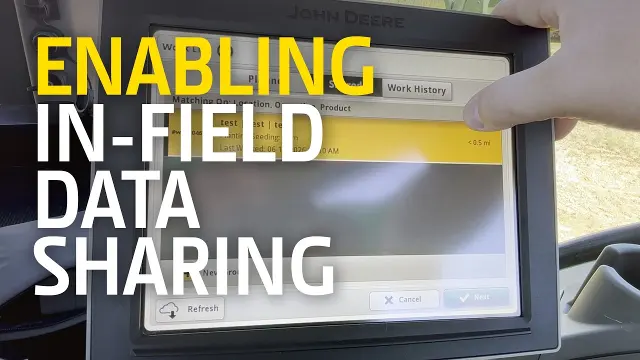
 How to Enable In-Field Data Sharing on John Deere Displays
#Tech Hub
1 ideas
How to Enable In-Field Data Sharing on John Deere Displays
Get new #Tech Hub ideas by email
Every Thursday: the week's best ideas, with the newest from #Tech Hub.
Related tags
Tech Hub: A Central Corner for Devices and Ideas
A tech hub is simply a place where technology comes together. At home, it might be the corner of a room where the family laptop sits beside a printer, a charging station and a basket of cables. In a wider sense, the same words describe a neighbourhood or city where technology companies, studios and schools cluster, sharing talent and infrastructure. Both meanings rest on the same idea: instead of scattering tools around the house or the map, you bring them to a single point where they are easier to find, maintain and use.
Why gather everything in one spot
Scattered chargers, half-forgotten cables and devices with empty batteries are the ordinary cost of doing things in a hurry. A hub concentrates the practical chores of digital life, so that charging, backing up and printing happen in one predictable place rather than in five improvised ones. It also makes problems easier to see. A dead cable, a full memory card or a device that needs updating is noticed when you pass the desk, not when it fails at the worst moment.
The pieces of a simple home hub
Read more
You do not need much to begin. Most households settle on a small, stable surface with a few essentials:
- a power strip with surge protection, mounted or placed where it is easy to reach
- a set of chargers and labelled cables, kept in one box or drawer
- a shared tray for cards, keys, drives and other small items
- a lamp with warm, adjustable light positioned to avoid glare
- a notebook or a printed sheet with passwords kept safely, not on the screen
Setting it up without stress
Start with the cables. Sort what you own, keep the ones that fit your devices, and mark each end with a small label or a coloured band. Short cables in a visible place, longer ones coiled and tied, save more time than any gadget. Next, think about where the hub sits: close to a wall socket, away from kitchen water, and out of the busiest path through the house. Good seating and a screen at roughly eye level matter more than the appearance of the desk, especially if you spend long stretches there.
Sharing a hub with others
A hub is often a family space, so agree on small rules. One shelf for each person, one shared folder for photographs that everyone wants, and a short habit of clearing the desk before bed. For files, a simple routine of copying important things to an external drive once a month is worth more than a complicated system nobody follows.
Looking after it
Dust the surfaces and vents now and then, keep drinks away from keyboards, and let devices finish updating before you pack them away. Take regular screen breaks, and keep the charging spot outside the bedroom where you can. A hub is not about owning more technology. It is about giving the technology you already have a clear, calm place to live.
#Tech Hub: frequently asked questions
How do I start setting up a tech hub at home?
Begin with the cables you already own: sort them, keep only those that fit your devices, and label or colour-band each end so you can grab the right one without guessing. Then choose a small, stable surface near a wall socket, away from water and outside the busiest path through the house, and add the essentials one at a time. Starting with what you have avoids buying gadgets you will never use.
What do I actually need for a simple home tech hub?
A power strip with surge protection, a set of chargers with labelled cables kept in one box, and a shared tray for cards, keys and drives will cover most of it. A lamp with warm, adjustable light placed to avoid glare, plus a notebook for keeping passwords safely offline, completes a basic setup. Everything else can be added later as a real need appears.
Is a tech hub only about the home, or does it mean something else?
The same phrase describes two things: a corner of a room where devices, chargers and printing live together, and a neighbourhood or city where technology companies, studios and schools cluster around shared talent and infrastructure. Both rest on the same principle of gathering tools at one point instead of scattering them. The home version is simply the one most people can set up themselves.
How do I keep a shared tech hub tidy when the whole family uses it?
Agree on a few small rules rather than a complicated system: a shelf per person, one shared folder for photographs everyone wants, and a habit of clearing the desk before bed. For important files, copy them to an external drive regularly so nothing depends on one device. Simple routines that people actually follow beat elaborate ones that get abandoned.
How should I care for the devices in my hub?
Dust surfaces and vents now and then, keep drinks away from keyboards, and let devices finish updating before you unplug or pack them away. Position the charging spot outside the bedroom where you can, and take regular screen breaks if you spend long stretches at the desk. The aim is a calm, working setup rather than a growing pile of equipment.
What mistakes should I avoid when building one?
The usual ones are buying equipment before sorting what you already own, hiding cables so thoroughly that nothing can be reached, and placing the hub in a busy walkway or near kitchen water. Setting the screen at roughly eye level and choosing decent seating matters more than how the desk looks. Skipping labels is another quiet mistake that costs time every single day.
Videos come from YouTube and posts from Instagram; titles and summaries are our own. All rights belong to their creators.