
What It Costs to Build an App and the Free Tools to Use
Breaks down spending on design, development, backend, authentication, analytics, payments, notifications, testing and publishing, with free-tier tools.
YouTube · egpg.builds · 21 September 2026 Watch on YouTube
Tried this idea? Show how yours turned out.
I made thisHow to do it
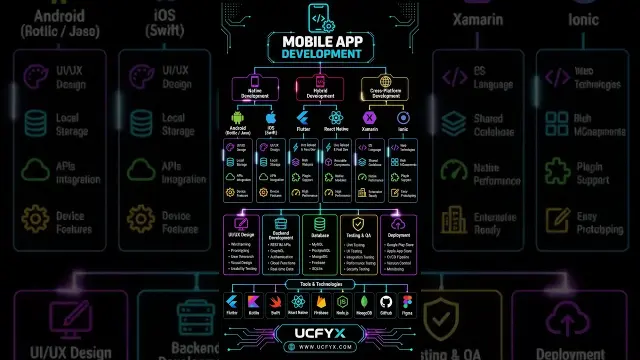
What you need
- No-code or low-code app builder
- Backend service
- Authentication provider
- Analytics tool
- Payment gateway
- Push notification service
- Testing tools
- App store developer accounts
Step by step
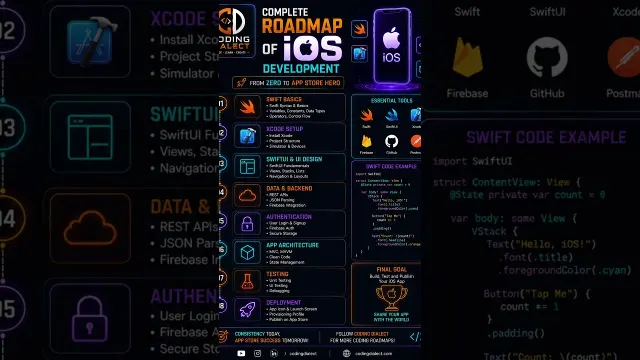
- Scope the MVP before choosing any tool
- Design the UI/UX, using AI-assisted design where possible
- Build the app interface
- Set up the backend
- Add authentication
- Wire in analytics and payments
- Add push notifications
- Test the app and publish it to the stores
Tips
- Most of these tools have generous free tiers — build the MVP before paying for anything
- Don't pay for every tool on day one; add paid plans only as you outgrow the free tier
- You don't need a big team or a large budget to ship a first version
Written by Tagrazzi from the original's description and photo.
The title and summary are written by Tagrazzi; the video belongs to its creator and plays from YouTube.



Comments (0)
No comments yet. Be the first to comment.
Sign in to write a comment.