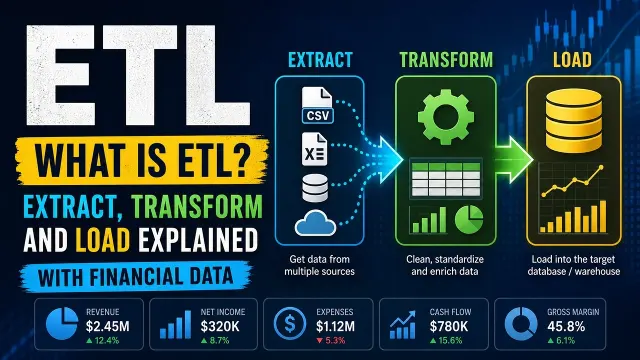
Understanding ETL Pipelines for Accurate Financial Data
An explanation of the Extract, Transform, and Load process specifically tailored to ensure accuracy and reliability in financial reporting.
YouTube · Fintech by CandiMentor · 13 October 2026 Watch on YouTube
Tried this idea? Show how yours turned out.
I made this#ETL #FinancialData #DataProcessing #DataPipeline #DataIntegrity #FinancialReporting #DataCleaning #DataManagement #APIs #CSVFiles #DataAccuracy #RiskReporting
How to do it
What you need
- Raw financial records (trades, broker and treasury records)
- CSV files
- APIs
- Database or cloud data source
- Target database or data warehouse
- Duplicate-flagging check
- USD conversion for non-USD trades
- VWAP formula for validation
- Batch or streaming load setup
Step by step
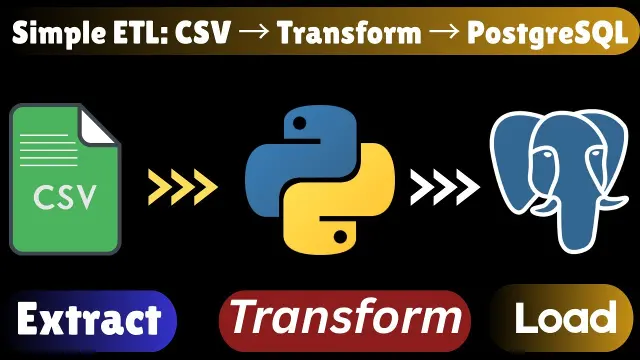
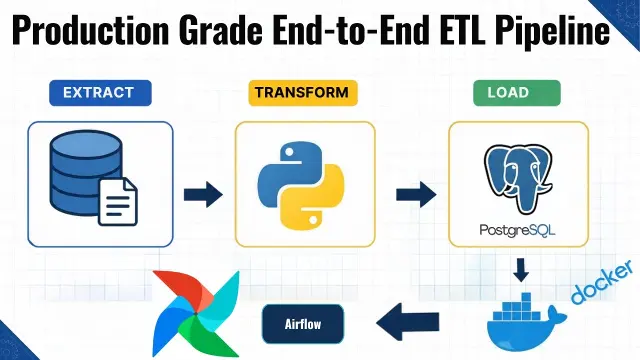
- Extract raw financial records from CSV files and APIs into one place
- Count the raw rows and flag any duplicate trades
- Calculate quantity and quoted price for each raw record
- Reconcile broker records against treasury records
- Transform the raw rows into clean trade measures
- Convert any non-USD trade into US dollars and calculate each USD notional
- Aggregate the daily and cumulative loaded value
- Load the clean records into the target database or warehouse
- Validate the duplicate rate and reconcile the loaded total against the source, then compare daily VWAP
Tips
- Check the duplicate rate and reconcile loaded totals before trusting any report — a single duplicate trade or mismatched currency can distort revenue, volume, and risk figures.
- Know which extraction route you used: CSV files and APIs bring different failure modes, so the general extraction rule is consistency, not convenience.
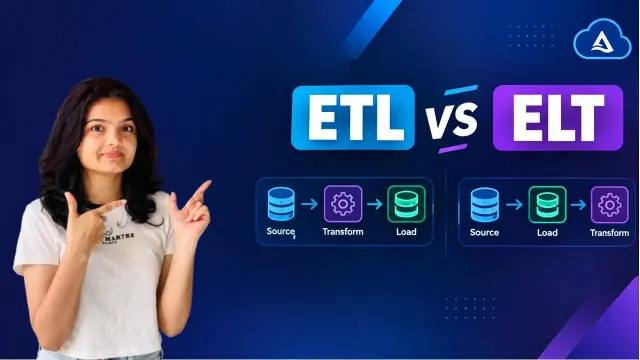
- Pick batch ETL or streaming deliberately based on how fresh the numbers need to be, and compare the before-and-after cleaning state so you can show what changed.
Written by Tagrazzi from the original's description and photo.
The title and summary are written by Tagrazzi; the video belongs to its creator and plays from YouTube.








Comments (0)
No comments yet. Be the first to comment.
Sign in to write a comment.