 CDMP Certification Explained: Levels, Exams and Costs
#Data Management
3 ideas
CDMP Certification Explained: Levels, Exams and Costs
 How LSEG Delivers Financial Data Using Unity Catalog and Delta Sharing
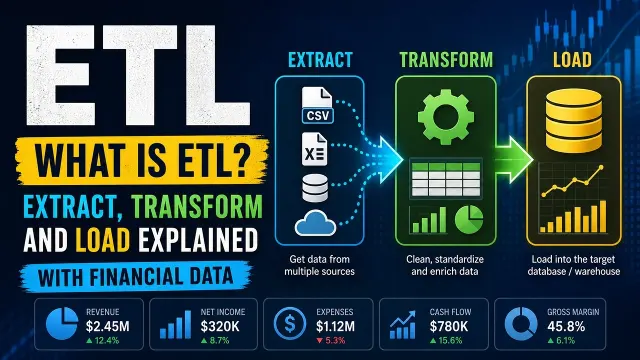 Understanding ETL Pipelines for Accurate Financial Data
Get new #Data Management ideas by email
Every Thursday: the week's best ideas, with the newest from #Data Management.
Related tags
Data Management Basics and Best Practices
Data management is the practice of collecting, storing, organizing, protecting, and using data in a careful and reliable way. It helps you make sure information is easy to find, accurate enough to trust, and handled responsibly over time. In everyday life, data management can apply to personal records, business files, customer information, research notes, and many other kinds of information.
At its heart, data management is about giving data a clear structure and a clear purpose. Good data is not just stored away; it is kept in a form that makes it usable. That means thinking about how data is entered, where it is saved, who can access it, and how it will be updated or removed when it is no longer needed.
Why data management matters
When data is poorly managed, it can become duplicated, outdated, confusing, or difficult to protect. That can lead to mistakes, wasted time, and poor decisions. Strong data management helps you work more efficiently and reduces the chance of relying on incomplete or incorrect information. It also supports privacy and security by limiting unnecessary access and keeping sensitive details safer.
Read more
Common parts of data management
Data management usually includes several connected areas:
- Data collection: gathering information from forms, systems, documents, or other sources
- Data storage: saving information in a place where it can be accessed and maintained
- Data organization: using labels, categories, and naming rules so information is easy to find
- Data quality: checking for accuracy, consistency, and completeness
- Data security: protecting information from loss, misuse, or unauthorized access
- Data backup and recovery: keeping copies so information can be restored if something goes wrong
- Data governance: setting rules for how data should be handled and by whom
Good habits for beginners
If you are just starting, keep things simple and consistent. Use clear folder names, avoid saving multiple versions with confusing titles, and decide early how you want to label files or records. Make a habit of reviewing information regularly so outdated items do not pile up. If you work with sensitive data, store it carefully and only share it with people who need it.
It also helps to think about the full life of your data. Ask yourself where it comes from, how long it should be kept, and when it should be updated or deleted. These questions are useful whether you are managing a personal archive or a large database.
Different approaches and tools
Data management can be done in many ways, depending on the size and purpose of the information involved. A small project may only need a well-structured spreadsheet and regular backups. Larger systems may use databases, workflows, and automated checks to keep information organized at scale. Whatever the setting, the goal is the same: make data dependable, manageable, and useful.
A careful approach to data management saves time and supports better decisions. When you treat data as something that needs regular care, it becomes far easier to use with confidence.
#Data Management: frequently asked questions
How do I start managing data effectively as a beginner?
Start by deciding what data you need to keep, where it will live, and how you want to name and label it. Keep the structure simple, use consistent folders or fields, and review information regularly so old or duplicate items do not pile up.
What do I need for good data management?
You need a clear place to store information, a consistent way to organize it, and a plan for protecting it. It also helps to have a routine for checking accuracy, backing up important records, and removing data that is no longer needed.
Which kind of data management method should I choose?
The best method depends on how much data you have and what you use it for. A small project may only need a well-organized spreadsheet, while larger or shared information usually benefits from a database, controlled access, and regular quality checks.
How do I take care of data so it stays reliable over time?
Keep data clean by checking for errors, duplicates, and outdated entries on a regular basis. Protect it with sensible access rules and backups, and update or delete records when they are no longer accurate or useful.
What are the most common mistakes people make with data management?
Common mistakes include storing information in random places, using unclear file names, keeping duplicate versions, and forgetting to back up important data. Another frequent problem is giving too many people access to sensitive information or failing to remove outdated records.
Videos come from YouTube and posts from Instagram; titles and summaries are our own. All rights belong to their creators.