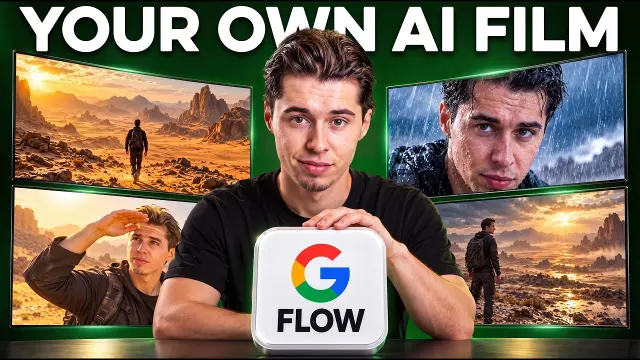
 How to Storyboard Realistic AI Videos with Google Flow
#AI Film
1 ideas
How to Storyboard Realistic AI Videos with Google Flow
Get new #AI Film ideas by email
Every Thursday: the week's best ideas, with the newest from #AI Film.
Related tags
AI Film: A Beginner's Guide to Making Movies with Machines
AI film is the practice of making moving-image work in which a significant part of the footage, sound or editing is generated or assisted by machine learning tools rather than captured entirely with a camera. It sits at the meeting point of cinema, animation and software: you describe what you want, the system produces images or motion, and you shape the result through repetition, selection and editing. The finished piece can look like live action, like animation, or like something that has no real-world equivalent at all.
Where it comes from
The idea is older than the tools. Animators and experimental filmmakers have long used rules, algorithms and procedural systems to generate images, and the dream of a camera that could render imagination directly runs through the whole history of the medium. What changed is that the generation step became accessible: instead of writing code or building 3D scenes by hand, you can now work in language and reference images. Framing it this way keeps you honest — AI film is a continuation of animation and visual effects practice, not a replacement for craft.
The main approaches
Read more
- Text-to-video: a written prompt produces a short clip. Good for mood, texture and establishing shots; harder to control precisely.
- Image-to-video: you make or supply a still frame, then animate it. This is the most reliable route for beginners, because you decide the composition first.
- Character and style consistency: keeping a face, costume or palette stable across shots, usually by reusing reference images and careful descriptions.
- Motion and camera control: specifying pans, push-ins or handheld feel, or driving motion from a reference clip.
- Sound and voice: generated music, effects and speech, plus the option of recording your own.
- Hybrid work: combining generated footage with real photography, stock material, 3D or hand-drawn elements.
What beginners should know
Shot length is the first constraint. Most generated clips work best as brief moments, so plan a film as a sequence of short shots rather than long continuous takes. Learn to think in coverage: wide, medium, close, detail, reaction. A scene assembled from many small, well-chosen shots reads as far more professional than one long impressive clip.
Write your script and storyboard before you generate anything. Prompting without a plan produces beautiful fragments that never become a film. Sketch the shots you need, even roughly, and know what each one must accomplish for the story.
Expect iteration. The first output is rarely right, and the skill lies in describing changes precisely: subject, action, setting, light, lens, movement, mood. Keep notes on what worked, because your own prompt vocabulary becomes your toolkit.
Respect the work of others. Use material you have the right to use, be transparent about how a piece was made, and avoid generating the likeness of real people without consent. Label synthetic footage when your audience could reasonably be misled.
Finally, remember that editing, pacing and sound still carry a film. Generation gets attention; the cut and the soundtrack are what an audience actually feels.
#AI Film: frequently asked questions
How do I start making an AI film if I've never done it before?
Start with a very short piece you can finish — a single scene or a mood rather than a story with many locations. Write out what happens, sketch the shots you need, and only then begin generating, because prompting without a plan tends to leave you with attractive fragments that never add up to a film. Expect the opening attempts to be rough; the real skill develops as you learn to describe changes precisely.
What do I actually need to make one — a camera, a studio, special software?
You mainly need a way to generate or animate images, an editing program, and somewhere to put sound; a camera is optional rather than required. Many people work entirely from words and reference stills, then assemble the results on an ordinary computer. What matters far more than equipment is having a script, a shot list and the patience to iterate.
Should I use text-to-video or image-to-video?
Image-to-video is usually the friendlier starting point, since you decide the framing and composition in the still frame before anything moves, which gives you far more control over the result. Text-to-video is quicker for atmosphere, texture and establishing shots but is harder to steer exactly. Plenty of filmmakers mix both, using generated stills as the anchor and written prompts for the looser material.
How do I keep a character or a look consistent from shot to shot?
Reuse the same reference images and describe the face, costume and colour palette in consistent language each time you generate. Treat those descriptions as a fixed formula you repeat rather than rephrase, and keep notes so you don't drift between shots. Consistency is built through careful repetition and selection, not through a single perfect prompt.
What mistakes do beginners make most often?
The common ones are attempting long continuous takes, generating before writing a script or storyboard, and accepting a first output that only half works. Generated footage behaves best in brief moments, so a scene cut together from many small, well-chosen shots — wide, medium, close, detail, reaction — reads as far more polished than one ambitious clip. Another frequent slip is neglecting editing, pacing and sound, which are what an audience actually responds to.
What should I keep in mind about using other people's work or real likenesses?
Use only material you have the right to use, and be open about how a piece was made. Avoid generating the face or likeness of a real person without their consent, and label synthetic footage wherever an audience could reasonably be misled into thinking it is real. Working transparently also protects you as the practice becomes more common.
Videos come from YouTube and posts from Instagram; titles and summaries are our own. All rights belong to their creators.