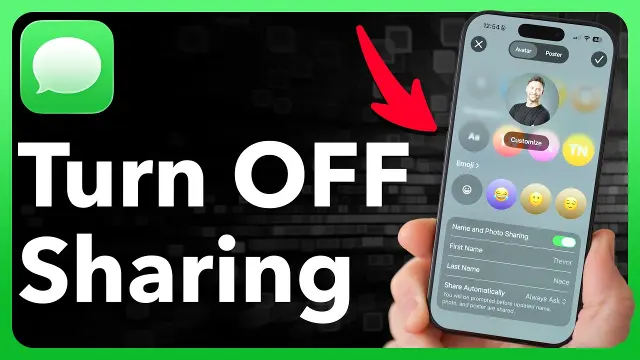
 Protect Your Privacy By Turning Off Hidden iMessage Data Sharing Settings
#Data Security
1 ideas
Protect Your Privacy By Turning Off Hidden iMessage Data Sharing Settings
Get new #Data Security ideas by email
Every Thursday: the week's best ideas, with the newest from #Data Security.
Related tags
Data Security Basics: Protecting What Matters to You
Data security is the practice of keeping information safe from people who should not see it, changing it, or losing it. The idea sounds technical, but it applies to something very ordinary: the photos on your phone, the messages you send, the account details you type into a shop's checkout, the documents your employer trusts you with. Wherever information is stored or moved, someone has an interest in protecting it and someone else may have an interest in getting at it.
The three things security tries to preserve
Professionals usually describe the goal in three parts. Confidentiality means only the right people can read something. Integrity means the information has not been quietly altered. Availability means it is there when you need it, which is why a lost backup can hurt as much as a leak. Most good habits serve at least one of these, and often all three.
Where the risk actually comes from
Read more
Attacks rarely look like the films. More often they arrive as an email that imitates a colleague, a message urging you to log in somewhere urgently, or a free app that asks for permissions it has no reason to need. Weak or reused passwords are another common route in: one leaked login can open many doors if you use the same one everywhere. Out-of-date software matters too, because updates frequently close holes that are already known to attackers. None of this requires you to be interesting or important. Most attempts are automated and indiscriminate.
Privacy and security are not the same thing
Security is about keeping data away from intruders; privacy is about deciding how much of it exists and who is entitled to hold it in the first place. A service can be perfectly secure and still collect far more about you than you would like. Both are worth your attention, and both reward the same habit of pausing to ask who receives your information and why.
What beginners should do first
- Use a different password for each important account, and let a password manager remember them rather than your memory.
- Turn on two-factor authentication wherever it is offered, so a stolen password alone is not enough.
- Install updates when they arrive, on your phone and computer alike.
- Keep a backup of anything you would be upset to lose, ideally in a second place.
- Give apps the least access they need: a torch app has no business reading your contacts.
- Be slower with urgency. A message demanding immediate action is a warning sign, not a reason to hurry.
A few lasting habits
Treat links in unexpected messages with suspicion, and reach the organisation through a route you looked up yourself rather than the one you were sent. Close accounts you no longer use instead of leaving them dormant. Review the sharing settings on anything holding photos or documents, and check occasionally who can see what. If something does go wrong, change the password, sign out other devices, and tell the people affected rather than hiding it.
Perfect protection does not exist, and nobody achieves it. What works is a handful of small, unglamorous routines repeated consistently, so that a mistake in one place stays a small problem instead of becoming a large one.
#Data Security: frequently asked questions
How do I start protecting my data without turning it into a big project?
Begin with the accounts that would cause the most trouble if someone else got into them, such as email and banking, and give each one its own password. Let a password manager hold them so you are not relying on memory, and switch on two-factor authentication wherever it is offered. A few small routines repeated consistently do more than one ambitious overhaul you never finish.
What do I actually need in place, and what can I skip?
The essentials are unique passwords, two-factor authentication, current software updates, and a backup kept somewhere other than the original. Those four cover most of the risk an ordinary person faces. Elaborate tools you will not maintain are worth less than these basics done reliably.
Is privacy the same thing as security, and does it matter which I focus on?
They overlap but are not the same: security keeps intruders out, while privacy is about how much information is collected about you and who gets to hold it. A service can be thoroughly secure and still gather more than you would want. Both deserve attention, and the shared habit is pausing to ask who receives your information and why.
How do I take care of it over time rather than just once?
Treat it as upkeep rather than a task you finish: install updates when they appear, review who can see the photos and documents you store, and close accounts you no longer use instead of leaving them idle. Treat urgent messages and unexpected links with suspicion, and reach an organisation through a route you looked up yourself rather than the one you were sent.
What mistakes do beginners most often make?
Reusing one password across many accounts is the most common, because a single leak then opens several doors at once. Another is granting apps permissions they have no reason to need, and a third is letting urgency override judgement when a message demands you act immediately. Keeping everything in one place with no second copy is also a quiet mistake people only notice when the data is gone.
What should I do if something does go wrong?
Change the password on the affected account first, then sign out of other devices so an intruder is pushed out rather than left sitting there. Tell the people who could be affected instead of hiding it, since a warning early is far more useful than an apology later. Afterwards, check whether the same password was used anywhere else and fix those accounts too.
Videos come from YouTube and posts from Instagram; titles and summaries are our own. All rights belong to their creators.