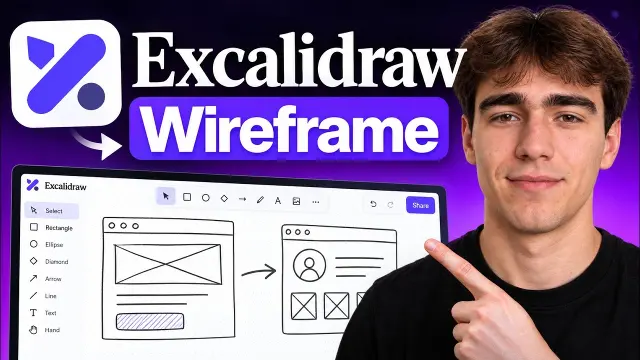
 Beginner Tutorial on Creating Wireframes in Excalidraw
#Excalidraw
1 ideas
Beginner Tutorial on Creating Wireframes in Excalidraw
Get new #Excalidraw ideas by email
Every Thursday: the week's best ideas, with the newest from #Excalidraw.
Related tags
Excalidraw: Hand-Drawn Diagrams and Wireframes
Excalidraw is a sketch-style drawing tool for creating diagrams, wireframes, flowcharts, mind maps, and simple visual notes. It is known for its hand-drawn look, which makes ideas feel informal, approachable, and easy to change. Instead of polished design, it focuses on clarity and speed, helping you capture structure before worrying about appearance.
What Excalidraw is for
You can use Excalidraw for early-stage planning, brainstorming, teaching, team discussions, and simple interface sketches. It works well when you want to explain a process, map out a website or app layout, or collect ideas visually without getting lost in fine details. Because the style is intentionally rough, it lowers the pressure to make everything perfect.
Common uses and styles
Read more
People often use Excalidraw for:
- Wireframes for websites and apps
- Flowcharts and user journeys
- Architecture sketches and system diagrams
- Meeting notes with diagrams
- Mind maps and rough concept boards
The visual style is usually simple and friendly, with freehand lines, basic shapes, arrows, and handwritten-looking text. This makes it especially useful when you want a diagram to feel human and easy to understand. It can also be helpful in workshops, because everyone can contribute without needing advanced design skills.
How to think about it
The main strength of Excalidraw is not precision, but communication. A good sketch does not need to be neat in the traditional sense. It needs to show relationships, hierarchy, and flow. If you are making a wireframe, focus on where elements go and how someone moves through the screen. If you are making a diagram, focus on the connections between ideas rather than decorative detail.
Practical tips for beginners
- Start with the simplest possible shapes: boxes, lines, arrows, and labels.
- Keep text short so the structure stays easy to read.
- Use spacing generously; crowded diagrams are harder to follow.
- Group related elements together to show meaning.
- Use the hand-drawn style to your advantage: rough sketches can be easier to discuss than polished mockups.
- Save time by working from big blocks to small details.
- If you are wireframing, think first about layout, then content, then styling.
Good habits for clear sketches
A useful Excalidraw drawing usually has one clear purpose. Too many ideas on one canvas can make it harder to understand. Try to separate different topics, and give each sketch a simple title or frame if needed. When you review your work, ask yourself whether someone else could understand the main idea in a few seconds. If not, simplify it.
Excalidraw is at its best when you need to think visually without slowing down. It is a practical tool for turning rough ideas into clear diagrams, and it rewards simplicity, structure, and ease of revision.
#Excalidraw: frequently asked questions
How do I get started with Excalidraw if I've never drawn a diagram before?
Open a blank canvas and place a few basic shapes — boxes, arrows and labels — before you worry about how anything looks. Sketch the big blocks of your idea first, then refine the details once the overall structure makes sense. Because the style is intentionally rough, there's no pressure to get it right on the first pass.
Do I need design skills or special software to use Excalidraw?
No design background is required; the tool is built around simplicity rather than polish, so freehand lines and handwritten-style text work in your favor. Beginners usually find they only need the shape, arrow and text tools to make something readable. Think of it as a thinking aid rather than a design program — the goal is a clear idea, not a finished visual.
Which kind of drawing should I choose for my idea?
Start from what you're trying to communicate: boxes and arrows for a process, sketchy frames for a website or app layout, and loose clusters for brainstorming or mind maps. If relationships matter more than layout, a diagram will serve you better than a wireframe. Keep each canvas to a single purpose so the format stays obvious to whoever reads it.
What can I use Excalidraw for beyond work diagrams?
It's handy for teaching, planning a trip or a room layout, mapping out a family schedule, or collecting ideas for a celebration or a shared project. Meeting notes with a quick visual sketch often stick better than a wall of text. Anywhere you'd otherwise scribble on a napkin to explain something, a rough sketch works well.
What mistakes make an Excalidraw sketch hard to read?
The usual culprits are too much text, cramped spacing, and cramming several unrelated topics onto one canvas. Group related elements together and leave generous gaps so the eye can travel between ideas. When you're done, glance at it as a stranger would — if the main point doesn't land in a few seconds, cut something out.
How do I keep a sketch useful when the idea grows?
Work from big blocks down to small details, and split different topics onto separate canvases or frames instead of expanding endlessly in one place. Give each sketch a short title so you can tell them apart later. Editing a rough sketch repeatedly is easy and expected, so treat the drawing as something you revise rather than finish.
Videos come from YouTube and posts from Instagram; titles and summaries are our own. All rights belong to their creators.