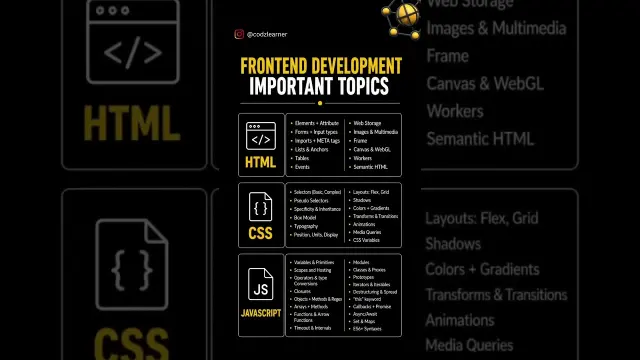
 Frontend Roadmap: HTML, CSS and JavaScript Essentials
#HTML
6 ideas
Frontend Roadmap: HTML, CSS and JavaScript Essentials
 Beginner Frontend Bootcamp Path: HTML, CSS and JavaScript
 Build 19 Websites to Practise HTML, CSS and JavaScript
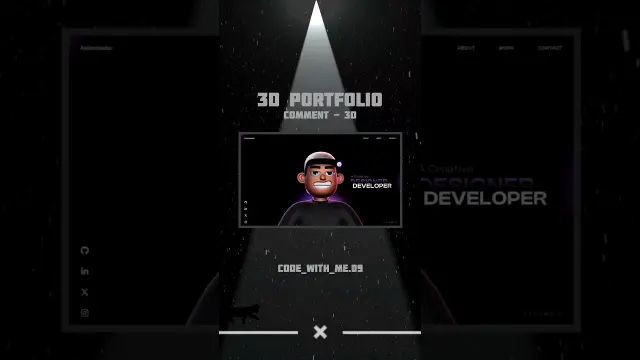 Create an Interactive 3D Developer Portfolio Website
 Comprehensive 90 Minute Frontend Development Course
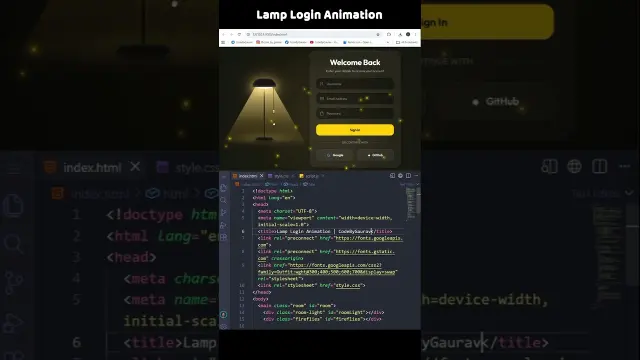 Animated Login Form UI Design Using HTML and CSS
Get new #HTML ideas by email
Every Thursday: the week's best ideas, with the newest from #HTML.
Related tags
HTML: The Basics of Web Markup
What HTML is
HTML stands for HyperText Markup Language. It is the basic language used to structure content on the web. When you open a website, HTML tells the browser what the page contains: headings, paragraphs, links, images, lists, forms, and other pieces of content. It does not usually control how a page looks in detail or how it behaves; instead, it gives the page its meaning and structure.
HTML is used on almost every website because it is the starting point for building web pages. It works together with CSS, which handles presentation, and JavaScript, which adds interactivity. If HTML is the skeleton of a page, CSS is its appearance and JavaScript is its motion.
Where HTML comes from
Read more
HTML was created for the web so documents could be linked together and read across different computers and browsers. Over time, it became the standard way to mark up content online. Today, modern HTML is designed to be simple, flexible, and readable by both people and machines.
The language uses elements written inside angle brackets, such as headings, paragraphs, or links. Most elements have an opening tag and a closing tag, though some are self-closing in practice. Each element should be used for its intended purpose, because that helps browsers, search engines, and assistive technologies understand the content correctly.
What HTML is used for
HTML is used to build the structure of many kinds of web content, including:
- Articles and blog posts
- Landing pages and portfolios
- Navigation menus
- Contact forms
- Image galleries
- Product pages
- Simple web apps
A well-written HTML page makes content easier to read, easier to navigate, and easier to maintain. It also supports accessibility, which means people using screen readers or other tools can move through a page more easily.
Main elements and good practice
If you are new to HTML, start with the core elements:
- Headings to organize content
- Paragraphs for text
- Links for navigation
- Images with clear alternative text
- Lists for grouped information
- Buttons and forms for interaction
- Semantic elements such as header, main, section, article, and footer
Semantic HTML is especially important. It means choosing elements that describe the role of content, not just how it looks. For example, a real heading should be marked as a heading, not just styled to appear large. This makes your code clearer and more useful.
Tips for beginners
When you begin, focus on writing clean and simple HTML. Use a logical heading order, keep related content together, and avoid using extra markup when it is not needed. Always include alternative text for meaningful images, and make sure links describe where they go. If you are building forms, label each field clearly.
It also helps to remember that HTML is forgiving, but good structure matters. Even a small page becomes easier to manage when the markup is tidy and meaningful. If you learn HTML well, you build a strong foundation for everything else you do on the web.
#HTML: frequently asked questions
How do I start learning HTML as a beginner?
Begin with the basic elements that shape a page, such as headings, paragraphs, links, lists, and images. Practice by building small pages and focusing on clear structure before adding styling or interaction.
What do I need to build a simple HTML page?
You mainly need a text editor, a browser, and a good understanding of how tags work. HTML gives your content structure, while CSS and JavaScript can be added later for design and interactivity.
Should I use semantic HTML or just simple tags?
Semantic HTML is usually the better choice because it explains the role of each part of the page. Using the right element for the right content helps browsers, search tools, and assistive technologies understand your page more clearly.
What is the best way to organize content in HTML?
Use a logical heading order, keep related content together, and choose elements that match the meaning of the content. This makes your page easier to read, easier to navigate, and easier to maintain.
What are common HTML mistakes beginners make?
A common mistake is using tags only for appearance instead of meaning, such as making text look like a heading without marking it as one. Another is forgetting alternative text for images or writing links that do not clearly explain where they lead.
Videos come from YouTube and posts from Instagram; titles and summaries are our own. All rights belong to their creators.