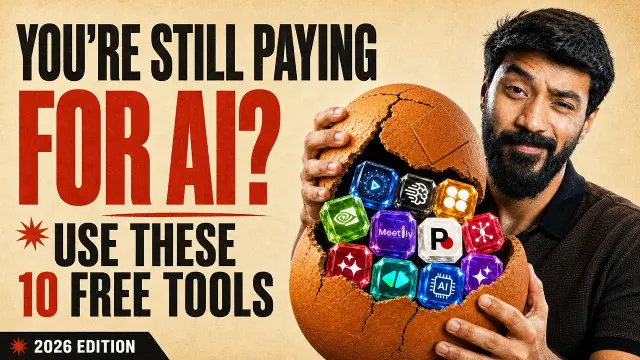
 Free Open-Source AI Tools That Can Replace Paid Subscriptions
#Open Source AI
2 ideas
Free Open-Source AI Tools That Can Replace Paid Subscriptions
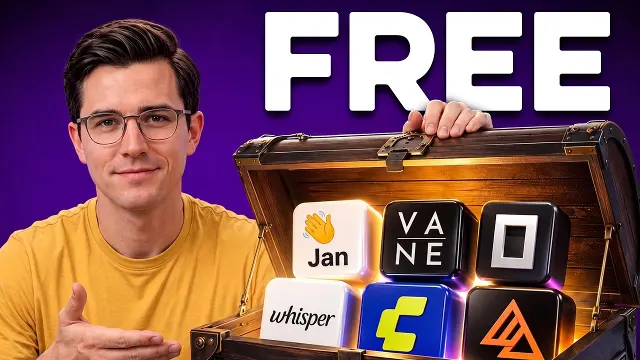 Five Free Open-Source AI Tools You Can Install Yourself
Get new #Open Source AI ideas by email
Every Thursday: the week's best ideas, with the newest from #Open Source AI.
Related tags
Open Source AI: A Beginner's Guide to Open Models
Open source AI refers to artificial intelligence systems whose underlying components — the model weights, the training code, or both — are published so that anyone can download, inspect, modify and use them. The idea borrows from the free and open source software movement, which for decades has held that transparent, shared code produces better and more trustworthy tools than closed black boxes. Applied to AI, that principle has produced a growing family of models and applications you can install and run yourself, without sending your data to someone else's server.
It helps to know that "open" is not a single standard. Some projects release everything: the training data, the code, the weights and the documentation. Others publish only the finished model weights, sometimes under licences that restrict commercial use or set conditions on how the model may be redistributed. A permissively licensed model can be used, changed and built upon with few limits; a restricted one may require attribution or forbid certain applications. Reading the licence before you build anything on top of a model is the single most useful habit a beginner can develop.
What people use it for
Open models are used for writing and editing text, translating, summarising documents, transcribing speech, generating images, answering questions about private files, and powering small automations. Because they can run locally, they appeal to anyone who wants to keep sensitive material on their own machine, work offline, or avoid recurring subscription costs. Developers use them as building blocks inside larger applications, fine-tuning a general model on their own examples to make it better at one narrow job.
Read more
Getting started
Most open models are distributed as downloadable files through community model hubs, usually alongside notes on size, memory requirements and intended use. Larger models generally produce better results and need more powerful hardware; smaller ones run comfortably on an ordinary laptop, sometimes in a trimmed-down form that trades a little quality for speed.
Practical points worth knowing:
- Start small. A modest model that runs smoothly teaches you more than a large one that stumbles.
- Check your hardware first: memory is usually the limiting factor, not raw speed.
- Expect to experiment. Output quality varies with how you phrase a request, so refine your prompts rather than judging a model after one try.
- Keep model files and their licences together, so you always know what you are allowed to do with them.
- Prefer well-documented projects with active communities; questions get answered faster.
Open source AI rewards curiosity more than technical expertise. You do not need to train a model to benefit from one — installing a tool, reading its documentation and understanding its licence is enough to begin.
#Open Source AI: frequently asked questions
What does "open source" actually mean for an AI model?
It means the parts that make the system work — the model weights, the training code, or both — are published so anyone can download, inspect, modify and use them, the way open source software has worked for years. The point is transparency: you can see what you are running instead of treating it as a sealed box, and you can run it on your own machine rather than sending your data somewhere else. Be aware that "open" is not one standard, since some projects share everything while others release only the finished weights.
Do I need to be a programmer to use open source AI?
No. You can install a ready-made tool, read its documentation and start using it without training a model or writing code. What it really rewards is curiosity — trying things, adjusting how you phrase a request, and being willing to experiment a little. Plenty of people begin simply by running a small tool locally and seeing what it does.
How do I pick a model when the options all look similar?
Check your hardware first, because memory rather than raw speed is usually what limits you, and start with something modest that runs smoothly instead of something large that stumbles. Bigger models tend to give better answers but need more powerful machines, while smaller ones run comfortably on an ordinary laptop, sometimes in a trimmed-down version that trades a little quality for responsiveness. Favour projects that are well documented and have active communities, since your questions get answered faster.
What should I check before building on top of an open model?
Read the licence — it is the single most useful habit to develop. A permissive licence lets you use, change and build on the model with few limits, while a restricted one may require attribution, forbid commercial use, or place conditions on redistribution. Keep the model files and their licence together so you always know what you are allowed to do with them.
What can I use open source AI for day to day?
Common uses include writing and editing text, translating, summarising documents, transcribing speech, generating images, and asking questions about your own private files. Because the model can run locally, it suits anyone who wants sensitive material to stay on their machine, who works offline, or who would rather avoid an ongoing subscription. Developers also fine-tune general models on their own examples to make them better at one narrow job.
What mistakes do beginners usually make?
Judging a model after a single try is the most common one, since output quality shifts a lot with how you phrase the request — refine the prompt before writing the model off. Another is starting too large and getting bogged down in hardware problems instead of learning, and a third is ignoring the licence until after work is already built on top of it. Slowing down on those three points saves a great deal of frustration.
Videos come from YouTube and posts from Instagram; titles and summaries are our own. All rights belong to their creators.