 Free Open-Source AI Tools That Can Replace Paid Subscriptions
#AI Automation
2 ideas
Free Open-Source AI Tools That Can Replace Paid Subscriptions
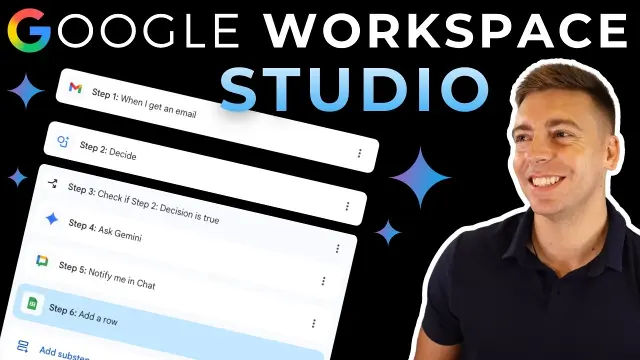 Google Workspace Studio Tutorial: Agentic AI Platform Overview
Get new #AI Automation ideas by email
Every Thursday: the week's best ideas, with the newest from #AI Automation.
Related tags
AI Automation: A Beginner's Guide to Getting Started
AI automation is what you get when software is given room to decide. Traditional automation follows instructions: if this happens, do that, in the same order, every time. AI automation adds a model that can read, sort, predict or draft, so the system copes with inputs nobody wrote a rule for — an email phrased oddly, a blurry photo of a receipt, a voicemail that rambles before it gets to the point.
Where the idea comes from
Automation itself is old. Workshops and factories have run on mechanical sequences for generations, and offices have leaned on scripted rules for decades. Two developments made AI automation feel like a separate thing. Robotic process automation taught organisations to hand repetitive screen work to software that mimics a person clicking through their systems. Then machine learning matured enough that software could learn patterns from examples rather than being programmed case by case. More recently, language models and agentic tools went further still: systems that read unstructured text, plan a short sequence of steps and use other tools to carry it out.
The main kinds
Read more
- Rule-based workflows with an AI step: the process stays fixed, but a model handles the fuzzy part — tagging, sorting, extracting, drafting a first version.
- Document and data processing: pulling fields out of invoices, forms and messages, then routing them where they belong.
- Conversational automation: assistants that answer common questions or triage requests before a person picks them up.
- Agentic workflows: a system is given a goal and a set of tools, and decides the order of steps itself. The most capable, and the least predictable.
What to know before you start
Begin with a process, not a technology. Pick something narrow, repetitive and dull, and write down what a good result looks like before you touch any tool. If you cannot describe the task clearly, a model will not describe it for you.
Keep a person in the loop wherever the outcome matters. Models can be confidently wrong, and they drift quietly when the inputs around them change. A review step is not a lack of trust; it is how you catch the day something shifts.
Watch your data. Automation inherits whatever mess it is fed, and cleaning up sources usually delivers more improvement than switching tools.
Measure something. Record how long the task took and how often it went wrong before, so you can tell whether the new setup is genuinely better or merely busier.
Finally, be open with the people affected. Staff and customers accept automation far more readily when they know it is there, what it handles, and how to reach a human. Used with that care, AI automation takes the repetition out of the day and leaves the judgement to you.
#AI Automation: frequently asked questions
How do I get started with AI automation if I've never used it before?
Start with a single process rather than a platform. Pick one repetitive, low-stakes task — sorting incoming messages, pulling fields from forms — and write down exactly what a good result looks like before you open any tool. A narrow first project shows you how the model behaves without putting anything important at risk.
What do I need before automating a task?
A clearly described process and reasonably clean input data matter more than the tool you choose. If you can't explain the task in plain steps and say what counts as a correct outcome, the model has nothing solid to work from. Tidying up the sources you feed it usually helps more than switching to something fancier.
Which type of AI automation should I choose?
Match the kind to how predictable the work is. Fixed rule-based workflows with one AI step suit most business tasks, while agentic setups that plan their own steps are best reserved for goals you can check easily and where mistakes are cheap. The more freedom you give the system, the more review you need around it.
Why should a person stay involved in an automated process?
Models can be confidently wrong, and they drift when the inputs around them slowly change. A review step catches the day something shifts before it reaches a customer or a decision that matters. It isn't a sign of distrust — it's how the setup stays reliable over time.
What mistakes do people make when setting up AI automation?
The common ones are starting from a shiny tool instead of a real problem, and never measuring the before and after. Without a record of how long the task took and how often it went wrong previously, you can't tell whether the new arrangement is genuinely better or just busier. Another frequent slip is not telling the people affected that automation is in place and how to reach a human.
Are there free or open-source options worth trying first?
Yes — plenty of capable open-source tools exist, and they're a sensible way to experiment before committing to anything paid. Try your chosen task on a free option first to see whether the approach works at all. If it does, you'll know exactly what you need from a larger setup.
Videos come from YouTube and posts from Instagram; titles and summaries are our own. All rights belong to their creators.