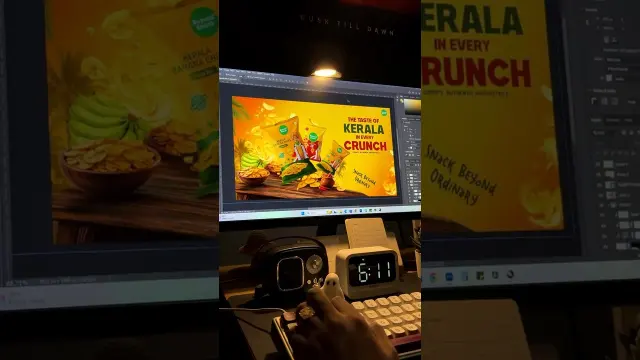
 Photoshop Poster Design Tutorial for Creative Effects
#Photoshop Tutorial
3 ideas
Photoshop Poster Design Tutorial for Creative Effects
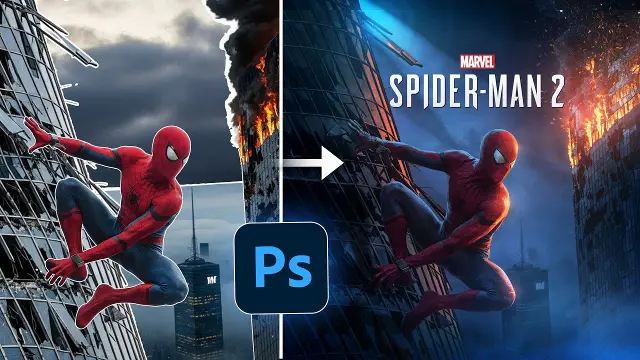 Spider-Man Poster Design Tutorial in Photoshop
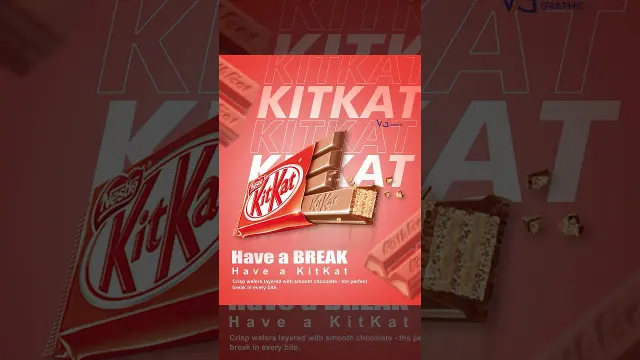 Designing a KitKat Product Poster in Photoshop
Get new #Photoshop Tutorial ideas by email
Every Thursday: the week's best ideas, with the newest from #Photoshop Tutorial.
Related tags
Photoshop Tutorial Guide for Creative Editing
What a Photoshop tutorial is
A Photoshop tutorial is a guided lesson that shows you how to use Adobe Photoshop to create, edit, and refine images. Photoshop is one of the best-known tools for raster graphics, which means it works with pixels rather than shapes made entirely of code. People use it for photo retouching, compositing, poster design, digital painting, social media graphics, web imagery, and many other kinds of visual work.
Tutorials can be for complete beginners or for more experienced users who want to learn a specific technique. Some focus on the basics, such as layers, selections, cropping, and color adjustment. Others cover more creative work like double exposures, text effects, photo manipulation, mockups, or realistic lighting effects. No matter the level, a good tutorial usually shows both the method and the thinking behind it.
Common techniques you’ll see
Read more
A lot of Photoshop learning starts with a few core skills:
- Layers and layer masks, which let you build and edit images non-destructively
- Selections and masking, which help you isolate parts of an image
- Adjustment layers, which change color, contrast, tone, and mood without permanently altering the original
- Retouching tools, which are used to clean up skin, remove distractions, or repair small flaws
- Filters and blending modes, which can add texture, atmosphere, or special effects
- Typography and layout, which are important for posters, covers, and digital graphics
These basics appear in many different kinds of tutorials, so it helps to understand them early. Once you know how they work, you can follow more complex lessons with much more confidence.
Styles and kinds of tutorials
Photoshop tutorials often fall into a few broad categories. Photo editing tutorials focus on natural improvements, such as correcting exposure, balancing color, or enhancing detail. Compositing tutorials show how to combine multiple images into one scene. Poster and flyer tutorials usually involve strong typography, dramatic contrast, and layered visual effects. Retouching tutorials are centered on cleaning and polishing portraits or product images. Creative effect tutorials may teach surreal lighting, texture overlays, or fantasy-inspired scenes.
Beginners usually benefit most from step-by-step lessons that explain each tool clearly. If you are more experienced, look for tutorials that teach workflows, not just button-by-button instructions. Understanding why each step is taken will help you adapt the method to your own work.
Practical advice for learning well
When you follow a Photoshop tutorial, try to work with your own files if possible. This helps you learn how the technique behaves with different images. Save often, and keep an untouched copy of your original file so you can go back if needed. Use layers generously, and name them when a project starts to grow. That simple habit makes editing much easier later.
It also helps to learn the tools in small groups rather than trying to master everything at once. Start with selection tools, layers, and adjustments. Then move on to masking, retouching, and more advanced compositing. If a result does not look right, pause and compare it with the reference image or step back to earlier stages.
Most of all, be patient with the process. Photoshop rewards practice, and even simple tutorials can teach skills that apply across many different projects.
#Photoshop Tutorial: frequently asked questions
How do I get started with Photoshop tutorials if I am a beginner?
Start with tutorials that teach the basics step by step, especially layers, selections, cropping, and simple color adjustments. These core skills make it much easier to follow more advanced lessons later, because you will understand how Photoshop builds and edits images.
What should I already know before trying a Photoshop tutorial?
You do not need to be advanced, but it helps to understand the idea of layers, masks, and adjustment layers. A little familiarity with how to move around the workspace and save your files will make the tutorial feel much smoother.
Which type of Photoshop tutorial should I choose for poster design or creative effects?
If you want posters or flyers, look for tutorials that focus on typography, contrast, and layered compositions. For more imaginative work, choose lessons on compositing, lighting effects, texture overlays, or photo manipulation so you can create a more dramatic final image.
What files or tools do I need to follow a Photoshop tutorial well?
You mainly need Photoshop and your own image files or practice assets if the lesson allows it. It also helps to keep an untouched copy of the original image, since most tutorials work best when you can compare, undo, or try again safely.
What are the most common mistakes people make in Photoshop tutorials?
A common mistake is trying to rush through too many tools at once instead of learning the basics in order. Another is working without enough layers or forgetting to save versions, which can make it harder to fix problems when the result does not match the example.
Videos come from YouTube and posts from Instagram; titles and summaries are our own. All rights belong to their creators.