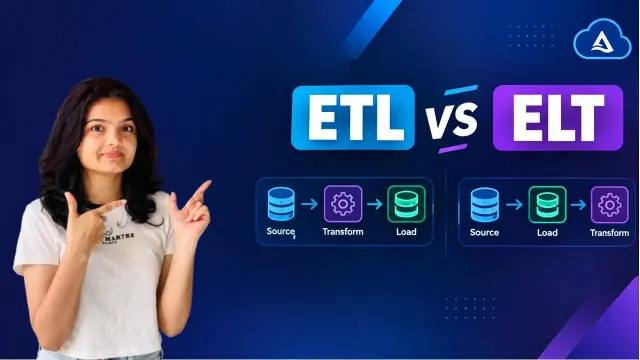
 ETL vs ELT Explained with Databricks Examples
#PySpark
1 ideas
ETL vs ELT Explained with Databricks Examples
Get new #PySpark ideas by email
Every Thursday: the week's best ideas, with the newest from #PySpark.
Related tags
PySpark: A Practical Introduction to Big Data in Python
PySpark is the Python interface to Apache Spark, an open-source engine for processing data across many machines at once. Spark itself began as a research project at the University of California, Berkeley, and grew into one of the Apache Software Foundation's most widely used projects. Because Python is the language most analysts and data scientists already know, PySpark became the practical way to reach Spark's power without learning Scala or Java.
Underneath, your Python code drives a JVM-based engine. You write ordinary-looking Python, and PySpark translates it so the work is split into tasks that run in parallel on a cluster. That distinction matters: your code describes what should happen to the data, and Spark decides how to distribute it.
What people use it for
PySpark shows up wherever data is too large for a single machine. Common jobs include cleaning and reshaping raw files, building ETL or ELT pipelines, joining many sources into a single table, running SQL-style aggregations over huge datasets, training machine learning models at scale, and processing streams of events as they arrive. It reads from plain files, relational databases, data warehouses and object storage, so it sits comfortably in the middle of a data platform.
Read more
The main building blocks
- DataFrame: a table of rows and named columns, the interface most people use today. It resembles a pandas DataFrame but is designed for distributed data.
- Spark SQL: a way to query DataFrames with SQL text or mix SQL and Python in one program.
- RDD: the older low-level abstraction of distributed collections. Useful to understand, but rarely the right starting point for new work.
- Structured Streaming: the same DataFrame model applied to data that keeps arriving.
- MLlib: distributed machine learning algorithms and feature tools.
- The catalog and session objects: how you connect to storage and configure a Spark application.
Lazy evaluation, explained plainly
Spark does not run your code the moment you write it. Transformations such as filtering, selecting or joining only build up a plan; nothing executes until an action like showing results, counting rows or writing output asks for an answer. This lazy evaluation lets the engine optimise the whole plan before doing any work. It also explains a common confusion: a pipeline that "does nothing" is usually a pipeline that was never given an action to trigger it.
What beginners should know
Start with DataFrames and Spark SQL, and think in terms of columns rather than loops. Reach for built-in functions rather than hand-written row-by-row logic whenever you can, because they let Spark optimise. Be deliberate about partitioning and about when data is shuffled across the network, since that is usually where time goes. Inspect the query plan when something feels slow, and keep an eye on memory: a comfortable size for pandas is not the same as a comfortable size for a cluster.
Finally, treat local mode as a learning tool. It runs Spark on one machine, which is ideal for experimenting, but the habits that matter at scale are the ones about how your data is organised and moved.
#PySpark: frequently asked questions
What do I need to get started with PySpark?
You need Python, the PySpark package, and a Java runtime underneath, since your Python code drives a JVM-based engine. Local mode is enough to begin — it runs Spark entirely on one machine, so you can experiment without setting up a cluster. Install the package with pip, then start a session object and read a file into a DataFrame to confirm everything works.
Should I learn DataFrames, Spark SQL, or RDDs first?
Start with DataFrames and Spark SQL: they are the interface most work uses today, and the engine can optimise them well. RDDs are the older low-level abstraction — useful to understand conceptually, but rarely the right starting point for new work. You can also mix SQL text and Python in the same program, which is often the most readable approach.
Why does my PySpark script appear to do nothing?
This is lazy evaluation at work. Transformations such as filtering, selecting or joining only build up a plan, and nothing executes until an action like showing results, counting rows or writing output asks for an answer. Add an action at the end of the pipeline and the work will run.
What are the most common beginner mistakes in PySpark?
The big one is writing row-by-row logic when a built-in column function exists — built-ins let Spark optimise the plan, hand-written loops usually prevent it. Another is ignoring partitioning and shuffles, which is where most of the time actually goes when data moves across the network. Finally, don't carry pandas habits over: a comfortable size on one machine is not a comfortable size on a cluster.
Is local mode enough, or do I need a real cluster?
Local mode is a learning tool — ideal for trying out the API and understanding the DataFrame model on a single machine. What matters at scale is how your data is organised and moved, so learn to read the query plan and reason about partitioning early. Those habits transfer directly once you move to a cluster.
Can PySpark handle streaming data and machine learning as well?
Yes. Structured Streaming applies the same DataFrame model to data that keeps arriving, so the code you write for batches looks familiar. MLlib provides distributed algorithms and feature tools for training models across a cluster, and the same session connects to files, databases, warehouses and object storage.
Videos come from YouTube and posts from Instagram; titles and summaries are our own. All rights belong to their creators.