 Frontend careers, React and AI coding in 2027
#React
10 ideas
Frontend careers, React and AI coding in 2027
 How frontend developer jobs are changing in 2026
 Should Frontend Developers Learn Backend in the AI Era
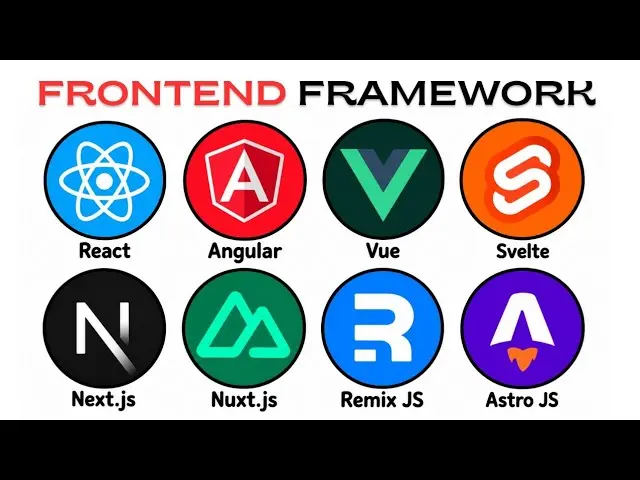 Major Frontend Frameworks Compared in Six Minutes
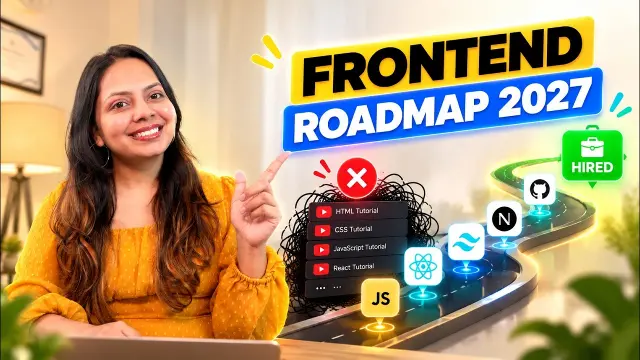 A Practical Frontend Roadmap for Learning From Scratch
 Beginner Guide to Building Modern Frontend Applications
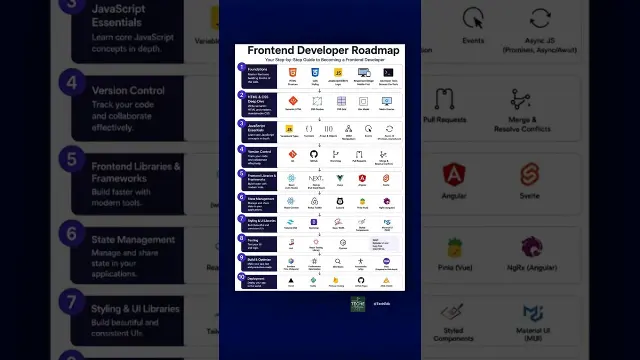 Complete Roadmap to Become a Frontend Developer
 Essential DevOps Skills Every Frontend Developer Needs
 Step by Step Web Development Roadmap for Beginners
 Comprehensive 90 Minute Frontend Development Course
Get new #React ideas by email
Every Thursday: the week's best ideas, with the newest from #React.
Related tags
React Guide for Building User Interfaces
What React is
React is a JavaScript library for building user interfaces, especially for websites and web apps that change often. It helps you create parts of a page as reusable components, then combine those components into a complete interface. Instead of treating a page as one large block, React encourages you to think in small, manageable pieces.
React first became widely known as a way to make interactive interfaces easier to organize and update. It is commonly used for dashboards, forms, content platforms, and single-page applications, but it can also be used for many other kinds of web projects.
The core idea: components
Read more
At the heart of React is the component. A component is a reusable piece of UI, such as a navigation bar, a product card, a search box, or a comment list. Components can be simple or complex, and they can be combined to build larger layouts.
A good React interface usually follows a few basic ideas:
- Break the design into small pieces
- Keep each component focused on one job
- Reuse patterns instead of repeating the same code
- Pass information between components in a clear way
This component-based style makes projects easier to understand and maintain, especially as they grow.
How React thinks about data
React uses data to decide what the interface should look like. When the data changes, the user interface updates to match. This approach is helpful for forms, filters, interactive menus, and any screen that changes based on user actions.
As a beginner, it helps to understand a few basic concepts:
- Props are values passed from one component to another
- State is information a component keeps track of and can change over time
- Events let the user interact with the interface, such as clicking a button or typing in a field
Once these ideas make sense, many React patterns become much easier to follow.
Common ways React is used
React is often used to build:
- Single-page applications
- Admin panels and dashboards
- Dynamic forms
- Content-heavy websites with interactive parts
- Mobile-friendly interfaces with shared design patterns
It is also used alongside other tools for routing, data fetching, testing, and styling. React itself focuses mainly on the user interface, so larger projects often combine it with additional libraries or frameworks.
What beginners should know
If you are just starting out, focus on the fundamentals first:
- Learn JavaScript well, especially functions, arrays, objects, and modules
- Understand how components receive data and respond to events
- Practice building small, reusable pieces before attempting a large app
- Keep your UI simple and readable
- Learn to organize files and components in a clear way
It is also wise to avoid making components too large. When a component starts doing too much, it usually becomes harder to test and reuse.
Practical tips
When working with React, think in terms of structure and flow:
- Build the UI from small parts upward
- Keep state as close as possible to where it is used
- Use clear names for components and props
- Reuse layout patterns when they appear more than once
- Test your interface with real user actions, not just static content
With practice, React can become a very natural way to build interfaces that feel organized, flexible, and responsive to the user.
#React: frequently asked questions
How do I start learning React as a beginner?
Start by getting comfortable with JavaScript first, especially functions, arrays, objects, and modules. Then practice building small components, such as buttons, forms, or cards, before trying to create a full app.
What do I need to know before using React?
A solid grasp of basic JavaScript will make React much easier to understand. It also helps to learn how data, events, and reusable UI pieces work, because those are the building blocks of React development.
What kind of projects is React best suited for?
React is a strong choice for interfaces that change often, such as dashboards, forms, content platforms, and single-page applications. It works well when you want reusable components and a clear way to update the screen as data changes.
How should I organize and maintain a React project?
Keep components small, focused, and reusable, and pass data in a clear way. It also helps to keep state close to where it is used, use consistent naming, and reuse layout patterns instead of repeating code.
What common mistakes should I avoid when building with React?
A common mistake is making one component do too much, which can make the code harder to reuse and test. Beginners also often ignore file structure or mix too much logic into the UI, so it is better to keep things simple and break the interface into smaller parts.
Videos come from YouTube and posts from Instagram; titles and summaries are our own. All rights belong to their creators.