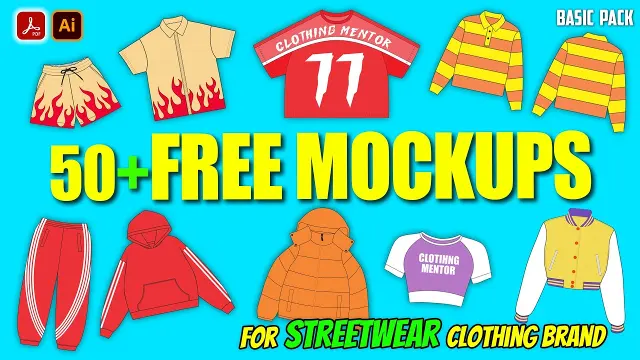
 How to Make Clothing Brand Mockups With Free Vector Files
#Vector Mockups
1 ideas
How to Make Clothing Brand Mockups With Free Vector Files
Get new #Vector Mockups ideas by email
Every Thursday: the week's best ideas, with the newest from #Vector Mockups.
Related tags
Vector Mockups: A Practical Guide
Vector mockups are editable presentation files used to show a design in a realistic or professional setting before it is produced or shared. Instead of being a flat final image, a vector mockup is made from shapes, paths, and layers that can usually be adjusted without losing quality. That makes it useful for designers, small brands, illustrators, and anyone who wants to preview how a logo, pattern, label, garment, or package might look in real life.
What a vector mockup is
A mockup is a visual preview. A vector mockup does the same job, but with vector artwork rather than only raster images. Because vector files can be scaled up or down without becoming blurry, they are especially helpful for presentations, print work, and branding projects that may need different sizes later. You can often change colors, swap artwork, or adjust layout while keeping the same clean structure.
Where vector mockups are used
Read more
Vector mockups are common in branding, packaging, apparel design, stationery, signage, and product presentation. They help you test ideas before committing to production. For example, you might use one to show a logo on a bag, a print on a T-shirt, or a label on a box. They are also useful when you want a simple, polished look for a portfolio, client pitch, or online shop listing.
Main kinds of vector mockups
Some vector mockups are very simple and show only the essential shape and placement area. Others are more detailed and include folds, shadows, perspective, and layered elements to create a more realistic impression. Common types include:
- Clothing mockups
- Packaging and label mockups
- Stationery mockups
- Poster and signage mockups
- Product and object mockups
What to know before using them
A good vector mockup should make the design easy to understand, not distract from it. Look for clear layers, logical naming, and enough flexibility to place your artwork neatly. If the mockup is meant to look realistic, check that the perspective and proportions make sense for the object being shown. If you are working with clients, keep the mockup simple enough that the main idea stays visible.
Practical tips for beginners
Start with a mockup that matches your actual product or use case as closely as possible. A design placed on the right shape will usually look more convincing than one forced into the wrong template. Keep colors consistent with your brand or concept, and make sure the background does not compete with the artwork. If you are new to vector files, spend time learning how layers, clipping areas, and grouped objects work, since these are often the key to editing mockups smoothly.
A useful habit
Use vector mockups as a planning tool, not just a display tool. They can help you compare options, notice spacing issues, and refine a design before it is finalized. When used well, they save time, improve presentation, and make your ideas easier to understand.
#Vector Mockups: frequently asked questions
What do I need to start working with vector mockups?
You need vector editing software and a mockup file with a clean layer structure, plus your own artwork ready in a vector format. Make sure you understand how layers, groups and clipping areas behave, because those are what let you swap artwork without breaking the layout. A little practice opening and hiding layers is more useful than any advanced technique at this stage.
How do I choose the right kind of vector mockup for my project?
Pick the mockup whose shape and format match what you are actually presenting, whether that is a garment, a package, stationery or a sign. A simpler mockup that shows placement clearly often communicates better than a highly detailed one that crowds the artwork. If the final product has folds, shadows or perspective, choose a version where those elements look believable for that object.
Should I choose a simple or a realistic vector mockup?
Simple mockups work well for portfolios, client pitches and shop listings where the idea needs to read instantly. More detailed mockups with shadows, folds and perspective are better when you want the viewer to imagine the finished item in a real setting. Either way, the design should stay the focus rather than the template around it.
What are the common mistakes people make with vector mockups?
The most frequent one is forcing a design into a template whose shape does not match the real product, which makes the preview look off no matter how good the artwork is. Another is letting the background or template details compete with the design, so the main idea gets lost. Keeping colors consistent and the presentation uncluttered fixes most of these problems.
How can I use vector mockups to test ideas before finalizing a design?
Treat mockups as a planning tool rather than only a way to display finished work. Placing the same design on several mockups helps you compare options, spot spacing problems and notice which details hold up at a smaller size. That way you refine the design before production instead of after.
Videos come from YouTube and posts from Instagram; titles and summaries are our own. All rights belong to their creators.