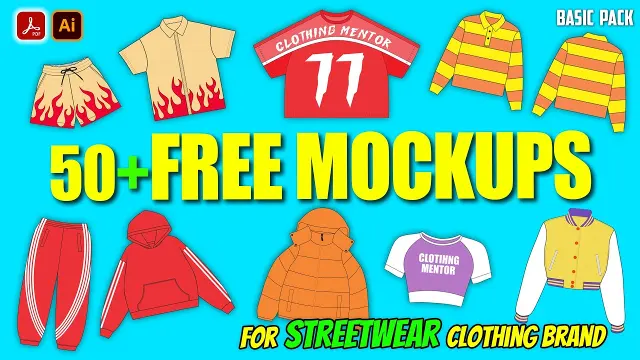
How to Make Clothing Brand Mockups With Free Vector Files
Step-by-step tutorial on how to use free vector mockup files and edit clothing designs for streetwear brands.
YouTube · Clothing Mentor · 21 April 2026 Watch on YouTube
Tried this idea? Show how yours turned out.
I made this#mockup #clothingbrand #streetwear #mockups #fashiondesign #brandingtips
How to do it
What you need
- free vector mockup files
- clothing design artwork
- vector editor or design software
Step by step
- Download the mockup files.
- Open the files in a vector editor.
- Place your clothing design on the mockup.
- Edit the design as needed.
- Use the online editor if you do not have software.
- Export the finished mockup.
Tips
- Use vector files for easier editing.
- Keep your branding style consistent across mockups.
- Check the video for the password before downloading.
Written by Tagrazzi from the original's description and photo.
The title and summary are written by Tagrazzi; the video belongs to its creator and plays from YouTube.
Comments (0)
No comments yet. Be the first to comment.
Sign in to write a comment.