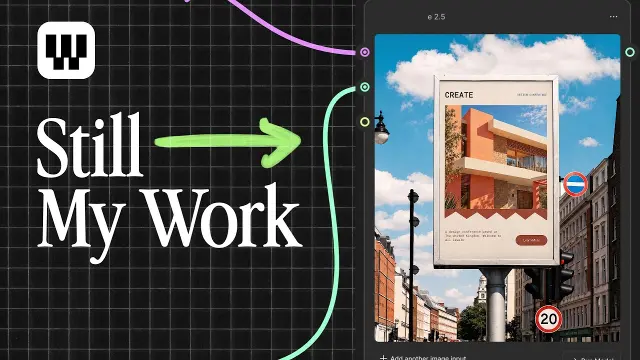
Figma Weave for Poster Mockups
Learn how to use Figma Weave to generate realistic poster mockups straight from handmade Figma designs.
YouTube · Will Paterson · 30 October 2026 Watch on YouTube
Tried this idea? Show how yours turned out.
I made thisHow to do it
What you need
- Figma frame
- Figma design
- Figma Weave
- prompt
- variables
- text iterators
- image iterators
Step by step
- Bring your Figma frame into Weave.
- Set up a mockup prompt.
- Add variables for different scenarios.
- Use text iterators for locations and weather.
- Generate the mockups.
- Send the mockups back into Figma.
- Publish the workflow as a reusable Figma tool.
Tips
- Use matrix or parallel runs to create multiple variations.
- Swap in different designs with image iterators.
- Build the workflow once so you can reuse it later.
Written by Tagrazzi from the original's description and photo.
The title and summary are written by Tagrazzi; the video belongs to its creator and plays from YouTube.
Comments (0)
No comments yet. Be the first to comment.
Sign in to write a comment.