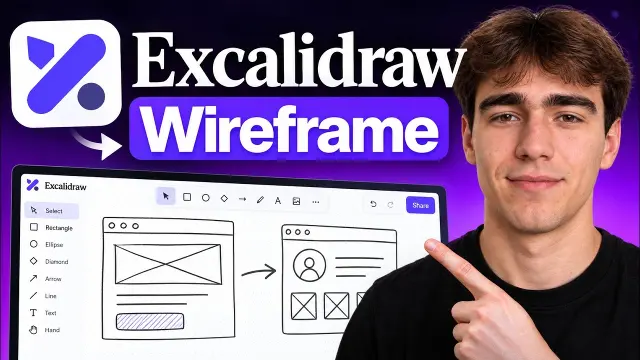
 Beginner Tutorial on Creating Wireframes in Excalidraw
#Wireframe
1 ideas
Beginner Tutorial on Creating Wireframes in Excalidraw
Get new #Wireframe ideas by email
Every Thursday: the week's best ideas, with the newest from #Wireframe.
Related tags
Wireframes: a guide to planning designs
Wireframes are simple visual plans for a website, app, or other digital product. They show structure rather than style, helping you think through what belongs on a screen, where it should go, and how a person will move through it. A wireframe usually focuses on layout, hierarchy, and basic function, not colours, fonts, or polished imagery.
What wireframes are for
A wireframe helps turn an idea into something clear enough to discuss and improve. It is often used early in a design process, before detailed visual design begins. By keeping the drawing simple, you can focus on the essentials: the main content, navigation, buttons, forms, and overall flow between screens.
Wireframes are useful for many kinds of digital projects, including websites, mobile apps, landing pages, dashboards, and online shops. They can also help teams talk about ideas more clearly, because they make the structure visible without the distraction of finished visuals.
Read more
Common types of wireframes
Wireframes are often grouped by how detailed they are.
- Low-fidelity wireframes are very simple. They may use boxes, lines, and labels to show where elements will sit.
- Mid-fidelity wireframes add more detail, such as clearer spacing, more realistic content blocks, and a stronger sense of layout.
- High-fidelity wireframes can look quite close to the final design, but still focus mainly on structure rather than full visual styling.
For beginners, low-fidelity wireframes are usually the best place to start. They are quick to make and easy to change.
How wireframes are made
You can create wireframes with paper and pen, whiteboards, or digital tools. The tool matters less than the thinking behind it. Start by asking what the screen needs to help someone do. Then arrange the most important elements first, and build the rest around them.
A good wireframe usually includes:
- A clear title or purpose for the screen
- Main content sections
- Navigation or menu areas
- Buttons or calls to action
- Forms, search, or other interactive parts where needed
Keep things simple. Use placeholder text if you need to show relative length, but avoid getting distracted by final wording too early. Wireframes are meant to explore structure, not finish every detail.
Practical tips for beginners
If you are new to wireframing, begin with the user’s goal. What should someone be able to do on this screen? That answer will help you decide what deserves the most space and attention.
Try to sketch several versions before choosing one. Often the first idea is not the best one. Moving elements around on a wireframe is much easier than changing a finished design later.
It also helps to think in terms of hierarchy. The most important information should be the easiest to see. Less important details can be smaller, lower down, or grouped together.
Finally, remember that wireframes are a working tool. They do not need to look perfect. Their value comes from making ideas easier to test, refine, and share before more time is spent on visual polish.
#Wireframe: frequently asked questions
What is a wireframe and why would I make one before designing a screen?
A wireframe is a stripped-back sketch of a screen that maps out where content, navigation, and buttons sit without worrying about colour, fonts, or imagery. Making one early lets you test whether the structure makes sense while changes are still cheap. It also gives you something concrete to show other people so the conversation is about the layout rather than vague ideas.
How do I get started with wireframing if I have never done it before?
Start with the single job the screen needs to help someone do, then place the most important element first and build the rest around it. Sketching on paper or a whiteboard is the fastest way in, since speed matters more than neatness at this stage. Draw several rough versions rather than settling on your first idea.
Should I use a low-fidelity or high-fidelity wireframe?
Low-fidelity sketches of boxes, lines, and labels are the best starting point because they are quick to produce and easy to throw away. Once the arrangement feels right, a mid-fidelity version with more realistic spacing and content blocks can help you check proportions. High-fidelity versions look close to the finished design, so they are usually worth the effort only after the structure is settled.
Where should I put the wireframe in my overall design process?
Wireframes belong early, before you spend time on visual styling or detailed artwork. Use them to agree on what belongs on each screen and how people move between screens. Only once that structure holds up should you move on to choosing type, colour, and finished visuals.
What common mistakes make a wireframe less useful?
The most frequent slip is getting drawn into final wording, exact colours, or polished pictures while the layout is still shifting. Another is cramming in too many elements at once, which hides what actually matters on the screen. Keep placeholder text short and readable, and remember a wireframe is a working tool, not a deliverable that needs to look perfect.
How do I keep a wireframe clear for people who are reviewing it?
Label the screen's purpose and give each region an obvious name so nobody has to guess what a box represents. Show navigation, calls to action, and any forms or search areas plainly, since those are what reviewers usually react to. A simple, consistent shorthand across screens makes it much easier to compare versions and give useful feedback.
Videos come from YouTube and posts from Instagram; titles and summaries are our own. All rights belong to their creators.