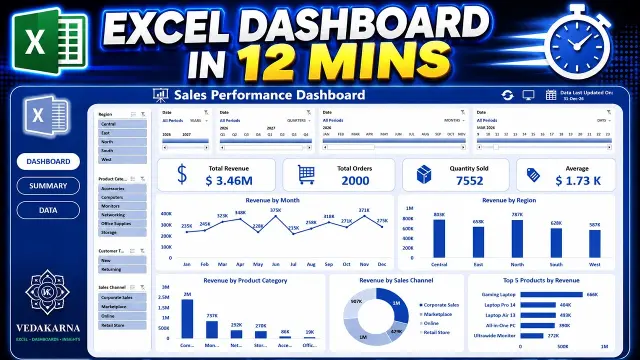
Transform your sales data into an interactive Excel dashboard
Step-by-step instructions on creating a sales dashboard in Microsoft Excel complete with KPIs, charts, and slicers.
YouTube · Vedakarna · 28 August 2026 Watch on YouTube
Tried this idea? Show how yours turned out.
I made this#Excel #ExcelDashboard #ExcelTutorial #ExcelTips #ExcelSlicer #PivotTable #Dashboard #DataAnalytics #MicrosoftExcel #ExcelTipsAndTricks #SalesDashboard #ExcelCharts #BusinessDashboard #DataAnalysis #Vedakarna
How to do it
What you need
- Sales dataset (Date, Customer, Region, Item, Quantity, Price, Sales Amount)
- Microsoft Excel
- PivotTables
- KPI cards
- Charts (column, line, donut)
- Timeline filter
- Slicers
- Navigation buttons
- Refresh macro
- Dashboard layout sheet
Step by step
- Set up the raw sales data table with Date, Customer, Region, Item, Quantity, Price and Sales Amount.
- Create PivotTables from the data for each KPI and chart you plan to show.
- Design the dashboard layout on a separate sheet, with panels for KPIs, charts and filters.
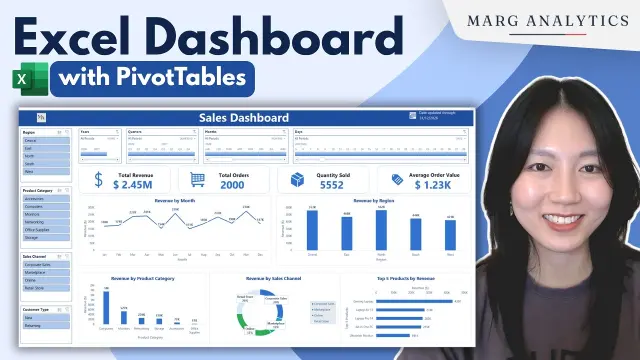
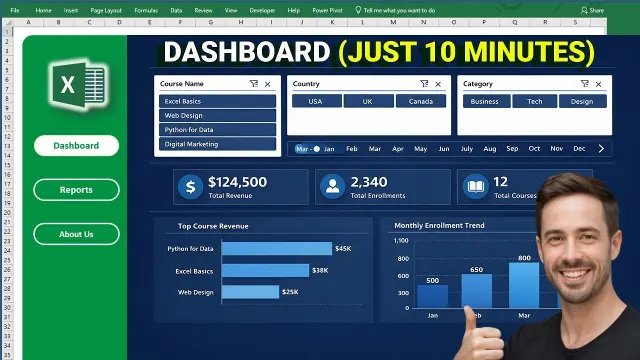
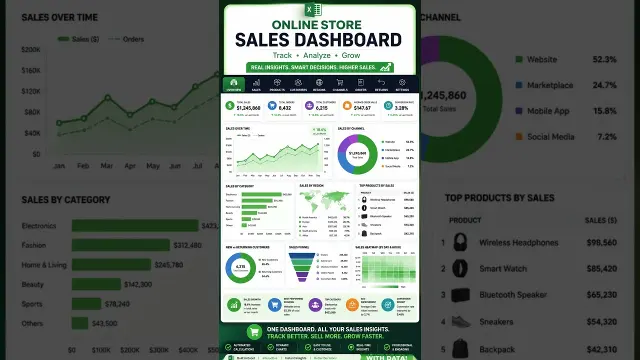
- Build KPI cards for Total Revenue, Total Orders, Quantity Sold and Average Value.
- Add charts such as revenue by month, revenue by region, revenue by product category, revenue by sales channel and top products.
- Insert a timeline and slicers and connect them to all PivotTables so one click updates everything.
- Add navigation buttons to switch between the dashboard, summary and data sheets.
- Add a refresh macro, then test the dashboard by clicking a slicer and confirming every visual updates.
Tips
- Connect every PivotTable to the same slicers and timeline so a single click refreshes the whole dashboard.
- Keep the raw data on its own sheet and build all visuals from PivotTables rather than the data itself.
- Test the refresh macro after filtering to make sure KPIs and charts stay in sync.
Written by Tagrazzi from the original's description and photo.
The title and summary are written by Tagrazzi; the video belongs to its creator and plays from YouTube.







Comments (0)
No comments yet. Be the first to comment.
Sign in to write a comment.