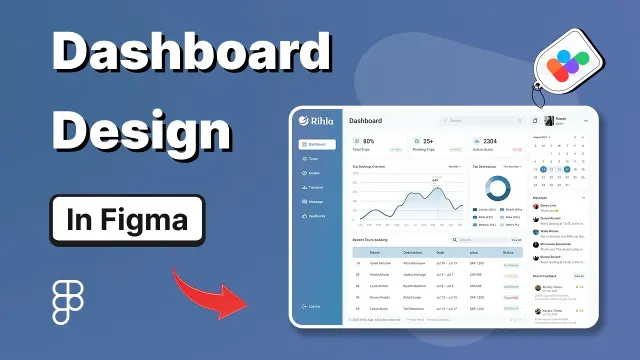
How to design a modern UI UX dashboard from scratch in Figma
A detailed walkthrough on creating a clean layout with strong visual hierarchy for a modern dashboard interface in Figma.
YouTube · Rawan · 19 January 2026 Watch on YouTube
Tried this idea? Show how yours turned out.
I made thisHow to do it
What you need
- Figma
- frame
- sidebar
- top bar
- buttons
- cards
- line chart
- pie chart
- table
- calendar
Step by step
- Create a new dashboard frame in Figma.
- Build the button components first.
- Add a left sidebar for navigation.
- Place a top bar with the page title and user area.
- Design the main content with overview cards and charts.
- Add the calendar, messages, feedback, and table sections.
- Use spacing, alignment, and contrast to keep the layout clean and clear.
Tips
- Keep the visual hierarchy strong by making the key stats stand out.
- Use repeated card styles to keep the dashboard consistent.
- Leave enough white space so the interface feels clean and modern.
Written by Tagrazzi from the original's description and photo.
The title and summary are written by Tagrazzi; the video belongs to its creator and plays from YouTube.











Comments (0)
No comments yet. Be the first to comment.
Sign in to write a comment.