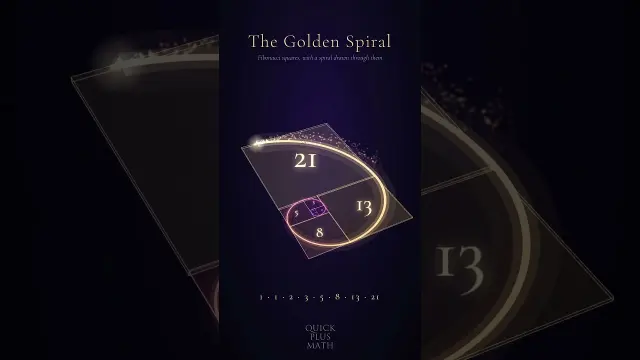
 Satisfying 3D Fibonacci Golden Ratio Spiral Loop Simulation
#3D Animation
2 ideas
Satisfying 3D Fibonacci Golden Ratio Spiral Loop Simulation
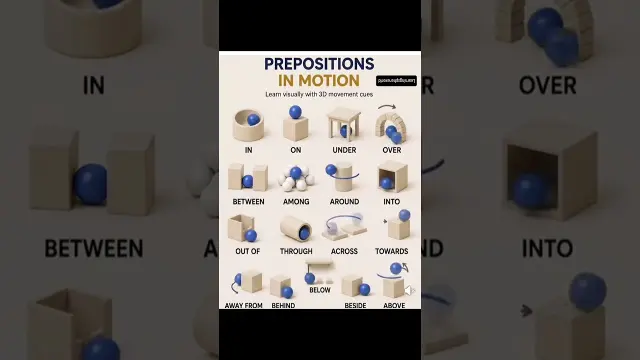 English Prepositions of Movement Explained With 3D Animations
Get new #3D Animation ideas by email
Every Thursday: the week's best ideas, with the newest from #3D Animation.
Related tags
3D Animation Guide for Beginners
What 3D animation is
3D animation is the art of making digital objects appear to move in a three-dimensional space. Unlike flat, drawn animation, it uses models with height, width, and depth, so characters, products, environments, and abstract shapes can be seen from many angles. It is used in film, television, games, advertising, architecture, education, and motion graphics.
At its core, 3D animation combines design, movement, and timing. You create or import a model, place it in a virtual scene, and then animate how it moves, turns, stretches, or changes over time. Light, shadows, materials, and camera work help make the final result feel believable or expressive.
Where it comes from
Read more
3D animation grew from computer graphics and early experiments in digital imaging. As software and hardware improved, artists gained more control over modeling, rigging, lighting, and rendering. Today it is a broad creative field with many approaches, from realistic character animation to stylized abstract motion.
Common kinds of 3D animation
There are many ways to use 3D animation, depending on the goal.
- Character animation: brings people, animals, or creatures to life through body movement, facial expression, and acting.
- Motion graphics: uses 3D shapes, text, and symbols for titles, explainers, and visual design.
- Product visualization: shows objects clearly, often for design, advertising, or presentation.
- Architectural visualization: presents buildings, rooms, and spaces before they are built.
- Abstract animation: focuses on shapes, patterns, simulations, and visual rhythm rather than realistic subjects.
Main techniques
A typical 3D workflow includes several steps:
- Modeling: creating the shape of an object or character
- Rigging: building a control structure so the model can move
- Animation: setting movement over time
- Texturing and materials: adding surface color, detail, and finish
- Lighting: placing light sources to shape mood and visibility
- Rendering: producing the final image or sequence
- Compositing: combining rendered elements and refining the final look
Each stage matters, and small changes can greatly affect the result.
What beginners should know
If you are new to 3D animation, start simple. Learn the basics of timing, spacing, and movement before trying complex scenes. Even a bouncing ball can teach you a lot about weight, anticipation, and follow-through.
It also helps to understand that good animation is not only about technical skill. Clear observation is essential. Watch how real objects, people, and animals move. Notice pauses, acceleration, and imbalance. These details make animation feel alive.
Practical tips
- Begin with short projects so you can finish them.
- Focus on clean movement before adding heavy detail.
- Use references from real life whenever possible.
- Keep scenes organized with clear naming and layers.
- Practice the camera as carefully as the animation itself.
- Be patient: 3D animation often takes many small adjustments.
With practice, 3D animation becomes a powerful way to tell stories, explain ideas, and create images that feel both imaginative and precise.
Videos come from YouTube and posts from Instagram; titles and summaries are our own. All rights belong to their creators.