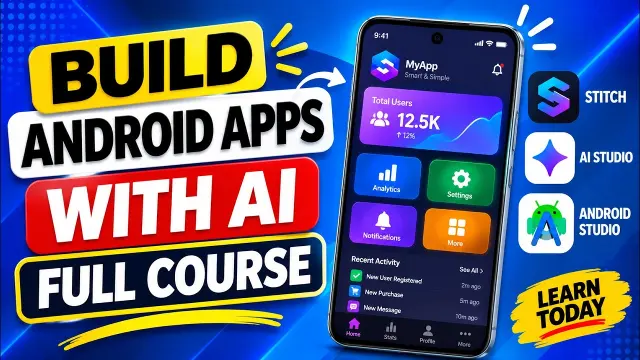
 Beginner Course on Building an Android App with AI Tools
#Android Development
1 ideas
Beginner Course on Building an Android App with AI Tools
Get new #Android Development ideas by email
Every Thursday: the week's best ideas, with the newest from #Android Development.
Related tags
Android Development: A Beginner's Guide to Building Apps
Android development is the craft of building software that runs on Android, the mobile operating system used by a wide range of phones and tablets. An Android app is a package of code, images, layouts and configuration files that the system installs and runs inside a managed environment. Because so many device shapes and versions exist, the platform is designed to be flexible: the same app can adapt to different screen sizes, languages and hardware features.
How an app is put together
Every app is built from a few recurring pieces. Screens are usually assembled from layouts and components that describe what the user sees, while the logic behind them decides what happens when someone taps, types or swipes. Apps also declare what they need in a manifest file, which tells the system about permissions, entry points and hardware requirements.
The platform provides building blocks for common jobs — storing data, playing media, showing notifications, connecting to the network — so you rarely start from nothing. Android development is largely the practice of combining these blocks into something coherent.
Read more
The main tools and languages
Most Android work happens in a dedicated development environment that bundles an editor, a build system, an emulator and debugging tools. Beginners usually begin there rather than assembling a toolchain by hand.
On the language side, Kotlin and Java are the established options, and both are well documented. Modern apps commonly use a declarative approach for building interfaces, where you describe the screen in code and the framework handles updating it, as well as the older pattern of layout files combined with view logic. You will also meet architectural ideas such as separating interface code from data handling, which keeps projects easier to maintain as they grow.
Where Android development is used
Beyond phones, the same skills extend to tablets, wearables, televisions and cars, and to internal business tools that never reach a public store. Many developers work on a single codebase that also targets other platforms, though that usually means accepting some limits in exchange for shared effort.
What beginners should know
- Start small. A single-screen app that stores a list of items teaches more than a sprawling unfinished project.
- Learn the fundamentals of the language first: variables, functions, classes and basic data structures.
- Get comfortable with the emulator and with reading error messages; debugging is most of the work.
- Build the habit of testing on more than one screen size and orientation early, not at the end.
- Read the official platform documentation. It is extensive, and it changes with the platform, so returning to it is normal.
- Keep permissions minimal and explain any you request. Users notice, and unnecessary access erodes trust.
Practical advice
Version control from the first day, even on a solo project. Commit often and write short messages. Publish a small app early to learn how packaging and release work, because the process is easier to absorb on something simple. When you get stuck, reduce the problem until it is tiny, then search using the exact error text.
Expect the platform to evolve. Tools, libraries and recommended patterns change over time, so aim to understand why a pattern exists rather than memorising steps. That understanding stays useful long after any particular tool does.
Videos come from YouTube and posts from Instagram; titles and summaries are our own. All rights belong to their creators.