 Building Custom AI Agents in Workspace Studio Using Plain Language
#No-Code
2 ideas
Building Custom AI Agents in Workspace Studio Using Plain Language
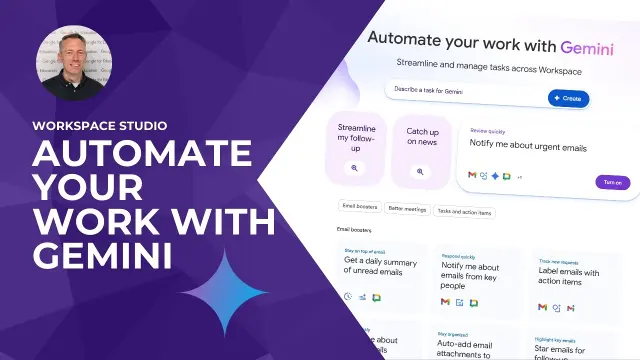 Google Workspace Studio Tutorial: Automating Gmail and Drive
Get new #No-Code ideas by email
Every Thursday: the week's best ideas, with the newest from #No-Code.
Related tags
No-Code Tools and Visual Building
What no-code means
No-code is a way of creating digital products and workflows without writing traditional code. Instead of typing long lines of programming language, you use visual tools such as drag-and-drop builders, forms, menus, blocks, and settings panels. This makes it easier to design websites, apps, databases, automations, and internal tools.
The idea behind no-code comes from a long history of making technology more accessible. As software tools became more visual and user-friendly, people outside of programming began to build and customize their own solutions. No-code is part of that movement: it lets you focus on what you want to create, rather than on syntax.
What you can build
Read more
No-code tools are used for many different kinds of projects. You might use them to build a simple website, a landing page, a booking form, a client portal, a personal dashboard, or a business workflow. They are also popular for automating repetitive tasks, such as moving information between apps, sending emails, organizing files, or updating spreadsheets.
For many beginners, no-code is a practical way to test an idea quickly. You can build a first version, learn what works, and improve it without starting from zero every time.
Common no-code styles
No-code does not mean one single method. Different tools are designed for different jobs.
- Website builders help you create pages and layouts visually.
- App builders let you design mobile or web apps with screens, buttons, and data.
- Automation tools connect services and move information between them.
- Database and workspace tools help you store, sort, and display information.
- Form builders collect responses and send them into other systems.
Some no-code platforms are very simple and guided, while others give you more control and feel closer to professional software design.
How no-code works
Most no-code systems follow the same basic logic: you set up data, define actions, and connect steps together. For example, you might choose what happens when someone fills in a form, clicks a button, or uploads a file. Behind the scenes, the platform handles the technical work.
This is useful, but it still helps to think clearly. A strong no-code project usually starts with a simple structure:
- What is the purpose of the tool?
- What information does it need?
- What should happen when a user acts?
- How will you organize and update the data?
Tips for beginners
Start small. A simple project is much easier to finish than a complicated one. Build one useful thing first, then expand it.
Keep your data clean and organized. Good naming, clear labels, and simple workflows save time later.
Test every step as you build. A no-code project can look right but still behave unexpectedly if a setting is off.
Be aware of limits. No-code is powerful, but it is not always the best choice for highly specialized or very complex systems. If a project grows a lot, you may eventually need more advanced tools or custom code.
Most importantly, no-code is about problem-solving. If you stay focused on the task you want to simplify, you can create something useful without needing to become a programmer first.
#No-Code: frequently asked questions
How do I get started with no-code if I've never built anything before?
Begin with a small, concrete goal rather than a big platform — a single form, a simple page, or one repetitive task you want to stop doing by hand. Pick a visual builder that matches that goal, follow its guided setup, and finish something usable before adding anything else. The point of the first project is to learn how the tool thinks, not to build the final version.
What do I need to have ready before I start building?
Most of the work happens before you touch the tool: decide the purpose of what you're making, list the information it needs to collect or store, and describe what should happen when someone interacts with it. Writing that out in plain language first keeps you from rearranging settings later. Clean labels and a simple naming habit from the start will save you a lot of confusion.
Which kind of no-code tool should I choose?
Match the tool to the job rather than to popularity: page and layout builders for websites, screen-and-button builders for apps, automation tools for moving information between services, database-style tools for storing and sorting, and form builders for collecting responses. Some platforms hold your hand step by step, while others leave more of the structure to you. If you're unsure, choose the simpler one and upgrade only when it actually blocks you.
Can no-code really handle repetitive tasks for me?
Yes, and this is often where it pays off fastest — moving information between services, sending routine messages, filing documents, or keeping a spreadsheet current. You define the trigger, the action, and the steps in between, and the platform runs them behind the scenes. Test with a small case first so you can see exactly what fires and when.
What mistakes do beginners usually make?
The most common one is starting too large, which makes a project hard to finish and harder to fix. The second is skipping tests as you go — a build can look correct and still behave unexpectedly because a single setting is off. The third is messy data: unclear names, duplicate entries, and tangled steps that become painful once the project grows.
Will I eventually outgrow no-code?
Possibly, and that's normal. No-code is excellent for testing an idea quickly and for the everyday tools most people need, but highly specialized or very complex systems can hit its limits. If a project keeps expanding, you can move the demanding parts to more advanced tools or custom code while keeping the rest as it is.
Videos come from YouTube and posts from Instagram; titles and summaries are our own. All rights belong to their creators.