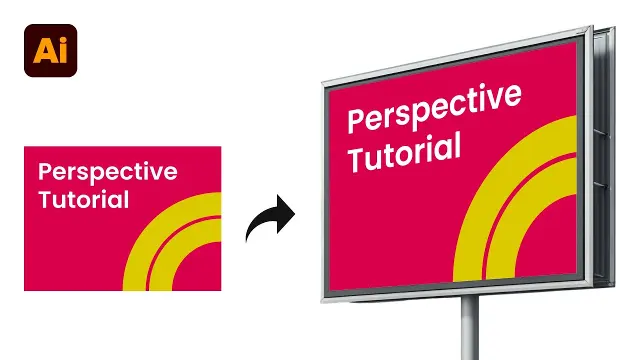
 How to Place Mockups in Perspective Using Adobe Illustrator
#Product Mockups
3 ideas
How to Place Mockups in Perspective Using Adobe Illustrator
 How to Quickly Generate Multiple Print on Demand Mockups
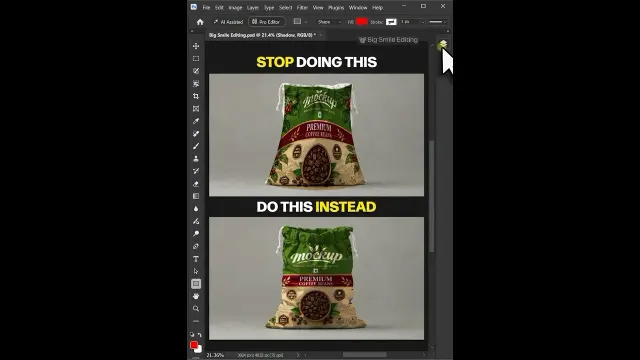 Easy Photoshop Tips for Creating Fabric Drawstring Sack Mockups
Get new #Product Mockups ideas by email
Every Thursday: the week's best ideas, with the newest from #Product Mockups.
Related tags
Product Mockups: A Practical Guide
What product mockups are
Product mockups are visual representations of a product before it is made, printed, or photographed in its final form. They help you show how a design will look on real objects such as clothing, packaging, stationery, screens, or homeware. A mockup can be a simple flat layout, a digital rendering, or a realistic scene built from a photo or illustration.
Mockups are widely used in design, branding, marketing, online shops, and presentations. They make an idea easier to understand because they show scale, placement, color, and overall appearance in context. Instead of looking at a logo, pattern, or artwork on its own, you can see how it behaves on a tote bag, box, card, or device.
Why mockups matter
Read more
A good mockup helps people imagine the finished product. If you are designing for yourself, it can help you test choices before committing to production. If you are presenting work to a client, it can make your concept feel more concrete and professional. If you sell products online, mockups can help create clear listings and consistent visuals when you do not yet have photographed samples.
Mockups are also useful for comparing different design options. You can see whether a logo is too small, whether text is readable, or whether colors work well on the chosen surface. They are especially helpful when the final product has folds, curves, shadows, or texture that affect how a design appears.
Common kinds of mockups
There are many types of product mockups, but some of the most common include:
- Apparel mockups, such as T-shirts, hoodies, tote bags, and hats
- Packaging mockups, such as boxes, pouches, jars, and bottles
- Stationery mockups, such as business cards, notebooks, flyers, and envelopes
- Digital mockups, such as phone screens, tablets, laptops, and websites
- Home and lifestyle mockups, such as mugs, cushions, framed prints, and labels
Some mockups are very clean and minimal, while others show the product in a styled scene. Flat mockups focus on the design itself, while realistic mockups aim to recreate shadows, folds, reflections, and perspective.
Techniques and practical tips
If you are new to mockups, start with a clear, simple base. Choose a product view that matches the way the item is usually seen. Keep the angle consistent with the perspective of the object, and make sure the artwork sits naturally on the surface.
A few practical tips can help:
- Use high-quality source images or templates
- Match the lighting and shadows of the original scene
- Keep the background simple if the design is the main focus
- Check that logos and text are positioned correctly
- Avoid stretching artwork in ways that make it look unrealistic
When working with patterned or printed items, pay attention to how the surface bends and folds. A mockup should suggest the final product, not flatten it unnaturally. For packaging and labels, accurate alignment is especially important, since small placement errors can make the design feel off.
What beginners should know
The best mockups are usually the ones that feel believable and easy to read. You do not need to overcomplicate them. Begin with one product, one design, and one clear purpose. As you practice, you will learn how to choose angles, lighting, and layouts that make your work stronger.
If you use mockups often, try to build a small collection of styles that suit your work. A consistent approach makes your designs easier to compare and present, and it helps your visual identity stay clear across different products.
#Product Mockups: frequently asked questions
How do I start making product mockups if I’m a beginner?
Start with one product, one design, and a simple layout so the result is easy to read. Pick a clear view of the item, then place your artwork carefully so it follows the shape and perspective of the surface.
What do I need to create a realistic mockup?
You usually need a strong source image or a good template, plus artwork that fits the product cleanly. Good lighting, believable shadows, and proper alignment make the mockup look natural instead of pasted on.
Which kind of product mockup should I choose?
Choose the mockup that matches how the product is normally seen and sold. Apparel, packaging, stationery, digital screens, and home items each work best with different angles and levels of realism.
How can I make sure a mockup looks believable?
Keep the background simple when the design should stand out, and match the original scene’s light and shadow. Avoid stretching the artwork, and make sure folds, curves, and reflections are handled in a way that suits the object.
What are common mistakes to avoid when using product mockups?
A common mistake is placing the design without matching the product’s perspective, which can make it look flat or unnatural. Other issues include poor alignment, unreadable text, and artwork that does not account for seams, bends, or texture.
Videos come from YouTube and posts from Instagram; titles and summaries are our own. All rights belong to their creators.