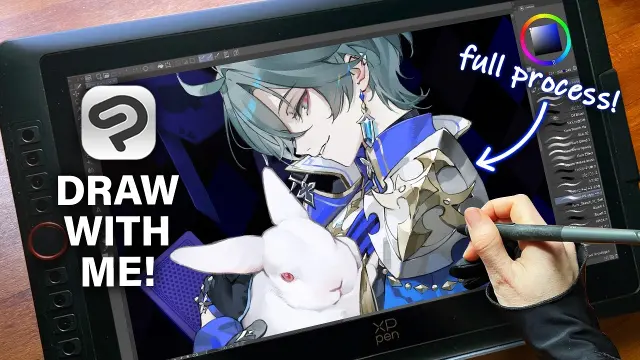
 Draw With Me in Clip Studio Paint Chill Digital Art Process
#Speedpaint
1 ideas
Draw With Me in Clip Studio Paint Chill Digital Art Process
Get new #Speedpaint ideas by email
Every Thursday: the week's best ideas, with the newest from #Speedpaint.
Related tags
Speedpaint: A Guide to Timelapse Art Videos
A speedpaint is a recording of an artwork being made, played back much faster than it was created. A drawing that took six hours becomes a four-minute video: lines appear, colours flood in, mistakes get painted over and corrected. The appeal is part craft demonstration and part satisfaction — you watch something emerge from an empty canvas, and you get to see the decisions behind it rather than only the finished result.
The idea is older than the internet. Painters have long been filmed completing a picture quickly as a kind of performance, and artists have posted step-by-step progress shots since the earliest online art forums. What changed was the screen recorder. Once digital artists could capture their own canvas cheaply and easily, the timelapse became a standard way of sharing work, and the word "speedpaint" grew to mean the digital version almost exclusively.
The main styles
The classic form is a silent timelapse: the canvas speeding past, set to music, with no explanation at all. It is pleasant to watch and easy to make, since it asks nothing of the artist beyond recording.
Read more
The narrated version is closer to a lesson. The artist talks through brushes, colour choices and composition, sometimes slowing back down to real time for a tricky passage. Watching one is a much better use of your attention if you actually want to learn something.
Somewhere between the two sits the chatty process video — part tutorial, part company — and its cousin, the draw-with-me, where the point is less the finished picture than the shared hour of working alongside someone.
What beginners should know
Record from the start. Most screen recording tools capture the whole session, and it is far easier to cut a long file down than to recreate a process you forgot to capture.
Work at a reasonable resolution and keep your canvas visible and unobstructed. Turn off notification pop-ups and hide panels you never use; viewers are watching your drawing, and clutter pulls the eye away.
Save in a format that survives editing, and back the file up before you start trimming. Timelapse files get large quickly.
Choose your music carefully. Uploaded videos are usually muted or taken down when the soundtrack belongs to somebody else, so use music you have the right to use, or none at all.
Do not feel obliged to show only your successes. A speedpaint that includes a wipe-out and a repaint is more honest and more instructive than one that looks effortless, and other artists recognise the difference.
Finally, remember the recording is a side effect of the work, not the work itself. Take breaks, keep your posture reasonable, and rest your eyes away from the screen now and then — a long drawing session is still a long session, camera or no camera.
Videos come from YouTube and posts from Instagram; titles and summaries are our own. All rights belong to their creators.