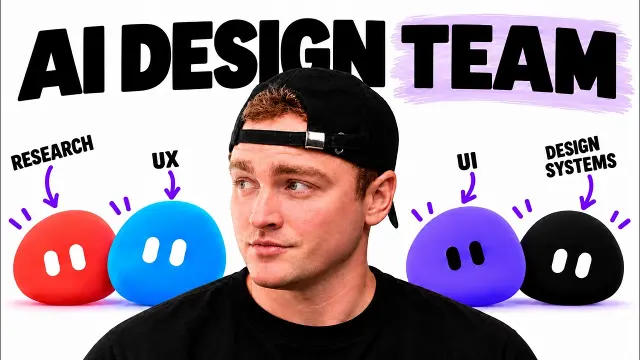
Building a Specialized Design Team Using Artificial Intelligence Agents
A walkthrough on setting up specialized Grok bots for UX research, UI design, and design systems.
YouTube · UI Collective · 2 November 2026 Watch on YouTube
Tried this idea? Show how yours turned out.
I made thisHow to do it
What you need
- Grok account
- Grok Bots (one per role)
- A design task to hand off
- Figma or a design-file source (if you want the UI/design-systems bots to work from one)
Step by step
- Create a separate Grok Bot for each role: research, UX, UI, and design systems.
- Write each bot's role so it stays specialized to its own part of the work.
- Point the bots at your own reference material, such as an existing design system, so their output matches it.
- Start with the research bot to gather and frame the problem.
- Pass its output to the UX bot to shape structure and flows.
- Pass that to the UI bot for the visual design.
- Have the design-systems bot check the result against your system and components.
- Review the combined output and send corrections back to the specific bot that produced them.
Tips
- Keep one bot per discipline; a single general bot loses the specialization that makes the handoffs work.
- Feed each bot's output into the next one rather than prompting them all from scratch, so the team builds on itself.
- Treat the final output as a draft to critique and refine, not a finished design.
Written by Tagrazzi from the original's description and photo.
The title and summary are written by Tagrazzi; the video belongs to its creator and plays from YouTube.
Comments (0)
No comments yet. Be the first to comment.
Sign in to write a comment.